

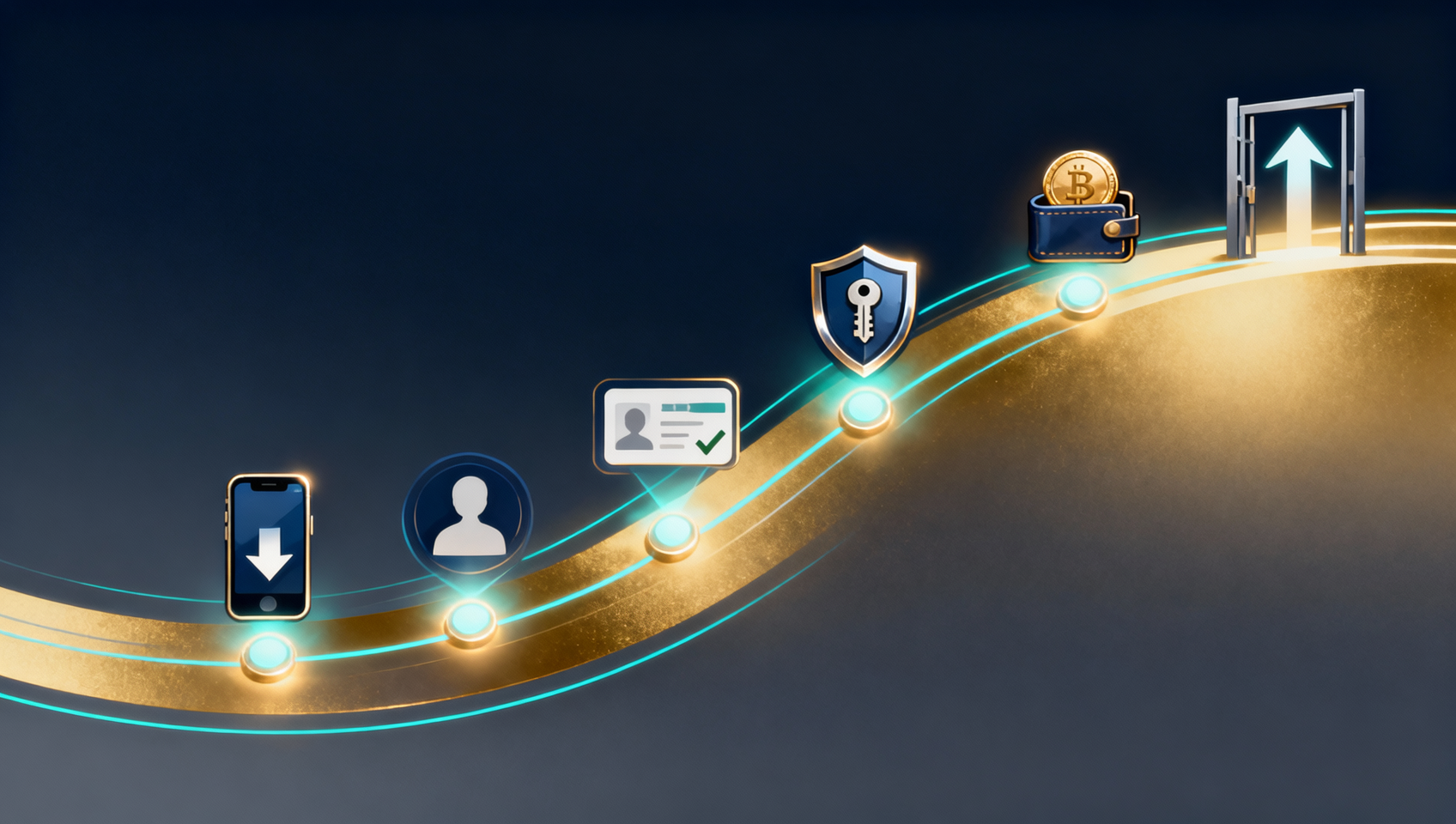
Key takeaways:
- Only two of the six steps are truly irreversible: choosing the wrong download channel (a fake app) and registering without an invite code. KYC, deposits and withdrawals can be redone; these two cannot.
- There are only two official sources: Binance's official download page and the official APK direct link. An APK sideloaded from the website does not update itself — track versions yourself.
- The most common deposit problem is not the transfer — it's forgetting to click "I have paid", after which the order times out and the money and coins are stuck in dispute.
- KYC is not "retry until it passes": Binance limits identity submissions per day (commonly 10), and repeated failures can trigger stricter manual review.
- Withdrawal risk is not the fee — it's the network and the memo. Fees differ dozens of times between chains, but a wrong chain or a missing memo can cost the principal.
- Register through a registration link (e.g. "Register now") or enter the invite code BINANBT to get a 20% fee rebate; registering directly in the app gets you nothing.
Table of contents
- Flow overview: six steps, two irreversible
- Step 1: Download the app, channel first
- Step 2: Register, the invite code only works now
- Step 3: KYC, how to pass on the first try
- Step 4: Security before trading
- Step 5: Deposits, C2C and on-chain
- Step 6: Withdrawals, two fields that break
- How long each step takes
- FAQ
- 💰 Binance rebate: invite code BINANBT
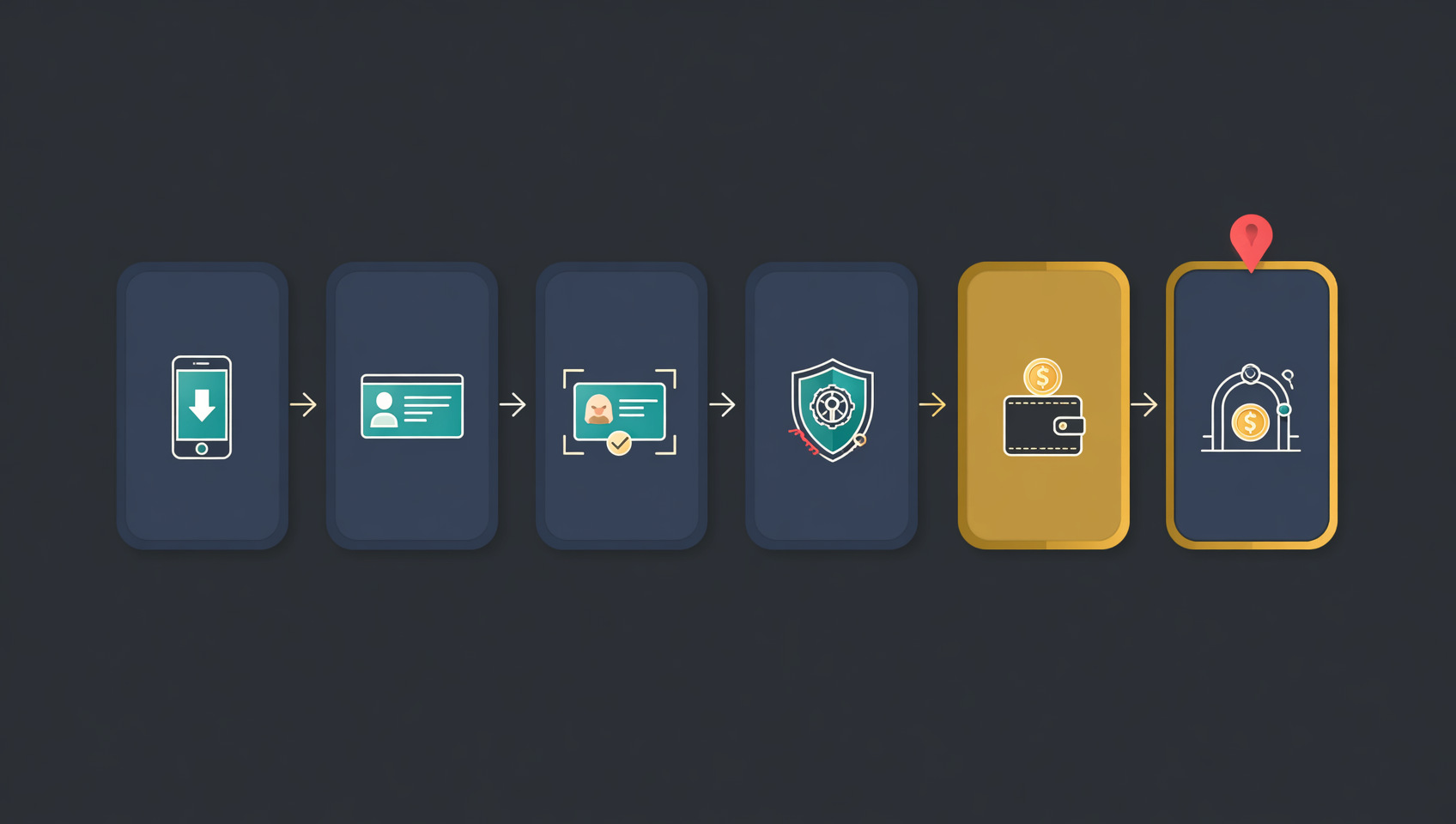
Flow overview: six steps, two irreversible
From download to withdrawal there are six steps. Read this table first — knowing how long each takes and whether it can be redone matters more than rushing in.
| Step | What you do | Typical time | Can it be redone? |
|---|---|---|---|
| 1. Download | Install the official app or client | 5–15 min | Yes, but a fake app can steal your funds |
| 2. Register | Create the account, enter invite code | 3–5 min | Account yes, referral link no |
| 3. KYC | Upload ID, face verification | minutes to hours | Yes, but daily submission limit |
| 4. Security | 2FA, anti-phishing code, whitelist | 10 min | Yes, do it early |
| 5. Deposit | C2C buy or on-chain transfer | 10–30 min | Yes, test small first |
| 6. Withdraw | Send to a wallet or another exchange | 10 min + confirmations | Yes, but a wrong chain is usually final |
Two conclusions:
- Steps 1 and 2 are one-time: a fake app takes your login and verification codes; the referral relationship is fixed at signup and cannot be added or switched later.
- Steps 3–6 can be redone, but cost time and sometimes fees. The right approach is not speed — it is getting each step right once.
Step 1: Download the app, channel first
Binance has no version in mainland-China app stores. Users get the APK from the official download page or switch to an overseas Apple ID. The point of this step is not how to install — it is where you install from.
Four official channels
| Platform | Official download | Special requirement | Updates |
|---|---|---|---|
| Android | APK direct from the website | No Google Play | Manual reinstall |
| Android | Google Play, search Binance | Google services | Automatic |
| iOS | App Store, search Binance | Overseas Apple ID | Automatic |
| HarmonyOS | Official HarmonyOS package | No Google services | Manual |
| Windows / Mac | .exe / .dmg from the website | Win10/11 64-bit or macOS 10.15+ | In-client or re-download |
Android: official APK link and three checks
The official APK direct link is:
https://download.bsmkweb.cc/pack/BNApp_F0002087.apk?utm_medium=web_share_copy
Open it in your phone browser. Before installing, run three checks — all must match:
- File name: must start with
BNApp, 321,076,391 bytes. - File size and type: about 306 MB, an Android package.
- Package name after install: Settings → Apps → Binance → App info should show com.binance.dev.
Install steps:
- Tap the downloaded APK.
- If the phone blocks unknown sources, go to Settings → Security → Install unknown apps and allow your browser or file manager.
- Tap Install; a Binance icon on the home screen means success.
- Open the app once and verify version and package name before signing in.
⚠️ Two common Android misconceptions: ① a sideloaded APK does not auto-update; download and install new versions yourself. ② "App not installed" is often not a corrupt file — an old copy, a cloned app or a third-party modified build with the same package name causes it. Uninstall those first.
iOS: an overseas Apple ID is the prerequisite
- Sign out of the App Store and sign in with an overseas Apple ID (US, Hong Kong, Singapore, etc.).
- Search Binance and check the developer Binance and the black-and-gold diamond icon.
- Install. If "Untrusted Enterprise Developer" appears, go to Settings → General → VPN & Device Management and trust the certificate.
Do not buy "shared Apple IDs" and do not use "enterprise-signed" installers circulating online — bypassing the App Store means nobody verifies the developer for you.
HarmonyOS: official package only
Open the official download page, choose HarmonyOS, download and allow "install unknown apps". HarmonyOS NEXT no longer runs Android APKs, so the native HarmonyOS package is required; if Huawei's Pure Mode blocks it, turn off enhanced protection under Settings → System & updates → Pure Mode.
Step 2: Register, the invite code only works now
Registration is quick, but one choice is irreversible: the referral relationship. Whoever's code you enter is your referrer — it cannot be added later or switched.
Six steps to register
- Open a Binance registration link (e.g. "Register now"), or choose Register in the installed app.
- Register with email or phone number. Email is easier to manage; a phone number is easier to recover. Pick one.
- Set a strong login password, not reused from email or other sites.
- Enter BINANBT in the invite-code field (a registration link usually fills it in — verify it).
- Enter the email/SMS code and finish creating the account.
- Sign in, but do not deposit yet — complete KYC and security settings first.
Three things to know about the invite code
- The code must be used at registration. Binance states it cannot be added afterwards; if your account ever shows a binding entry, follow the page, but do not plan on "doing it later".
- An account that already has a referrer cannot be switched. Any paid "rebind service" is a scam.
- Registering directly in the app binds no referral relationship, so you get no signup reward. To get the rebate, use a registration link or enter the code manually.
Step 3: KYC, how to pass on the first try
KYC is Binance's regulatory identity check. Without it, deposits, trading and withdrawals are restricted.
What to prepare
- A valid ID document (national ID, passport, etc. — choose from the types listed on the page).
- Good lighting and a clean background.
- A stable connection and a phone with a working camera.
Steps
- Open Identity Verification, select your country/region and document type.
- Photograph and upload both sides of the document, all four corners visible, no glare or obstruction.
- Complete face verification/selfie as prompted — no hat, mask or sunglasses.
- Fill in name, date of birth and other details exactly as they appear on the document.
- Submit and wait; usually minutes to a few hours, sometimes longer at peak times.
Five common failure causes
| Message | Common cause | Fix |
|---|---|---|
| Blurry/glare | Harsh light, dirty lens, shaky hands | Use natural light, clean the lens, reshoot with all corners |
| Information mismatch | Name spelling or birth date differs | Copy the document character by character |
| Face verification failed | Backlight, obstruction, moving too fast | Face the light and follow prompts slowly |
| Address proof expired | Document out of date | Use a recent proof of address |
| Document already in use | ID bound to another account | Contact support; do not resubmit repeatedly |
⚠️ The most important rule: do not resubmit the same thing over and over. Binance limits identity submissions per day (commonly 10), and repeated failures can trigger stricter manual review. Find the cause first, fix it, then submit.
Step 4: Security before trading
After KYC passes and before depositing, finish the security setup. Doing it in the wrong order is like leaving cash in an unlocked drawer.
- Enable 2FA: bind Google Authenticator in the Security Center. Login and withdrawals will require a dynamic code. SMS codes can be hijacked — prefer an authenticator.
- Set an anti-phishing code: official Binance emails carry your code; any "Binance email" without it is phishing.
- Add a withdrawal whitelist: only whitelisted addresses can receive withdrawals; new addresses usually take 24 hours to approve. That delay is not a nuisance — it is your window to notice a compromise.
- Review logged-in devices: remove sessions you do not recognize.
⚠️ Binance support will never ask for your password, verification code or seed phrase, and will never ask you to share your screen or install remote software. End the conversation if they do.
Step 5: Deposits, C2C and on-chain
There are two ways to deposit: buy USDT with fiat through C2C, or transfer coins in from another wallet or exchange. Beginners should start with C2C, because the platform escrows the trade.
Route A: buy USDT via C2C (recommended for beginners)
- Go to Buy Crypto → C2C, choose USDT and enter the amount. Typical minimums are in the tens to low hundreds of CNY — check the page.
- The system matches a seller and shows the payment method (bank card/Alipay/WeChat Pay).
- Transfer exactly the amount to the account shown on the page — amount and recipient must match character for character.
- After transferring, return to the order page and click "I have paid".
- Once the seller confirms receipt, USDT is released to your funding account.
⚠️ Three common C2C failures: ① you paid but forgot to click "I have paid", the order times out and both money and coins go into dispute; ② the transfer note contains words like "USDT", "Bitcoin" or "buy crypto", which can trigger bank risk controls; ③ you trade off-platform, where the platform cannot escrow and fraud is unrecoverable.
Route B: on-chain deposit (from another exchange or wallet)
- In Binance's Deposit page, choose the coin; the page lists the available networks.
- Choose exactly the same network as the sender — if they send TRC-20, you select TRC-20.
- Copy the deposit address Binance gives you; if the coin requires a Memo/Tag, fill it in too.
- Initiate the transfer on the sending side, starting with a small test amount.
- After it arrives, send the larger amount. On-chain arrival ranges from seconds to tens of minutes depending on congestion and confirmations.
⚠️ The same address does not mean the same network. Many EVM chains share an identical address format; picking the wrong chain still lets you paste the address and shows no error, but the coins will not reach your account.
Step 6: Withdrawals, two fields that break
The withdrawal screen has many options, but only two require judgment: the network and the address (including memo). The rest is filling in blanks.
Six steps to withdraw
- Go to Assets → Withdraw, choose the coin, e.g. USDT.
- Choose the network. The page usually preselects a cheap one — do not tap next until you confirm the recipient supports it.
- Paste the address. If the chain needs a Memo/Tag, a second field appears; check it character by character.
- Enter the amount. The page shows the network's minimum and fee; you receive amount minus fee.
- Pass security verification: email code, SMS and 2FA may all be required.
- Submit and wait. Status moves from processing to completed; use the txid on a block explorer or the receiving platform to confirm arrival.
USDT on three major chains
| Network | Fee (approx.) | Speed | Typical use |
|---|---|---|---|
| TRC-20 (Tron) | ~1 USDT | under 1 min | Most common between exchanges |
| BEP-20 (BNB Chain) | ~0.2–1 USDT | under 1 min | To BSC-supporting wallets/exchanges |
| ERC-20 (Ethereum) | ~5–15 USDT | minutes | Interacting with Ethereum DeFi/contracts |
Figures are ranges checked in October 2026; Binance adjusts with on-chain costs — always use the fee shown on the withdrawal page.
One rule for choosing: follow the recipient, not the price. First see which chains the other side supports, then pick the cheapest among them.
Three mistakes with very different outcomes
| Mistake | Consequence | Recoverable? |
|---|---|---|
| Wrong network, valid address | Coins land on another chain | Sometimes: an exchange recipient may recover them; your own address you can access |
| Address wrong by one character | Sent to a non-existent or someone else's address | Essentially no |
| Memo/Tag missing or wrong | Coins reach the exchange but cannot be credited to you | Sometimes: open a ticket, usually with a fee |
For a new address, withdraw the minimum first. The fee ratio hurts, but it buys confirmation that the chain and address actually work.
How long each step takes
| Stage | Normal time | May extend to |
|---|---|---|
| Download and install | 5–15 min | Longer on poor networks |
| Registration | 3–5 min | — |
| KYC review | minutes to hours | 1–3 business days at peak/manual review |
| 2FA and whitelist | 10 min | New whitelist address ~24 h |
| C2C deposit | 10–30 min | Longer if the seller is slow to release |
| On-chain deposit | 1–30 min | Hours during congestion |
| Withdrawal | 10 min to submit | Arrival 1 min to tens of minutes |
FAQ
Do I have to download Binance from the official website?
Yes. The only official channels are Binance's download page and the official APK direct link. Third-party "download sites" and "official mirrors" may carry trojans; a fake app installs and opens, then takes your login and verification codes.
How do I confirm an Android APK is genuine?
Three checks: the file name starts with BNApp; the file is about 306 MB and is an Android package; after installing, the package name is com.binance.dev. All three must match.
Can I add the invite code after registering?
No. Binance states the code must be used at registration and cannot be added later; an account that already has a referrer cannot be switched. Confirm BINANBT is in the field before you register.
How long does KYC take, and what if it fails?
Usually minutes to a few hours, longer at peak times. Find the cause first — blurry photos, mismatched details and poor face-verification lighting are the top three — fix it, then resubmit. Do not resubmit the same thing; Binance limits identity submissions per day (commonly 10).
Can I deposit without passing KYC?
Accounts without KYC usually cannot deposit, trade or withdraw normally. Complete verification first, otherwise funds may go in but be unusable.
Is buying USDT through C2C safe?
With platform escrow, yes: the seller cannot release coins without payment, and your money is not taken without coins. But stay inside the platform, pay exactly what the page shows, click "I have paid" immediately, and never trade privately.
The deposit shows successful but my balance did not change. What now?
First distinguish C2C from on-chain. For C2C, check the order status. For on-chain, use the txid on a block explorer to confirm the transaction and confirmations, then check whether the network matched and whether a memo was required. Most "missing deposits" are a wrong network or insufficient confirmations.
Why do withdrawal fees differ so much?
A withdrawal fee passes through the on-chain transfer cost. TRC-20 and BEP-20 are cheap, ERC-20 is expensive — the same USDT can cost dozens of times more on one chain than another. The first rule is what the recipient supports, not which is cheapest.
💰 Binance rebate: invite code BINANBT
The easiest step to overlook — and the one you should not skip — is the invite code at registration. Enter BINANBT and get 20% of every trading fee back.
Key reminder: do not register directly in the app — that binds no referral relationship and gives you no signup reward. Only a registration link or the invite code BINANBT works.
- Rebate amount: 20% of every trading fee, refunded continuously.
- How to claim: enter BINANBT in the invite-code field at registration. It must be used at signup and cannot be added later.
- Stacking perk: enable "Use BNB to pay fees" to save another 25%.
👉 Register on Binance and claim your 20% fee rebate
Disclaimer: this content is for educational purposes only and does not constitute investment advice. Crypto investing carries risk — make decisions based on your own situation. KYC requirements, withdrawal fees and arrival times are subject to the live figures on Binance's official pages1.
Footnotes
-
Source: Binance official identity-verification documentation and withdrawal fee page, checked November 2026. ↩