

TL;DR: There are only two official ways to download and install Binance — the download page on binance.com, and Google Play / the App Store. On Android, use the official APK: the file is
BNApp_F0002087.apk, measured at 321,076,391 bytes (about 321 MB) as of the 2026-10-26 build, and the installed package must be com.binance.dev. On iOS, verify App Store ID 1436799971, developer Binance Switzerland AG, version 3.23.1, minimum iOS 16, and a 929.8 MB download. Three steps each, then run the six fake-app checks below.
⚠️ Before you register: do not tap "Sign up" inside the app. An in-app signup does not attach a referral relationship, so you lose the new-user offer and the 20% trading-fee rebate. Enter through a registration link or type the referral code BINANBT at signup.
Contents
- Official Binance app download sources: only two
- Three checks before you download
- Binance APK download (Android): three steps
- Binance iOS download: three steps
- Genuine vs fake: six differences
- Five common download problems
- Four things to do after installing
- When not to download
- Binance referral code: BINANBT
- FAQ
Official Binance app download sources: only two
A Binance app download has exactly two official sources: the download page on binance.com and the official app stores, Google Play and the App Store. There is no "China edition", no "official mirror" and no "accelerated version".
How that looks in practice:
- Official download page: open the
/downloadpage onbinance.com. Android downloads the APK; iOS redirects to the App Store1. - Android installer file name:
BNApp_F0002087.apk, 321,076,391 bytes (about 306 MiB). If both the file name and the size match, you have the official package. - Official stores: Google Play (search Binance) or the App Store via the official page.
| Source | Official? | Best for | What to check |
|---|---|---|---|
| binance.com download page | Yes | All Android users; iOS redirect | Address bar ends on binance.com |
| download.binance.com | Yes | Android phones without Google Play | File name starts with BNApp_ and ends .apk |
| Google Play | Yes | Android phones with Google services | Developer Binance; enable store auto-updates |
| App Store | Yes | iPhone users | App Store ID 1436799971 |
| Search ads, download blogs, cloud drives, group files | No | Nobody | Close the page; do not tap their download button |
⚠️ Most "Binance download" pages ranking in search are not Binance. Some teach you to spot fakes while hosting their own download button on a lookalike domain; others point the APK at a third-party site. The only test that matters: the actual download must land on a binance.com domain or an official app store.
If the official site will not open, first separate a local network problem from a regional access restriction. Do not fall back to a third-party APK site — that is exactly where fake packages concentrate. This guide does not explain how to bypass regional restrictions; follow the laws and regulations that apply where you are.
Three checks before you download
You do not need to study the page design. Check three things: source domain, file size, and developer or package name. If any of them is wrong, do not install the file.
The values below were verified on 2026-11-08. They change with releases; trust what the official page shows when you open it.
| Check | Official Android APK | Official iOS app |
|---|---|---|
| Entry point | binance.com download page / download.binance.com | App Store / official page redirect |
| Unique identifier | Package com.binance.dev | App Store ID 1436799971 |
| Developer / entity | Listing shows Binance | Binance Switzerland AG |
| Version | Check the About screen after install | 3.23.1 (released 2026-10-30) |
| Size | 321,076,391 bytes (about 321 MB / 306 MiB) | 929.8 MB |
| System requirement | Shown at install time | iOS 16.0 minimum |
| Page/file signal | File name begins BNApp_, ends .apk |
Hong Kong rating about 4.84 from ~75,700 ratings |
Two things that commonly cause a false alarm:
- A changed iOS developer name does not mean the app is fake. Many 2026 tutorials still say the developer "must be Binance Inc.", but as of 2026-11-08 the Hong Kong App Store lists the Binance app under Binance Switzerland AG. Developer names vary by region and listing entity; App Store ID 1436799971 is the stronger anchor2.
- The US App Store does not carry the global app. What you find there is
Binance.US: App ID 1492670702, developer BAM TECHNOLOGY SERVICES INC, minimum iOS 18.0, with separate accounts. Do not treat it as the global Binance app3.
Binance APK download (Android): three steps
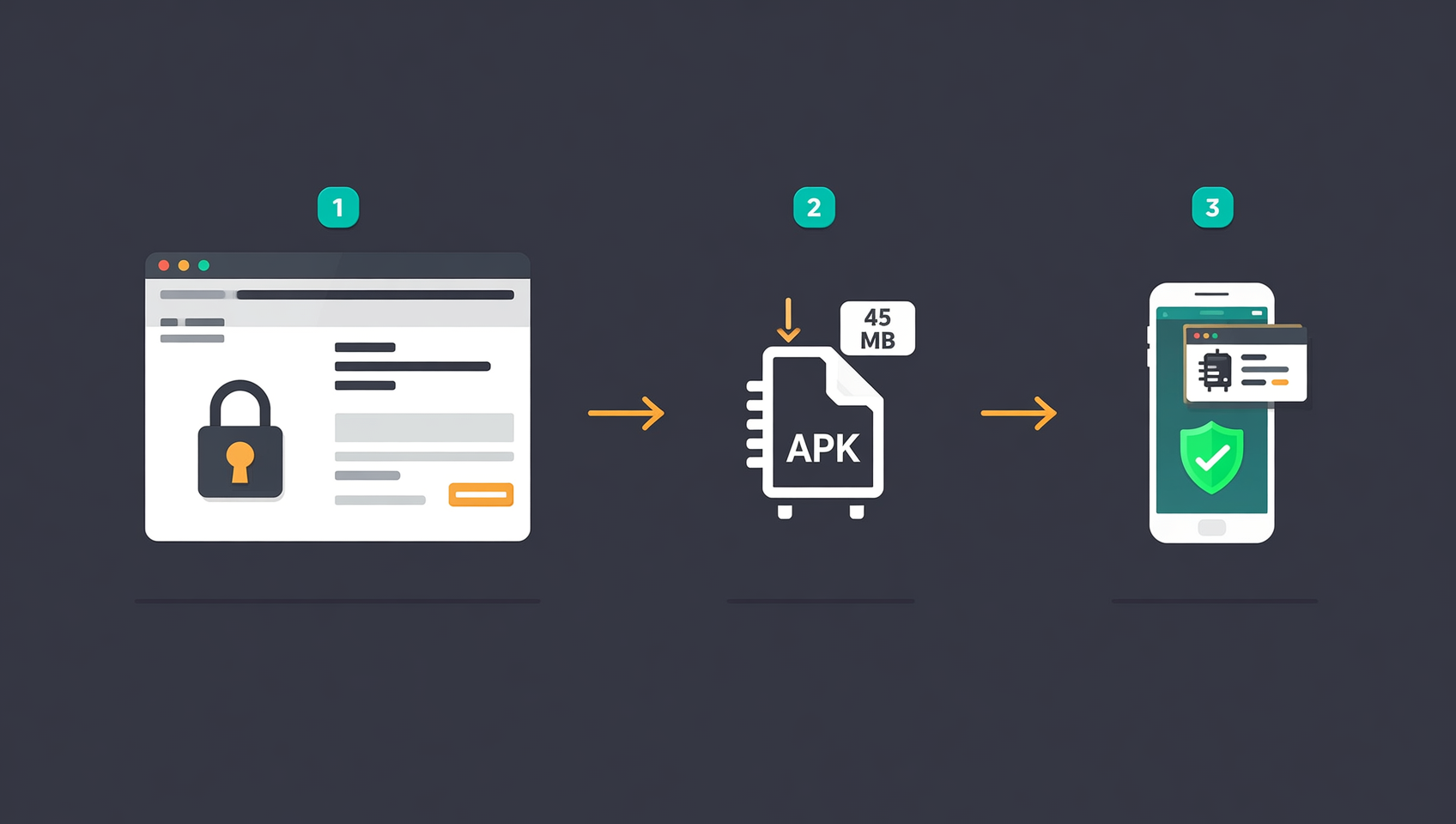
The Binance Android download takes three steps: get the official Binance APK, allow this one install, then verify the package name. No Google Play and no root required. The official APK direct link is:
https://download.bsmkweb.cc/pack/BNApp_F0002087.apk?utm_medium=web_share_copy
Step 1: Get the APK from the official site
- Open the Binance download page in your phone browser and tap the Android option, or open the official APK link directly.
- Before the download starts, check the installer: the file name starts with
BNApp_and is about 321 MB (306 MiB). - When it finishes, check the file name and size: it should start with
BNApp_, end with.apk, and be about 321 MB. A 100–150 MB file, a.zip, or an.exeis not the official Android package4.
If the page asks you to download a "downloader" first, scan a QR code to join a group, or install a certificate before continuing, close it. The official download does not go through those steps.
Step 2: Allow this one install
Since Android 8, "unknown sources" is granted per app, not globally. You only need to authorize the browser or file manager you use to open the package:
| Device | Approximate path |
|---|---|
| Xiaomi / Redmi | Settings → Apps → Special permissions → Install unknown apps → choose browser |
| Huawei / Honor | Settings → Security → More security settings → Install apps from external sources |
| OPPO / OnePlus / realme | Settings → Security → Install unknown apps → choose source |
| vivo / iQOO | Settings → More settings → Permission manager → Install unknown apps |
| Samsung | Settings → Apps → Special access → Install unknown apps |
| Stock Android / Pixel | Settings → Apps → Special app access → Install unknown apps |
After the install finishes, return to the same screen and turn the permission off. Re-enable it temporarily for the next update instead of leaving it on.
Step 3: Install and verify the package
- Tap the APK and confirm the install.
- If you see "There was a problem parsing the package", do not keep retrying. Check the file size first: it should be 321,076,391 bytes. A much smaller file means an incomplete download — delete it and download again.
- After installation, open Settings → Apps → Binance → App info and confirm the package name is com.binance.dev. Note the version number.
- On first launch, if the app asks for your seed phrase or private key, or requests SMS, contacts or Accessibility access before you even sign in, uninstall it. The official app does not ask for those at login.
📌 An APK sideloaded from the official site does not update automatically. Download the new package from the official site and install it over the old version. Skipping updates can leave you with broken endpoints or missing security patches. Write down the current version under "Profile → About" before updating and compare after, so you know the over-install actually worked.
Binance iOS download: three steps
The Binance iOS download also takes three steps: open the correct App Store page, verify the App ID and developer, then install. The hard part is not the steps — it is making sure the page you opened is official.
Step 1: Open the App Store page by ID
The safest route is not a keyword search but the App Store ID:
- In Safari, open
https://apps.apple.com/app/id1436799971; it redirects to your region's App Store listing. - Or open the Binance download page and tap iOS, letting the official page hand you off to the App Store.
The global Binance app is not listed in the mainland China App Store. That is a regional listing difference, not a broken phone. If you already have an overseas Apple ID you are legally able to use, sign in with it. Do not buy shared Apple IDs, and do not install "enterprise certificate" or "configuration profile" builds.
Step 2: Verify App ID, developer and size
On the App Store page, check five things:
| Check | Official value (Hong Kong, 2026-11-08) |
|---|---|
| App Store ID | 1436799971 |
| Developer | Binance Switzerland AG |
| Version | 3.23.1 |
| Size | 929.8 MB |
| Minimum OS | iOS 16.0 |
| Rating | About 4.84 from ~75,700 ratings |
Note that the listing name is localized. In Hong Kong it appears as a Chinese name such as "幣安 - 買比特幣…", not "Binance". Do not judge by name alone; use the App ID and the developer entity. A 100–200 MB app, a personal developer name, or a handful of suspiciously similar reviews is not the official app.
Step 3: Get it and open it
- Tap Get and confirm with Face ID or your password.
- If an update says "This app is no longer shared with you", the Apple ID that originally downloaded it is not the one currently signed in. Update with the original ID instead of uninstalling — uninstalling can wipe local settings.
- On first launch, open Settings → About, confirm the version, then sign in.
📌 US users: the US App Store does not carry the global Binance app, only Binance.US (App ID 1492670702, developer BAM TECHNOLOGY SERVICES INC, minimum iOS 18.0). It is a separate product; do not mix it up with the global app.
Genuine vs fake: six differences
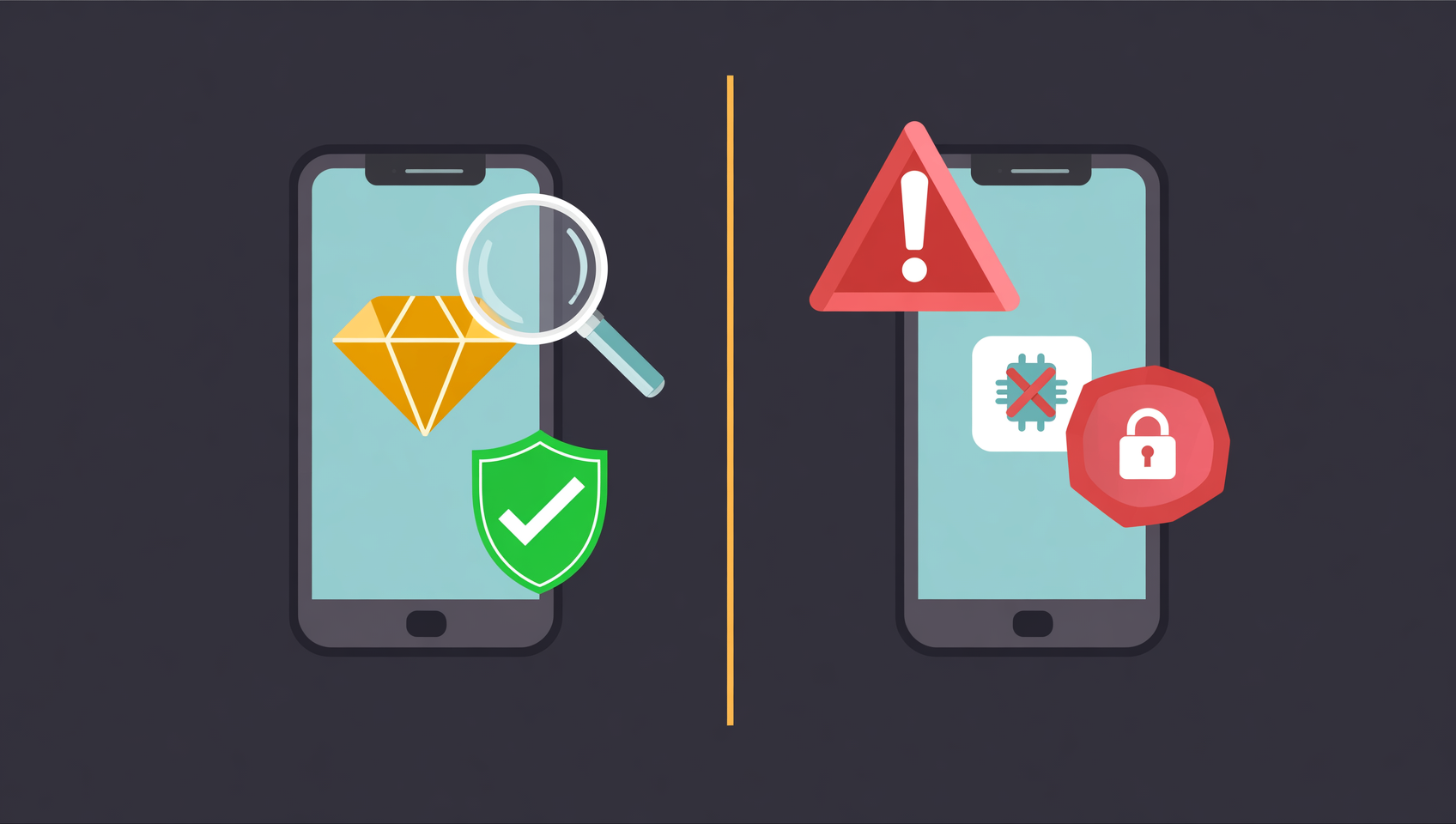
The most dangerous thing about a fake Binance app is that it installs, opens and shows a gold logo just like the real one. Do not judge by appearance; check these six items:
| Check | Official app | Typical fake |
|---|---|---|
| Source | binance.com domain or official store | Search ads, mirror sites, cloud drives, group files, DM links |
| Identifier | Package com.binance.dev; App ID 1436799971 | Wrong package, wrong App ID, personal or shell-company developer |
| Size and version | Android ~321 MB; iOS ~929.8 MB; version visible | Tens of MB, stale version, "cracked", "internal" or "legacy" build |
| Permissions | No SMS, contacts or Accessibility access needed | Asks for SMS, contacts, Accessibility or screen sharing on launch |
| Behavior | Normal login, trading, withdrawals | Asks for seed phrase/private key, tells you to disable security, demands an "activation fee" |
| Updates | Official site or app store | Only from the original download site, or asks for a configuration profile |
Four common traps; leave immediately if you see them:
- Search ads and lookalike domains:
binance.com.xxx,binance-vip.com,binance.app.cn, or letter swaps such asl/1andrn/m. - "Official mirror", "accelerated", "local edition": Binance does not publish these.
- "Cracked", "multi-account", "old-version collection": modified packages can carry credential stealers and cannot be signature-verified.
- A "support agent" sending a download link: official support does not DM download links, ask for verification codes, request your seed phrase or ask for a screen share.
If you already installed a fake app or signed in on one, act in this order:
- Move to a clean device and sign in through the official site or official app.
- Change your password, revoke all API keys, review withdrawal whitelists and active sessions, and kick unfamiliar devices.
- Move remaining assets to an address you control. Do not enter any password or code in the suspicious app again.
- Report it through the official support entry on binance.com. Do not trust "support phone numbers" or "support Telegram" accounts you find in search.
Once assets leave through a fake app, recovery is extremely difficult. The priority is to cut the attacker's control of your account, not to chase the funds first.
Five common download problems
| Symptom | Common cause | Correct action |
|---|---|---|
| Official site will not open | Local network issue or regional restriction | Try another network/browser; do not switch to a third-party download site |
| App store cannot find Binance | Not listed in your region | Use the official download page redirect or an overseas Apple ID you may legally use |
| "Problem parsing the package" | Incomplete or corrupted download | Check for 321,076,391 bytes, delete and download again |
| "File may harm your device" | Standard Android warning for non-store sources | Continue only if the source is official; otherwise delete |
| Crash or blank screen after install | Old-version signature conflict or unsupported OS | Uninstall old/multi-open versions and reinstall; iOS needs 16.0+ |
Work in this order: confirm the source domain, check the file size, then read the exact system error. "Parse error" almost always means an incomplete file; "App not installed" is usually a signature conflict with an old or cloned copy.
Four things to do after installing
Installing is not the same as securing. Lock the login and withdrawal layers before you deposit.
- Verify version and package: Android should show com.binance.dev; iOS should show version 3.23.1 matching the store page.
- Turn on 2FA: bind an authenticator app such as Google Authenticator in Security Center. Do not rely on SMS alone.
- Set an anti-phishing code: after login, the page shows your personal code, which helps you spot a fake login page.
- Add a withdrawal whitelist: whitelist your usual addresses and send a small test transaction first to confirm network and address.
Do not reverse the order: verify the package first, then lock the login layer (2FA, anti-phishing code), and finally the withdrawal layer (whitelist).
When not to download
- Your region prohibits or restricts the service: understand and follow local laws; do not download in order to evade regulation.
- The only option is a shared Apple ID, an enterprise-certificate build or a configuration profile: none of these can guarantee a genuine app, and they can stop working at any time.
- You want a "cracked", "multi-open" or "old-version collection" build: modified packages cannot be signature-verified, and the few minutes you save are not worth the asset risk.
- You cannot securely store your password and 2FA: fix account security first, then download and register.
- You are only installing "to take a look": if you have no clear use case, there is no need to put an exchange app on your primary phone in advance.
Binance referral code: BINANBT
After installing, register through a registration link or enter referral code BINANBT to receive a 20% trading-fee rebate. Key point: do not sign up inside the app, because an in-app signup does not attach the referral relationship and you lose the new-user offer and the rebate.
- Rebate: 20% of each trading fee is returned, which adds up for regular trading.
- How to enter it: type BINANBT in the referral-code field at signup. It must be used during registration; it cannot be added later, and an account already linked to another referrer cannot be switched.
- Stacking: enable "Pay fees with BNB" to save an additional portion of the fee.
👉 Register on Binance and claim the 20% fee rebate
FAQ
Q1: What is the official Binance download link?
The official entry is the /download page on binance.com. Android packages come from download.binance.com; iOS redirects to the App Store. Anything on another domain is not an official download source.
Q2: How large is the Android APK, and how do I know it downloaded correctly?
As of 2026-11-08, BNApp_F0002087.apk is 321,076,391 bytes (about 321 MB / 306 MiB), last modified 2026-10-26. A much smaller file, a non-.apk extension, or a package name other than com.binance.dev should be deleted and re-downloaded.
Q3: Why does iOS show Binance Switzerland AG?
Developer names vary by region and listing entity. As of 2026-11-14, the Hong Kong App Store lists the Binance app (ID 1436799971) as Binance Switzerland AG, version 3.23.1. Rely on the App Store ID and the official-page redirect rather than the name alone.
Q4: Is Binance.US in the US App Store the same app?
No. The US App Store carries only Binance.US (App ID 1492670702, developer BAM TECHNOLOGY SERVICES INC, minimum iOS 18.0), a separate product with separate accounts.
Q5: Is downloading Binance free? Do I need a referral code?
Downloading is free and requires no referral code. Any download page that charges a fee or asks for a code before installation is not official. A code is entered only at registration.
Q6: What if the app store cannot find Binance?
That usually means the app is not listed in your region. Use the official download page redirect, or an overseas Apple ID you are legally able to use. Do not move to a third-party APK site.
Q7: What should I do if I installed a fake Binance app?
Use a clean device to sign in through the official site, change your password, revoke API keys, review whitelists and sessions, and move remaining assets to a safe address. Do not enter any password or code in the suspicious app.
Data note: App Store version, size, developer and rating come from Apple's public API; the Android APK size and last-modified time come from the official download domain's response headers; all were checked on 2026-11-08. Version numbers, sizes and developer names may change with releases and regions; trust the official page when you open it.
Disclaimer: This article is for educational purposes only and is not investment, legal or tax advice. Crypto trading is restricted in some jurisdictions; follow the laws and regulations that apply where you are. Virtual assets are volatile and you may lose your principal.
Footnotes
-
Binance official download page and Android install guidance: packages are distributed from download.binance.com; Google Play and the App Store are the official store channels. Verified 2026-11-08. ↩
-
Apple iTunes Lookup API, App ID 1436799971, country=hk, queried 2026-11-08: sellerName Binance Switzerland AG, version 3.23.1, currentVersionReleaseDate 2026-10-30, minimumOsVersion 16.0, fileSizeBytes 929,802,240, rating about 4.84 from 75,727 ratings. ↩
-
Apple iTunes Lookup API, App ID 1492670702, country=us, queried 2026-11-08: trackName Binance.US Exchange・Buy Crypto, sellerName BAM TECHNOLOGY SERVICES INC, minimumOsVersion 18.0. ↩
-
Binance official APK response headers,
https://download.binance.com/pack/BNApp_F0002087.apk, queried 2026-11-08: content-type application/vnd.android.package-archive, content-length 321,076,391, last-modified 2026-10-26. ↩