


Table of Contents
- What is Spot Trading?
- Getting Started with Binance Spot Trading Interface
- Detailed Explanation of Three Order Types
- How to Complete Your First Trade
- Practical Trading Tips
- Risk Management and Common Mistakes
- Further Reading
What is Spot Trading?
Simply put, spot trading is buying and selling cryptocurrencies directly with your funds.
It's similar to stock trading—if you think a coin's price will rise, you buy it with USDT, then sell it later at a higher price to profit. The coins you buy are stored in your Binance wallet and can be withdrawn to a blockchain wallet or used for other operations.
Unlike futures trading, spot trading does not use leverage, so you have no risk of liquidation, and your maximum loss is only the principal you invested. For beginners, spot trading is the best starting point—learn how to buy and sell first, then consider more complex trading methods.
💡 Haven't registered on Binance yet? You can first spend 5 minutes completing the account opening and deposit process in the 2026 Binance Registration Complete Guide, then return here to continue.
Getting Started with Binance Spot Trading Interface
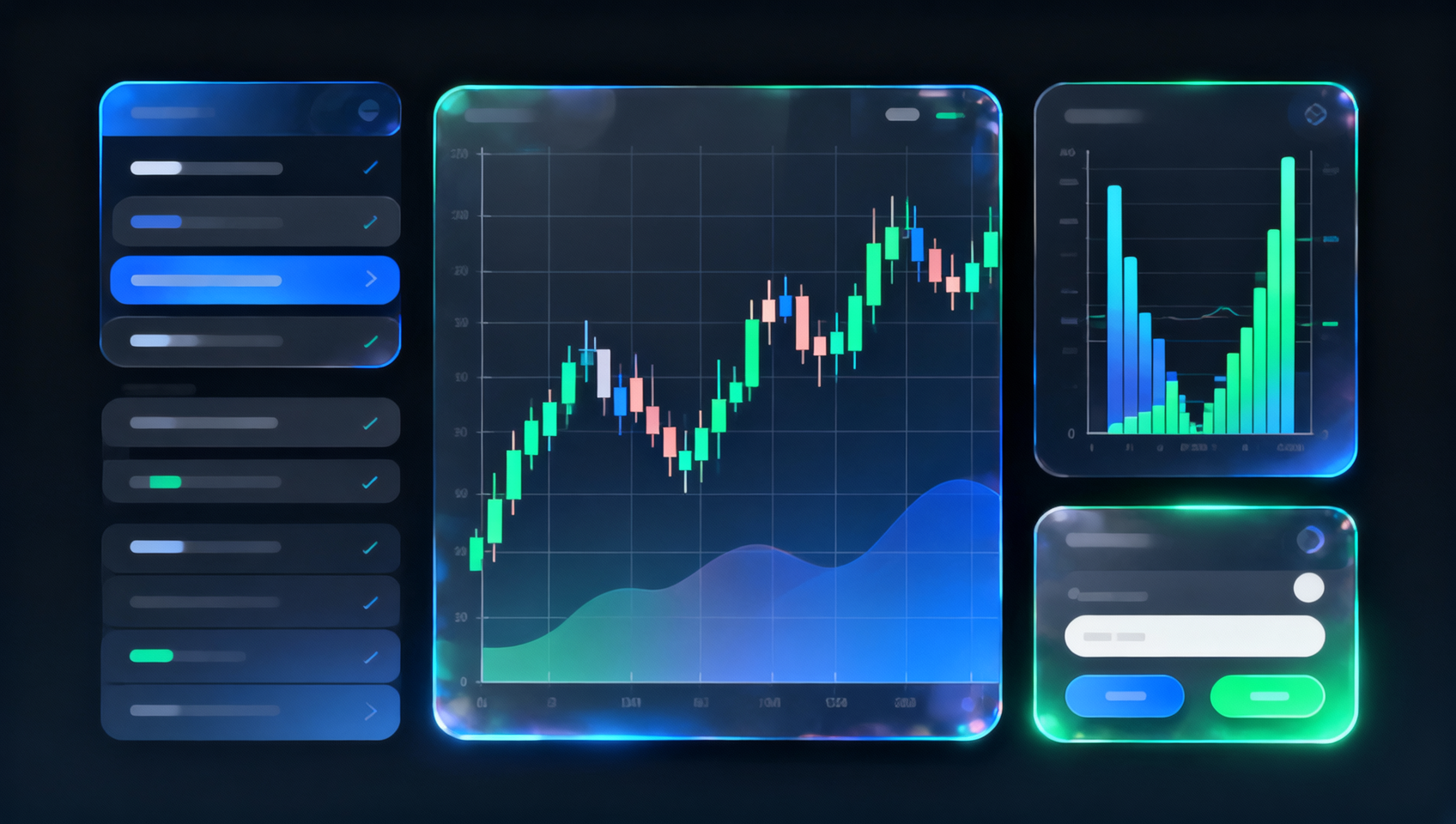
After logging into Binance, click "Trade" → "Spot" in the top menu to enter the trading interface. The entire interface is mainly divided into four areas:
| Area | Location | Function Description |
|---|---|---|
| Trading Pair List | Left side | Search and select the coin you want to trade |
| Candlestick Chart | Middle top | View price trends and technical analysis |
| Order Book | Right top | View current buy/sell orders, prices, and depth |
| Order Panel | Right bottom | Enter price, quantity, and submit buy/sell orders |
How to Read Trading Pairs?
When searching for trading pairs on Binance, you'll see formats like BTC/USDT, ETH/USDT, SOL/BTC. The first coin is what you want to buy, and the second is the quote currency you use to pay.
BTC/USDT: Buy BTC with USDTETH/BTC: Buy ETH with BTCSOL/USDT: Buy SOL with USDT
The most common combinations for beginners are BTC/USDT or ETH/USDT—buying Bitcoin or Ethereum with USDT.
Detailed Explanation of Three Order Types
Binance spot trading supports multiple order types, but beginners only need to master the three core ones.
Limit Order
The limit order is the most commonly used order type. You set a "target price," and the order executes only when the market price reaches your set value.
Example: Suppose BTC's current price is $60,000, and you think it will retrace to $58,000. You can place a limit buy order with a price of $58,000. When BTC drops to $58,000, your order automatically executes.
Characteristics of a limit order:
- ✅ Execution price is controllable; you won't buy at a "high price"
- ❌ May not execute (price may never reach your set value)
When to use:
- You want to buy or sell at a specific price
- You're not in a hurry and are willing to wait
- You want to be a Maker (lower fees)
Tip: When placing a limit order, the system shows a "distance from current market price." The larger the distance, the longer the wait for execution. A reasonable limit price is usually within ±1%-5% of the current market price.
Market Order
A market order executes immediately. You don't need to specify a price; the system buys or sells at the best available price in the market.
Example: You see BTC suddenly surge and fear missing out. Place a market buy order, and regardless of the current price, the system buys immediately.
Characteristics of a market order:
- ✅ Executes almost instantly; you won't miss the market move
- ❌ Execution price is uncertain; slippage may occur
When to use:
- When the market is moving fast and you need to enter or exit immediately
- When the order size is small, and slippage impact is minimal
- You prioritize execution speed over exact price
Note: Large market orders can cause significant slippage. For example, using 100,000 USDT to market buy a low-liquidity token may result in an actual execution price 2%-5% higher than expected.
Stop-Limit Order
A stop-limit order is a conditional order. You set a "trigger price." When the market price reaches the trigger, the system automatically places a limit order.
Stop-loss scenario: You bought BTC at $60,000 and want to limit your maximum loss to 5%. Set a trigger price of $57,000 and a limit price of $56,800. When BTC drops to $57,000, the system automatically places a sell order at $56,800.
Take-profit scenario: You want to automatically sell BTC when it rises to $70,000 to lock in profits. Set a trigger price of $70,000 and a limit price of $69,800.
Characteristics of a stop-limit order:
- ✅ Executes automatically; no need to monitor the market 24/7
- ✅ Effectively controls risk and locks in profits
- ❌ In extreme market conditions, the limit order may not execute (price jumps past your limit)
When to use:
- You can't watch the market constantly and want automatic stop-loss/take-profit
- You want to automatically buy when the price breaks a key level
- Position management to control risk per trade
How to Complete Your First Trade
📺 Want to follow along step by step? Watch the Binance spot trading video tutorial.
Step 1: Choose a Trading Pair
Search for BTC/USDT or ETH/USDT in the left trading pair list. These pairs have the best liquidity and are suitable for a beginner's first trade.
Step 2: Select Order Type
For your first trade, it's recommended to use a limit order or market order:
- Using a market order: Directly click "Buy BTC," enter the amount you want to buy (e.g., 100 USDT), and the system executes immediately at the best price.
- Using a limit order: Enter your desired price in the "Price" box, enter the amount or quantity in the "Amount" box, and click "Buy BTC."
Step 3: Confirm and Complete
After placing the order, you can view pending limit orders in the "Open Orders" section below and completed orders in the "Order History" section. Once executed, the coins you bought will appear in your Binance wallet.
⚠️ Important Reminder: For your first trade, use a small amount (e.g., 10-20 USDT) to test the process before increasing the amount.
Practical Trading Tips
1. Be a Maker to Save Fees
When a limit order is not immediately executed and stays on the order book, this is called a Maker (providing liquidity), which has lower fees than a Taker (taking liquidity). For large trades, placing a limit order first not only controls the execution price but also saves fees.
2. Scale In, Don't All In
If you're bullish on a coin, use a "price ladder" method to buy in batches. For example, if you want to buy 1 BTC, don't buy it all at once; instead, split it into 3-4 batches at different prices. This way, even if you buy at a relative high, your overall cost is averaged.
3. Pay Attention to Trading Depth
In the order book area, you can see all current buy and sell orders. Thick buy depth (large order quantity) indicates strong support, while thick sell depth indicates selling pressure. Before a large trade, check the depth to avoid excessive slippage.
4. Protect Yourself with Stop-Limit Orders
Before every trade, think about "what if it drops." Set a stop-loss order to limit losses if the market reverses suddenly. A take-profit order helps lock in profits without agonizing over "should I sell."
Risk Management and Common Mistakes
Most Common Beginner Mistakes
| Mistake | Correct Approach |
|---|---|
| Chasing price after a surge | Wait for a pullback or place a limit order |
| Going all in at once | Enter in batches to spread risk |
| Not using stop-loss, holding on | Set a stop-loss for every trade |
| Overtrading | Reduce trade frequency, improve accuracy |
| Only looking at charts, ignoring fundamentals | Research the project before investing |
The "Three Don'ts" Principle for Spot Trading
- Don't borrow money to invest — Only use idle funds for trading
- Don't chase pumps or sell in panic — Plan before trading, avoid emotional decisions
- Don't go all in on a single coin — Diversify into 3-5 coins or more
A Simple Money Management Method
Divide your funds into 10 equal parts, and use only 1-2 parts per trade. For example, if you have 1000 USDT, limit each buy to 100-200 USDT. This way, even after 5 consecutive wrong calls, you still have half your capital to trade.
Further Reading
- 2026 Binance Registration Complete Guide: Binance Account Opening, KYC, and Deposit Tutorial
- Binance vs OKX 2026 In-Depth Comparison: Fees, Coins, Security Comprehensive Review
- 2026 Beginner's Guide to Buying Cryptocurrency: Exchange Registration and Trading Complete Guide
- How to Buy NVIDIA NVDA on Binance? 2026 Latest Entry, Perpetual Contracts, and Stock Token Tutorial
- On-Chain Knowledge Base — Learn More About Blockchain and Cryptocurrency Basics
FAQ (Frequently Asked Questions)
Q1: What is the difference between a limit order and a market order?
A: A limit order lets you specify a price to buy or sell, and it executes only when the market price reaches your set price. A market order executes immediately at the best available price, ensuring speed but not price. Simply put: limit orders control price but not time; market orders control time but not price.
Q2: What are the fees for Binance spot trading?
A: The base fee for Binance spot trading is 0.10% for Maker (limit order that adds liquidity) and 0.10% for Taker (order that takes liquidity). Using BNB to pay fees gives a 25% discount (i.e., 0.075%). High-volume traders can upgrade to VIP levels, with fees as low as 0.02%/0.04%.
Q3: What is slippage? How to reduce it?
A: Slippage is the difference between the expected execution price and the actual price. It's more noticeable with large trades. Ways to reduce slippage: use limit orders, choose high-liquidity trading pairs (e.g., BTC/USDT), use iceberg orders to split large orders, and trade during periods of good depth.
Q4: What is the difference between a stop order and a stop-limit order?
A: A stop order triggers a market order to ensure speed of execution. A stop-limit order triggers a limit order at a specified price to ensure price but may not execute. It's recommended to use a regular stop order for high-liquidity pairs and a stop-limit order for low-liquidity pairs.
Q5: What is the difference between spot trading and futures trading?
A: Spot trading involves directly buying and selling the cryptocurrency itself, and you own the actual asset. Futures trading involves trading contracts based on price movements, using leverage to amplify gains and risks, without holding the actual asset. Beginners should start with spot trading and avoid futures.
Q6: Can I set stop-loss and take-profit orders on Binance spot trading?
A: Yes. Binance spot trading supports stop-limit orders. In the trading interface, select "Stop-Limit" to set the trigger price and limit price. Once executed, it will appear in your position list for easy adjustment.
Disclaimer: This content is for educational purposes only and does not constitute investment advice. Cryptocurrency investment carries risk; please make decisions carefully based on your own situation.