

⚠️ Read this first: if you do not have an exchange account yet, use the registration link (e.g. "Register now") or invite code BINANBT — registering directly inside the app gets you none of the new-user rewards, and the $19,800 welcome package and 20% fee rebate will not apply. Revoking approvals only affects on-chain allowances, not exchange balances.
Key takeaways (TL;DR):
- Disconnecting a dApp is not revoking an approval. An approval is an on-chain allowance. Only a transaction that sets the allowance to zero actually revokes it; closing the tab or clicking "Disconnect" changes nothing on-chain.
- There are three approval types: ERC-20 token allowances, NFT setApprovalForAll (collection-wide) approvals, and off-chain Permit/Permit2 signatures. Revoke.cash can see and revoke the first two; an unsubmitted Permit signature is invisible.
- An unlimited approval does not mean you have already been drained. It means you handed a contract the switch that can move your tokens later. The switch gets flipped when the contract is hacked, the project rug-pulls or the dApp was malicious from the start.
- Revocation is per chain and per contract. An Ethereum approval does not cover BNB Chain, Polygon, Base or Arbitrum. Each revocation is usually one transaction and one gas fee.
- Revoking only protects the tokens still in your wallet. It cannot recover assets already transferred out. If your seed phrase leaked, revoking is not enough — create a new wallet on a clean device and move the remaining assets.
- Order matters: if you suspect an active drain, move assets first, then revoke. Doing it the other way around can mean your remaining tokens are swept while you are still clicking through approvals.
A wallet approval, in one sentence, is permission for a smart contract to move a specified amount of tokens out of your wallet. It is not a login, a subscription or a "connect wallet" badge. It is an on-chain state entry: the token contract records that "this contract may take up to this much from this address". As long as that entry exists, the contract does not need your password or another confirmation.
By 2026, tools such as Revoke.cash have helped revoke tens of millions of approvals and support more than 80 networks1. But no tool can answer three prior questions for you: do you know where your approvals are, do you know which ones are dangerous, and are you actually safe after revoking? This guide follows those three questions.
Table of contents
- First, separate the three approval types
- Why unlimited approvals are dangerous
- How to tell whether you have dangerous approvals
- Revoke.cash in six steps
- Why every chain must be revoked separately
- How much gas revocation costs, and when to do it
- Three cases where revoking is not enough
- Approval audit checklist
- Common myths and scams
- 💰 Binance rebate: invite code BINANBT
- FAQ
- Further reading
First, separate the three approval types
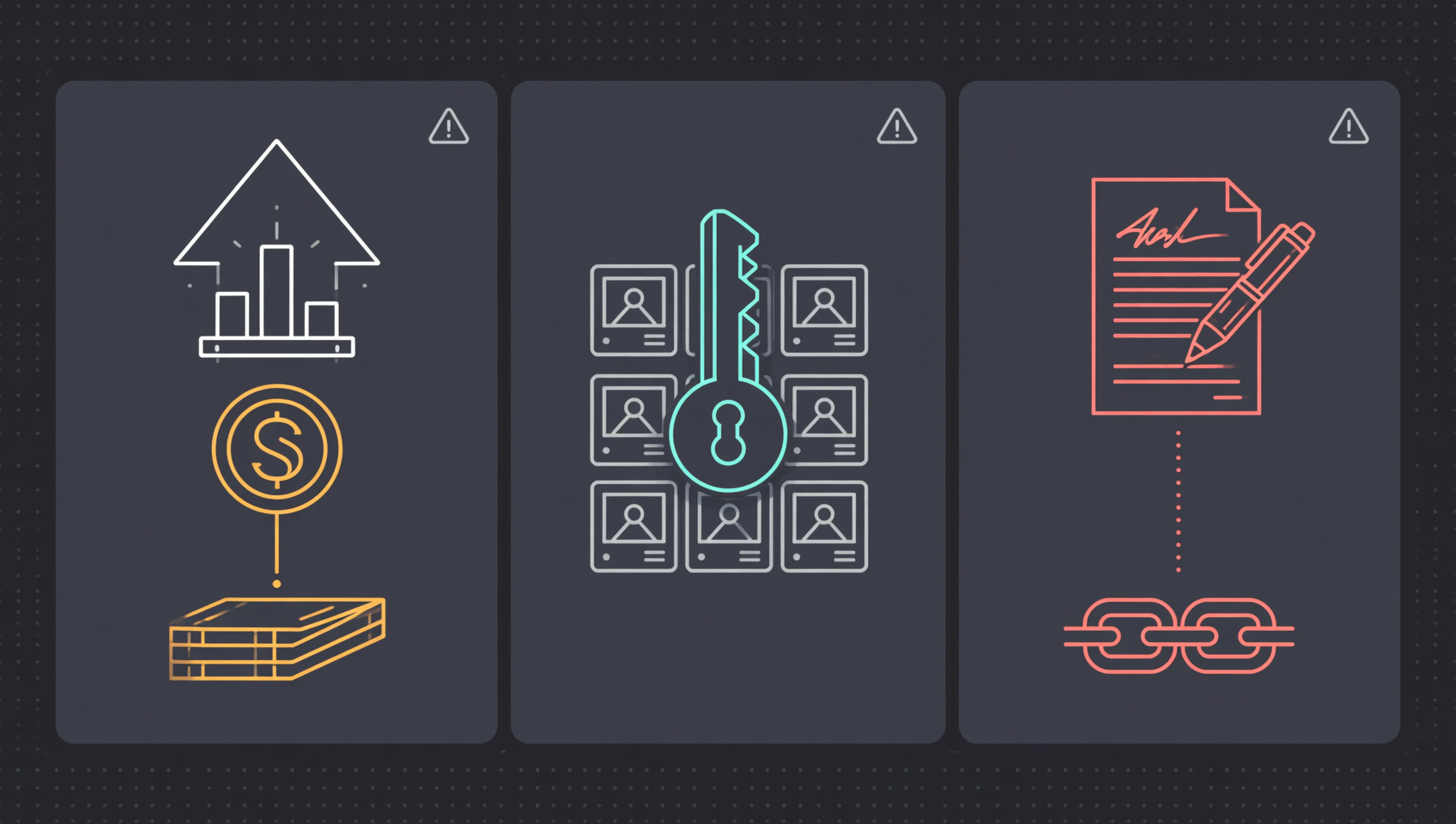
"Approval" is an umbrella term for at least three different on-chain things, with different risk and different revocation steps. Many people assume one click on "Revoke" fixes everything, but NFT collection-wide approvals and off-chain Permit signatures may not appear in the same list.
| Type | Typical use | On-chain form | Revocable in Revoke.cash? | Main risk |
|---|---|---|---|---|
| ERC-20 allowance | Authorising USDT/USDC on a DEX | An allowance recorded by approve | Yes, set to zero | Unlimited allowance, hacked contract |
| NFT setApprovalForAll | Listing or batch-trading NFTs | A true/false flag for the whole collection | Yes, set to false | Entire collection can be moved |
| Permit / Permit2 | "Gasless approval", "sign once" | Off-chain signature, submitted later | On-chain allowances yes; unsubmitted signatures no | Signature can be submitted later |
ERC-20 allowances: the most common, and the easiest to over-grant
The first time you trade a token on Uniswap, PancakeSwap or any dApp, your wallet shows an "approve" request. It calls the token contract and writes "this contract may move up to X tokens" into on-chain state.
The problem is that many dApps request an unlimited allowance (2^256 − 1), which wallets may display as "Unlimited". You think you are approving one trade; in reality you are granting that contract the right to move that token an unlimited number of times in the future.
NFT setApprovalForAll: one approval, the whole collection
NFT setApprovalForAll is blunter: it does not approve one NFT but authorises an address to operate every NFT in a collection. Marketplaces often request it so they can list a batch of NFTs conveniently.
If that permission ends up with a malicious contract, your entire collection can be transferred at once. Revocation sets the flag back to false; you do not revoke NFT by NFT.
Permit / Permit2: the easiest "offline approval" to miss
A Permit is an off-chain signature: you sign a message, pay no gas, and the site can submit it later to obtain an allowance. Permit2 is Uniswap's unified approval contract with similar logic.
The danger is that signing and submitting are separate. After you sign, nothing moves immediately, but the other side can submit the signature at any time before it expires. Revocation tools only see allowances already on-chain; they cannot see a Permit you signed but that has not been submitted. If you just signed an "approval", "Permit" or "gasless trade" on a suspicious site, the safest move is not to revoke existing allowances but to move assets to a new wallet.
⚠️ One-line test: when a wallet popup says "Approve", "Permit" or "Set Approval For All", check whether it asks for one time or for unlimited/all. If you cannot tell, do not sign.
Why unlimited approvals are dangerous
An unlimited approval does not drain you immediately; it hands over the right to move your tokens at some future point. The drain happens when the contract holding that right goes wrong: the project contract is hacked, a private key leaks, the team rug-pulls, or the dApp was fake from the beginning.
Think of it as a signed authorisation letter with no amount and no expiry. Sitting in a drawer it does nothing, but whoever holds it can use it whenever they want, without asking you again.
Three common misconceptions:
- "I only approved 100 USDT." Many interfaces show the trade amount, not the allowance. The allowance is often unlimited while the trade is 100. Before revoking, look at the allowance, not the trade history.
- "It is a big project, nothing will happen." Big projects get hacked too, or their front end gets hijacked and points users at a malicious contract. Approval risk depends on contract permissions, not brand size.
- "If I do not click anything, nothing can move." An approval drain needs no action from you. Once the attacker has the allowance, they can call transferFrom themselves; you only see an unexplained outgoing transfer.
Revoking an unlimited approval does not undo past losses. It takes back a permission that could be exploited in the future. It is routine attack-surface maintenance, not a one-time rescue.
How to tell whether you have dangerous approvals
The most direct way is to look up your address in Revoke.cash's read-only mode, without connecting a wallet first. Enter your address or ENS name, choose a chain, and you will see the approvals recorded on that chain. Connecting a wallet is only needed to send revocation transactions; viewing requires no signature.
Once you see the list, prioritise like this:
| Priority | What it looks like | Why it matters |
|---|---|---|
| High | Unlimited allowance to an unknown contract | If exploited, the loss cap is your entire balance of that token |
| High | NFT setApprovalForAll | One approval covers the whole collection |
| High | Old approvals to dApps you no longer use | The project may be unmaintained, with no one fixing bugs |
| Medium | Limited allowance to a known dApp | Lower risk, but no reason to keep it if unused |
| Low | A contract you use often with a sensible allowance | Revoking means approving again; keep it if needed |
Besides Revoke.cash, wallet built-in approval managers and block-explorer Token Approvals pages can also show approvals. Different tools index different ranges, so the same address may show different numbers of approvals in different tools. That is not fraud; it reflects different indexers and chain coverage.
If you see an approval you do not recognise, do not panic. Copy the contract address into a block explorer and check what the project is and when you interacted with it. Some approvals come from airdrop claims, NFT mints or bridges, not from a drain.
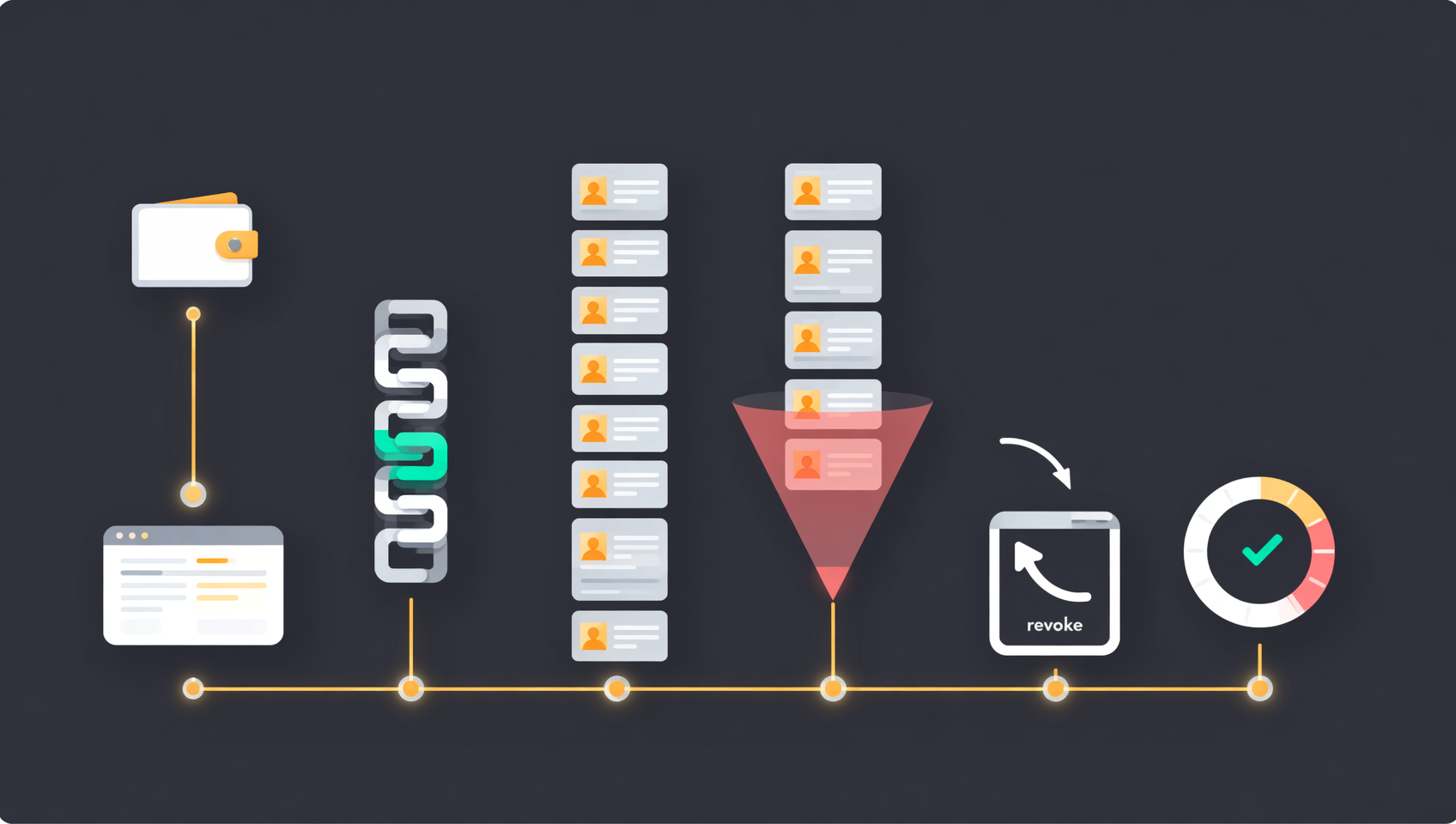
Revoke.cash in six steps
Revoke.cash is a tool for viewing and revoking token/NFT approvals. It does not custody your assets and does not need your seed phrase. It does one thing: read on-chain approvals and help you generate a transaction that sets the allowance to zero, which your wallet signs.
According to its Q3 2026 update, it supports more than 80 networks and has introduced paid tiers with batch revocation, a multi-wallet dashboard and automatic revocation1. The free version still supports one-by-one revocation, which is enough for most individuals.
Step 1: open the official site manually
Type revoke.cash into the browser address bar, check the spelling, then bookmark it. Search-result ads, short links in chat groups and "official revoke portal" replies on social media can all be fake.
A fake revoke site usually looks almost identical to the real one. After you connect, it asks you to "approve" something — in reality, it is asking you to hand over token permissions. A genuine revocation tool never asks you to grant it an unlimited approval first.
Step 2: view read-only first, then connect
If you only want to check risk, enter the address without connecting. To revoke, connect the wallet. The connection request only lets the site read your address; it does not move assets and is not an approval.
Any revocation site that asks for your seed phrase, private key, keystore or "wallet password" is fake. Revoke.cash and any legitimate tool will never ask for those.
Step 3: select the correct chain
Choose the network at the top of the page. Ethereum, BNB Chain, Polygon, Arbitrum, Optimism, Base and Avalanche must each be checked separately. Start with the chains you actually use, prioritising those holding the most assets.
Step 4: review by risk
The list usually shows the token, the spender, the allowance and the date. Prioritise:
- allowances shown as "Unlimited";
- spenders you do not recognise;
- old approvals to dApps you no longer use;
- NFT collection-wide approvals.
Do not revoke everything blindly. Check what each entry is first. Revoking approvals for a dApp you still use forces repeated re-approvals and more signing, which increases the chance of a mistake.
Step 5: revoke one by one or in a batch
Click "Revoke" next to an approval. Your wallet will show a transaction that sets that spender's allowance to zero. Confirm the gas, sign, wait for confirmation, refresh, and the allowance should be zero.
The free version usually requires one transaction per approval. Paid tiers support batch revocation, which saves clicks, but each approval is still a contract call, so gas savings may be limited. Multicall support also varies by wallet; follow the page prompts.
Step 6: verify and clean up
Refresh the list to confirm the target approval is gone or zero, then check the transaction on a block explorer. If it failed, the usual causes are insufficient gas, network congestion or a token contract with special rules.
If you discover assets being moved during revocation, stop clicking through approvals and move the remaining assets to a safe address first. Do it the other way around and you may be swept while revoking.
Why every chain must be revoked separately
Approvals are state recorded on each chain. An Ethereum approval does not automatically carry over to BNB Chain, Polygon or an L2. If you approved a DEX on Ethereum, only the Ethereum token contract recorded that allowance. The same dApp on BNB Chain needs a new approval, recorded on BNB Chain.
For a multi-chain wallet, check in this order:
- Chains with the most assets first: Ethereum mainnet, BNB Chain, Polygon, Base, Arbitrum and so on;
- Chains you interacted with recently: airdrop tasks, bridges and NFT mints often leave approvals on less-used chains;
- L2s and sidechains last: Optimism, zkSync, Linea, Scroll and others each need their own check;
- Bridges do not merge approvals: bridging from A to B leaves the A-chain approval on A; the B-chain contract may need a new approval.
This is why "revoke everything on every chain in one click" deserves caution: batch tools reduce clicks, but each chain's transaction still has to be submitted and paid for separately. Anyone claiming they can clear on-chain approvals without a transaction is lying.
How much gas revocation costs, and when to do it
Revoking an approval is a real on-chain transaction. You must pay gas, in the native token of whichever chain you use. Ethereum mainnet uses ETH, BNB Chain uses BNB, Polygon uses POL/MATIC, Arbitrum uses ETH. The amount varies with congestion; your wallet shows an estimate before you sign.
Practical rules:
- Mainnet revocation is usually more expensive than L2. An Ethereum mainnet revocation can cost a few dollars to tens of dollars; on an L2 it is often cents. But do not leave a large approval sitting for months to save a few dollars.
- Batching saves time, not necessarily gas. Each approval is still a call; multicall can reduce base transaction overhead but not the contract execution itself.
- Gas is cheapest when the network is idle. If you are not in a hurry, use a quiet weekend or low-congestion window; but if the allowance is large, prioritise risk over waiting for the perfect fee.
- When revocation costs more than the exposure, a new wallet may be cheaper. If a wallet holds only a few dozen dollars and revocation costs more than that, move the remainder to a new wallet and retire the old address.
- Some tokens have special approve rules. USDT, for example, requires resetting a non-zero allowance to zero before setting another non-zero amount. Revoking to zero is usually the safe direction, but confirm with the wallet simulation.
Three cases where revoking is not enough
Revoking only addresses one risk: an allowance still being live. In the following three cases, revocation is insufficient and can even create false comfort.
1. The seed phrase or private key already leaked
If someone has your seed phrase, they can re-approve and re-sign at will. You revoke once; they sign again. The only effective move is to create a brand-new wallet on a clean device, move the remaining assets, and retire the old wallet permanently. This is the same order emphasised in our wallet-theft guide: stop the bleeding first, then revoke.
2. A suspicious Permit was signed but not yet submitted
Permit signatures are off-chain, and revocation tools cannot see unsubmitted ones. The other side can submit before the deadline, obtain an allowance and then move tokens. If you just signed a "gasless approval" on a suspicious site, do not just revoke existing allowances — move assets to a new wallet. That is the safest path.
3. The device itself is compromised
If your computer or phone has a clipboard hijacker, a remote-access trojan, or a shady browser extension, even your revocation transaction can be tampered with. Move to a clean device rather than continuing to sign on an infected one.
⚠️ Remember the order: suspect an active drain → move remaining assets to a new wallet → revoke approvals on the old wallet → then check API keys, device sessions and exchange accounts. Revocation is not the first step in stop-loss.
Approval audit checklist
Approval management is not a one-off task; it belongs with "do not click random links" as a daily habit. Use this checklist directly:
- After every new dApp interaction: spend 10 seconds on the wallet popup. Is the approval for this trade's amount or unlimited? Avoid unlimited when possible.
- Every week or two: scan your frequently used chains in Revoke.cash read-only mode, focusing on new unlimited approvals and NFT collection-wide approvals.
- Every month: check every chain where you hold assets and clear approvals for dApps you no longer use.
- After an airdrop or quest: if you used a temporary wallet, revoke or retire it afterwards; do not use your main wallet for unknown projects.
- When changing wallets or devices: old approvals do not disappear. Revoke them or treat the old wallet as exposed and stop using it.
- When you see an unexpected outgoing transfer: check approvals and transaction history first, then decide whether to revoke or move assets. Do not start with a "recovery service".
The more fundamental habit is wallet separation: keep large holdings in a cold wallet or an address that never connects to dApps; use a small hot wallet for daily interactions. Then even if an approval goes wrong, the loss cap is the small balance in the hot wallet, not your entire portfolio.
Common myths and scams
Most approval scams are not technically sophisticated; they exploit your misunderstanding of what revoking does. Treat these claims as red flags:
| Claim | Reality |
|---|---|
| "Disconnecting the wallet revokes the approval" | Disconnecting only stops the front end from reading your address; the on-chain allowance remains |
| "Changing your wallet password stops the drain" | The password only unlocks the local wallet; it does not change on-chain approvals |
| "Revoking gets stolen coins back" | No. Revocation only affects the balance that has not been moved yet |
| "Give us your seed phrase and we will batch-revoke for you" | 100% a scam. Legitimate tools never ask for a seed phrase |
| "Click this link to revoke every chain in one click" | It may be a fake site or a malicious contract. Verify the official domain |
| "Approve our revocation contract first so we can help" | Revocation needs no new approval. If it asks for one, close the page |
| "Pay us to revoke for you" | You can do it yourself for free; handing over permissions is far riskier |
A subtler version: a fake site labels an approve request as a "Revoke" button. You think you are revoking, but you are granting an allowance to the attacker. Read the request, not just the button. Wallet simulations usually indicate whether it is an approval or a revocation; if you cannot tell, reject it.
💰 Binance rebate: invite code BINANBT
You manage on-chain approvals yourself; your exchange account starts at registration. Register with invite code BINANBT for a 20% fee rebate. This article contains a referral link; we may receive a reward if you register through it, but it costs you nothing extra.
- Rebate: 20% of trading fees, ongoing; the more you trade, the more you save.
- Welcome package: up to $19,800, unlocked by tasks — not cash on registration.
- How to claim: enter BINANBT in the invite-code field when registering; this is the most reliable way.
- Important: registering directly inside the app gets you no new-user reward at all. An in-app registration binds to no referral, so the $19,800 welcome package and the 20% fee rebate simply do not apply — you must use the registration link or enter invite code BINANBT.
👉 Register on Binance and claim the 20% fee rebate
FAQ
Does revoking an approval cost money?
Yes. Revocation is an on-chain transaction and requires gas in the chain's native token. Ethereum mainnet is usually more expensive than an L2; the wallet's pre-signing estimate is the number that matters. Batch revocation saves clicks, not necessarily gas.
Can revoking approvals recover stolen coins?
No. Revocation only takes back permission over the balance that has not been moved yet. Confirmed transfers do not roll back. After a theft, the correct order is: move remaining assets, preserve evidence, report to the authorities, then deal with approvals.
Is disconnecting a wallet the same as revoking an approval?
No. Disconnecting only stops the site's front end from reading your address. The on-chain allowance is unchanged. Only a transaction that sets the allowance to zero counts as revocation.
Why can't I see a certain approval in Revoke.cash?
You may be on the wrong chain, the tool may not have indexed that chain or contract, or you may have signed an unsubmitted Permit. Indexing coverage differs by tool; cross-check with a wallet's built-in approval manager or a block explorer.
Do I need to revoke unlimited approvals immediately?
Not necessarily immediately, but soon. If you still use the dApp frequently, a sensible limited allowance is fine. If you no longer use it, or do not recognise the contract, revoke it. The loss cap of an unlimited approval is your entire balance of that token.
Do I need to revoke on every chain?
Yes. Approvals are recorded per chain. Revoking on Ethereum does not affect BNB Chain, Polygon, Base or Arbitrum. Check every chain where you hold assets, starting with the largest balances.
Does revoking approvals affect staking, Earn products or my exchange account?
No. Revocation only changes token allowances on-chain. It does not affect exchange balances, staking products, Earn positions or NFT ownership, and it does not change your private key or seed phrase.
Is revoking useful after a seed phrase leak?
Not enough. With your seed phrase, an attacker can re-approve and re-sign. Revocation only buys time. Create a new wallet on a clean device, move the remaining assets, and retire the old wallet permanently.
Is Revoke.cash safe? Can it steal my coins?
Revoke.cash is a third-party open-source tool that does not custody assets. Normal use requires only a wallet connection and revocation transactions, never a seed phrase. But you must be on the real revoke.cash, not a search ad or a link from a chat group. Any "revocation tool" asking for a seed phrase is a scam.
How do I revoke NFT approvals?
In Revoke.cash, select the chain, find the NFT collection and revoke setApprovalForAll (set it to false). It is a separate record from ERC-20 allowances; revoking token approvals does not automatically make your NFTs safe.
Further reading
- MetaMask wallet stolen: can the money be recovered? 2026 stop-loss and recovery guide
- Missing tokens in your wallet: eight causes and how to check
- MetaMask wallet tutorial 2026: download, create and back up
- What is a cold wallet? How to choose a hardware wallet in 2026
- Ethereum 2026 complete guide: smart contracts to L2
- More wallet and security guides
Disclaimer: This article is for educational purposes only and is not investment advice or a security guarantee. Revoking approvals only reduces the risk that a specific on-chain allowance continues to be used; it cannot recover assets already transferred, and it cannot fix a leaked seed phrase, an infected device or a malicious signature. On-chain transactions are irreversible; test with a small amount and verify contract addresses and domains yourself. Rules differ by jurisdiction; confirm your local requirements.
Footnotes
-
Source: Revoke.cash official blog "Quarterly Update: Q3 2026" and official learn pages, checked on 4 November 2026 (more than 80 supported networks; Premium/Ultimate launched on 16 July 2026 with batch revocation, a multi-wallet dashboard and automatic revocation; automatic revocation is based on ERC-7710/ERC-7715 and currently covers about 14 networks). The mechanics of per-chain approvals, setting the allowance to zero and one transaction per approval come from Revoke.cash documentation and the ERC-20 standard. ↩ ↩2