

⚠️ Read this first: if you don't have an account yet, register through the registration link (e.g. "Sign Up") or enter invite code BINANBT — signing up directly inside the app gets you no signup reward at all. The $19,800 welcome package and the 20% fee rebate won't apply. And you must pass KYC before you can even open the buy page.
Key takeaways (TL;DR):
- C2C is not Binance selling you coins. It matches you with another user. The coins are held in escrow by the platform, but your money goes straight to the seller's personal account — that gap is where "the platform guarantees it" stops being the same thing as "my money is safe".
- Depositing is nearly free in fees and expensive in price: C2C quotes typically run 0.5%–2% above market, while card purchases charge 1.8%–3.5%. Which route you pick matters far more than the fee line.
- The most common beginner failure isn't being scammed — it's not knowing which button to press after paying. Once you've transferred, you must return to the order page and tap "I have paid", then wait for release. If the seller still won't release, file an appeal; never settle it privately.
- Bank-freeze risk comes from the person-to-person transfer itself, not from Binance. Paying from your own verified account, keeping orders small, and saving the records are the parts you can control.
- Start with a small deposit. It's enough to complete the whole loop, and small enough to lose.
Contents
- Bottom line: three ways to deposit, one for beginners
- What C2C actually is: who you're trading with
- Eight steps through one C2C deposit
- How to screen merchants: four numbers beat the price
- After you pay: four situations and what to do
- The real cost: spread, fees and withdrawal charges
- Frozen bank cards: why they happen and how to lower the odds
- Five ways beginners lose money here
- 💰 Binance rebate: invite code BINANBT
- FAQ
- Further reading
Bottom line: three ways to deposit, one for beginners
Binance offers three deposit routes: C2C, card purchase and on-chain transfer. For someone who just passed KYC and holds only local currency, the answer is almost always C2C.
| Route | How it works | Cost | Minimum | Who it's for |
|---|---|---|---|---|
| C2C | Platform matches you with an individual selling USDT for local currency | 0.5%–2% baked into the quote; no C2C fee | Often the equivalent of ~$10–15, small merchants lower | A first deposit |
| Card purchase | Pay the platform directly by card | 1.8%–3.5% fee | Around $10 | Convenience, small amounts, no waiting |
| On-chain transfer | Send coins from another wallet or exchange | Network fee + withdrawal fee | Each asset has a minimum | People who already hold crypto |
The last column explains it: C2C is the only route that uses local currency, keeps the cost visible and lets you choose the amount. Card purchases charge 1.8%–3.5% up front, and on-chain transfers assume you already own crypto — which is exactly what a first-time depositor doesn't have.
In one line: start with C2C; everything that follows — buying, withdrawing, re-depositing — depends on getting USDT in first.
What C2C actually is: who you're trading with
C2C (customer to customer) is an escrow-backed marketplace Binance operates. The seller is another user or a merchant; Binance is not selling you coins.
That structure produces two consequences:
- Coins are in escrow; money never touches the platform. When a merchant lists an offer, the USDT is already locked in escrow. You pay the personal account shown on the order page — a bank account, Alipay or WeChat. Only after the seller confirms receipt does the escrow release the coins. So the "guarantee" covers whether you get the coins, not the money you already sent.
- It is a person-to-person transfer. What your bank sees is you sending money to a stranger's account, not "topping up an exchange". That detail is the root of every risk-control and frozen-card problem later on.
Once you understand this, "the platform guarantees it, so it's safe" stops being true — if the money goes to the wrong person, the wrong card, or an account outside the platform, the platform cannot get it back.
Eight steps through one C2C deposit
The whole flow takes under ten minutes, provided you actually read what each screen says.
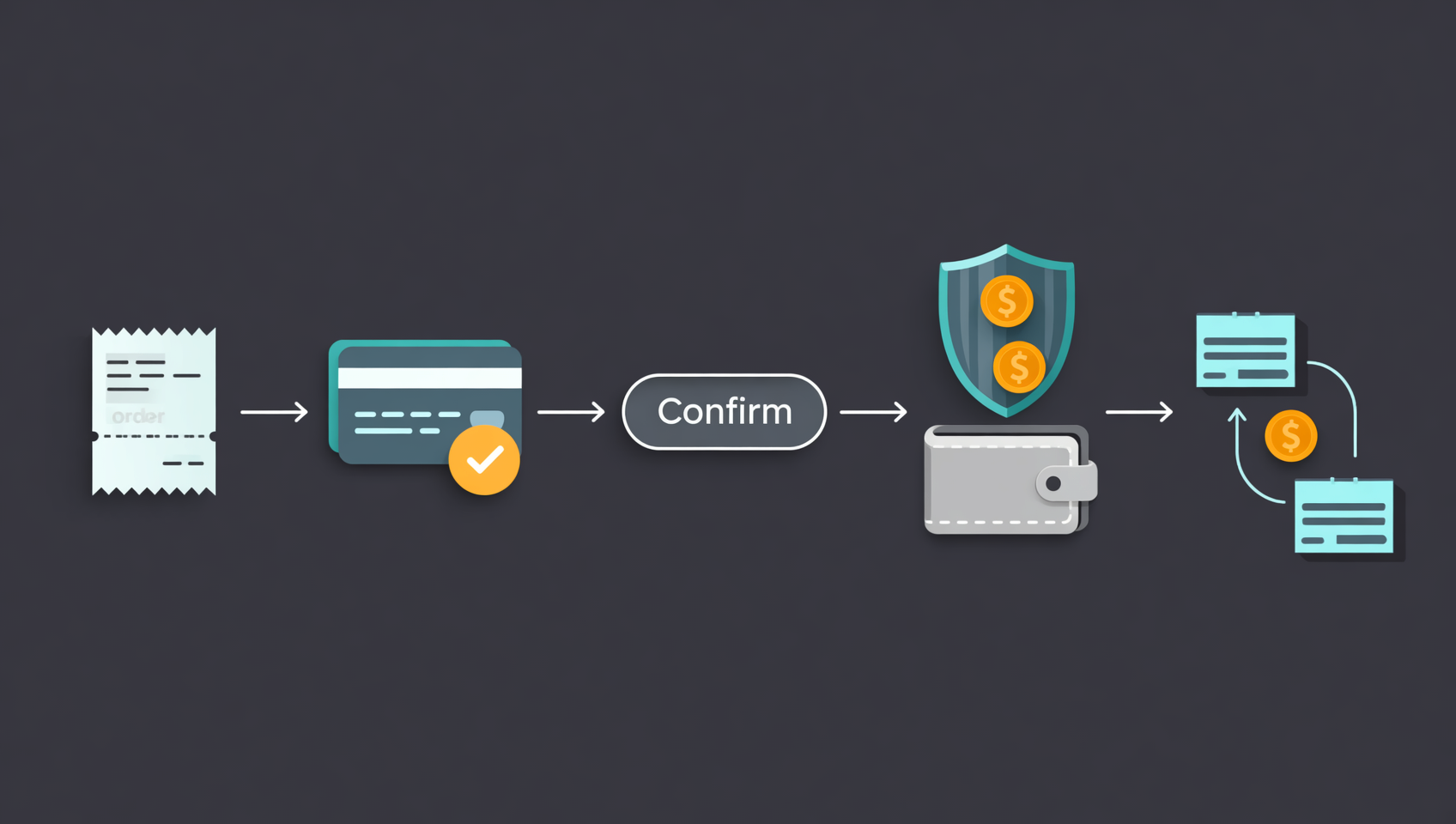
- Check your account. KYC approved; prepare a bank account or Alipay account registered to your own verified name. Paying from a family member's account is one of the most common causes of failed appeals later.
- Open Buy Crypto → C2C, choose USDT, pick your local currency, enter the amount you want to spend. Start small.
- Screen the merchant — not by price (next section).
- Place the order and read three things on the order page: the seller's payment details, the exact amount due, and the payment deadline (often 15 minutes, always the countdown shown).
- Pay exactly as shown. The amount to the cent, the payee name matching the page. Follow the page's instructions for the memo field, and don't add "USDT", "Bitcoin" or similar words yourself — this isn't superstition: person-to-person transfers carrying those memos are exactly what bank risk systems flag as anomalous.
- Return to the order and tap "I have paid". This is the step beginners skip: money sent, confirmation never tapped, the order times out and the seller never releases.
- Wait for release. The USDT lands in your funding account, not your spot account. Many people conclude "it didn't arrive" here.
- Transfer to spot and buy. Under Assets, move the USDT from funding to spot, then buy BTC, ETH or whatever you came for.
⚠️ Steps 6 and 7 account for almost every "my money disappeared" message. Money sitting with a seller who hasn't released, and coins sitting in a funding account you haven't transferred, are two completely different problems with two different fixes.
How to screen merchants: four numbers beat the price
The beginner mistake is sorting merchants by lowest price. Sort by these four numbers instead.
| Signal | What to look for | Why it matters |
|---|---|---|
| Completion rate | Above 98% | Below that, people are paying and not receiving |
| Order count | Thousands | A new account has far less to lose by stalling |
| Average release time | As short as possible | Slow merchants leave you waiting after payment |
| Limits | Per-order min/max | Large merchants often require 500–1,000 units; scroll for smaller ones |
The price spread between merchants usually sits between 0.5% and 2%. Saving 0.2% by choosing a merchant with a 90% completion rate is betting your entire deposit to win a rounding error.
Two more habits:
- Prefer merchants who are online and have been listed for a long time. Brand-new accounts carry more risk.
- Don't place back-to-back large orders with the same merchant. Spreading across merchants and days lowers the chance your account trips risk controls.
After you pay: four situations and what to do
Payment is the beginning, not the end. These four situations need four different responses, and using the wrong one turns a nuisance into a loss.
Situation 1: You paid but forgot to tap "I have paid"
Order still counting down → go back and tap it immediately, and upload proof (a transfer screenshot showing amount, time and payee). Order already cancelled → do not send the seller more money privately. File an appeal from the order page with the proof attached and let the platform verify.
Situation 2: You tapped "I have paid" and the seller won't release
Tap Appeal on the order page and attach your payment proof. The platform checks the seller's incoming records. Everything stays in the order chat. If the seller asks you to add them on a messenger app, pay privately, or cancel and "reorder at a better price", refuse — the moment you leave the platform, escrow protection ends.
Situation 3: The seller asks you to cancel the order first
The usual line is "this account can't receive payment, cancel and order from someone else". Never cancel first. Cancelling releases escrow and removes your appeal route. File an appeal instead.
Situation 4: Someone messages you posing as "Binance support"
Real support will never DM you for a verification code, ask you to move funds to a "safe account", or have you install remote-access software. Every scam in the C2C stage ends with you sending money outside the platform. Screenshot, report, block.
The real cost: spread, fees and withdrawal charges
C2C charges no fee, but free is not the same as costless.
A worked example on 1,000 units of local currency:
| Item | Approximate cost | Note |
|---|---|---|
| C2C platform fee | 0 | The platform doesn't add one |
| Merchant spread | 5–20 | At 0.5%–2%, already inside the quote |
| Transfer to spot | 0 | Internal transfers are free |
| Spot trading fee | ~1 | 0.1%, or ~0.75 with BNB discount |
| Total | ~6–21 | i.e. 0.6%–2.1% |
Compare that with a card purchase of the same amount: the fee alone is 18–35, before any exchange-rate markup. That's why the "more hassle" route is still the default for beginners.
Withdrawing to your own wallet later adds a network fee, and it varies sharply by chain: TRC-20 is usually the cheapest, ERC-20 noticeably more expensive. Check the chain and the fee before you withdraw — that step has more traps than depositing does.
Frozen bank cards: why they happen and how to lower the odds
A "frozen card" is not Binance freezing your account — it's your bank or an authority restricting the card. Three common triggers:
- The counterparty's account is implicated. If the seller's receiving account was used for money laundering or fraud, an investigation upstream follows the money trail into your transfer.
- Frequent, large, round-numbered personal transfers. Several round amounts to strangers in a short window is a textbook anomaly pattern.
- An already odd account. A dormant card suddenly moving large sums, logins from unusual locations, or a card used by several people.
Four things you can actually do:
- Use your own verified, everyday bank card — not a freshly opened one, not a relative's.
- Keep individual transfers modest and space them out.
- Keep complete records: order screenshots, transfer receipts, chat logs. If anyone asks questions, this is the only material that proves your side.
- Contact the bank immediately if restricted and establish whether it's an internal risk hold or a judicial freeze — the first is resolved with documents, the second requires cooperation and cannot be ignored.
⚠️ Honestly: the risk can be lowered, not eliminated. Large balances sitting on any exchange also carry platform risk, so decide your own ceiling for how much goes in and how long it stays.
Five ways beginners lose money here
- Paying without tapping "I have paid". The order times out, the money is with the seller, and only an appeal can retrieve it.
- Leaving the platform to communicate. Messenger apps, private transfers, swapped payment accounts — all of it voluntarily abandons escrow.
- Paying from a relative's card. The verified name won't match, so the platform cannot confirm you were the payer.
- Sorting by price only. A 0.2% saving can cost you an entire order.
- Assuming the deposit is ready to trade. USDT arrives in the funding account; it must be transferred to spot before you can place an order.
💰 Binance rebate: invite code BINANBT
Get the invite code right before you deposit, and 20% of every future trading fee comes back to you.
- Rebate: 20% of every trading fee, returned to your account. The ceiling for an invitee is 20%.
- How to claim: enter BINANBT in the invite code field at registration. If you missed it, you can still attach it within 30 days of signing up, provided the account has no trades.
- Stack it: enabling "pay fees with BNB" saves roughly another 25%, so the effective spot fee drops noticeably when the two combine.
- Important: signing up directly inside the app gets you no signup reward at all. An in-app registration binds to no referral, so the $19,800 welcome package and the 20% fee rebate simply don't apply — you have to use the registration link or enter invite code BINANBT.
👉 Sign up on Binance and claim your 20% fee rebate
FAQ
Does depositing on Binance cost anything?
C2C charges no platform fee; the cost sits in the merchant's quote, typically 0.5%–2%. Card purchases charge 1.8%–3.5%, and on-chain transfers cost a network fee. No deposit route is truly free.
Why is my C2C USDT in the funding account?
Binance separates assets into funding and spot accounts. C2C purchases land in funding by default — that's normal, not a failed arrival. Use Transfer under Assets to move it to spot before trading.
What if the seller won't release the coins after I pay?
Tap Appeal on the order page and upload proof showing amount, time and payee, then let the platform verify. Keep everything in the order chat: no messenger apps, no private transfers, and never cancel the order first.
Can I pay with a family member's bank card?
Don't. C2C requires the paying account to match your verified identity. If a dispute arises, the platform cannot confirm you were the payer, and the appeal usually fails.
Can my bank card get frozen from this?
It can. Freezes are usually tied to the counterparty's account being implicated or to frequent large person-to-person transfers, not to Binance itself. Using your own everyday card, keeping amounts modest and saving records reduces the risk but cannot remove it.
How much should a first deposit be?
Enough to complete the full loop — deposit, buy, withdraw — and small enough that losing it wouldn't matter. For most people that's a modest amount, not a large one.
Further reading
- Binance download and registration guide 2026: the full four-step flow
- Binance registration 2026: sign up, KYC and deposit
- Binance spot trading 2026: limit, market and stop orders
- How much money do you need to buy crypto for the first time?
- What is USDT and how do you buy it?
- Binance invite code 2026: BINANBT 20% fee rebate guide
- More Binance guides: the Binance hub
Disclaimer: This content is for educational purposes only and is not investment advice. C2C trading involves person-to-person money transfers and carries counterparty, bank risk-control and regional compliance risks. Confirm the laws and platform terms that apply where you live, and deposit only what you can afford to lose1.
Footnotes
-
Sources: Binance Help Center (C2C trading rules, order appeals, account structure, spot minimum order size), checked October 2026; spreads and fees are ranges, and live pages govern. ↩