


⚠️ Read this first: before buying or withdrawing, you need an account — register on Binance through the registration link (e.g. "Sign Up") or enter invite code BINANBT to get the signup rewards (20% trading fee rebate + up to $19,800 welcome package). When an on-chain transfer goes wrong, exchange support can do less than you expect; choosing the right starting point matters more than fixing it later.
Key takeaways (TL;DR):
- Stuck does not mean lost. Most transactions are still queuing and the funds remain in your UTXOs. The expensive mistake is sending a second payment to "speed things up".
- Three-minute check. Paste the txid into mempool.space and read four numbers: fee rate (sat/vB), size (vB), whether it is replaceable, and the current recommended block rates. If your rate sits below the lowest band, you are queuing.
- Two proper fixes: RBF and CPFP. RBF replaces the original with a higher fee using the same inputs; CPFP spends an output of the stuck transaction from a high-fee "child" so miners pull the "parent" in with it.
- Exchange withdrawals are out of your hands. The exchange builds and signs the transaction, and both RBF and CPFP require the private keys. Only support can rebroadcast or bump it.
- Two 2026 changes make low fees stickier. Full-RBF has been the default since Bitcoin Core 28.0, and Core 29.1 / 30.0 lowered the default minimum relay fee from 1 sat/vB to 0.1 sat/vB, so sub-1 sat/vB transactions linger longer.
- The default mempool expiry is 14 days. An evicted transaction can be rebroadcast and the funds do not disappear — but if you spend the same UTXOs again, only one of the conflicting transactions can confirm.
Contents
- The short answer: three states, three different fixes
- Three-minute check: four numbers from one txid
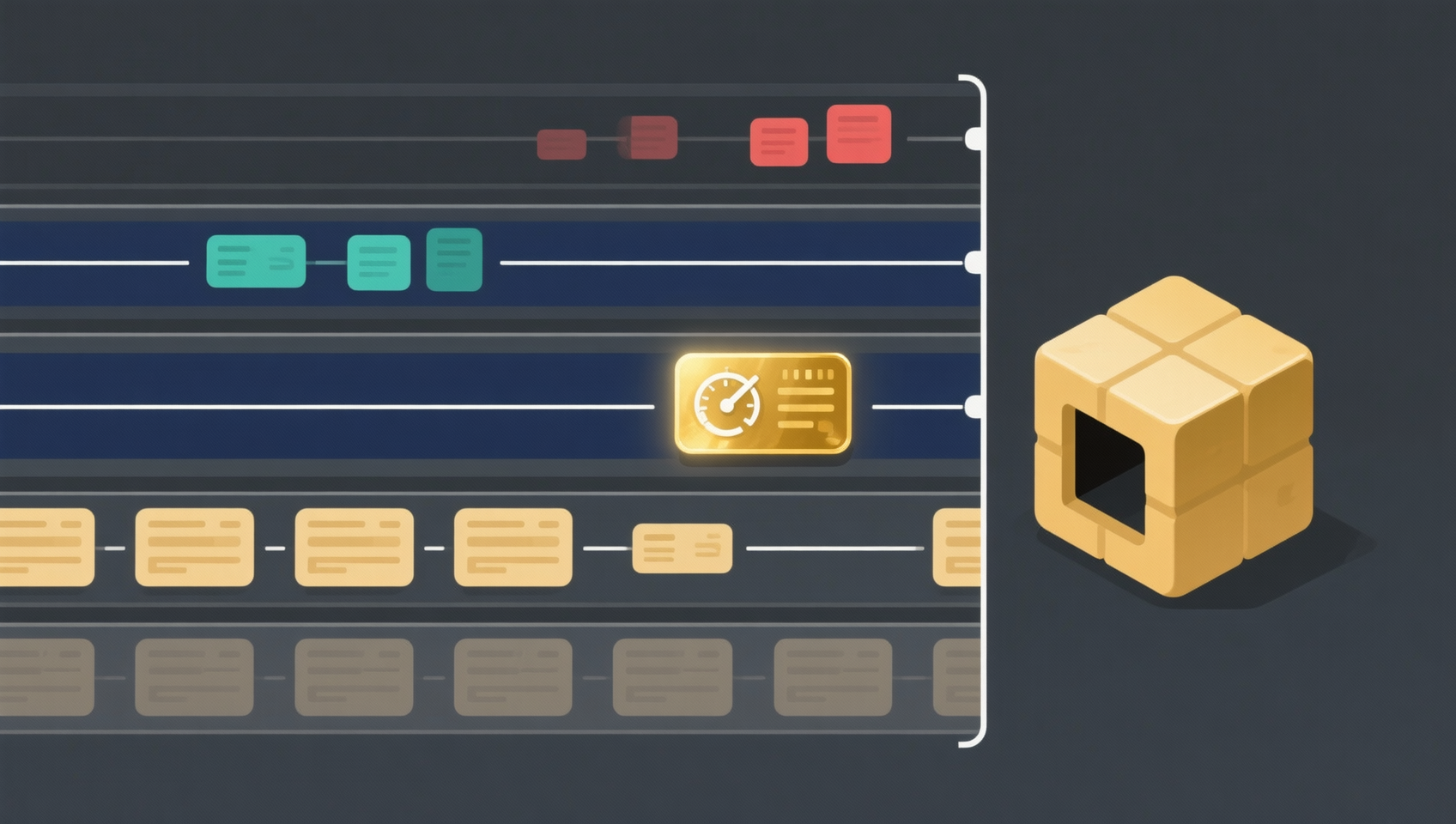
- How the fee is actually calculated: sat/vB × vsize
- Fix 1: RBF fee bumping
- Fix 2: CPFP child transaction
- Fix 3: mining-pool accelerators
- Fix 4: waiting and rebroadcasting
- Stuck exchange withdrawal: why only support can help
- Five things you must not do
- Why 2026 makes low fees stickier
- How to avoid it next time
- 💰 Binance rebate: invite code BINANBT
- FAQ
- Further reading
The short answer: three states, three different fixes
Bitcoin has no "cancel transfer" button. Once a transaction is broadcast, you can only make it confirm faster, replace it, or wait for it to disappear. First identify the state:
State 1: still queued in the mempool. The transaction is valid and nodes have it, but the fee rate does not fit into a block yet. The explorer shows "unconfirmed" and still displays the fee rate, size and position.
State 2: evicted by nodes. The fee was too low, it waited too long, or the mempool filled up. The transaction disappears from some nodes' mempools; the explorer may show "not found" or stay unconfirmed forever.
State 3: replaced or confirmed. You (or someone helping you) replaced it with RBF, so the old transaction is void; or it has been mined and the wallet simply has not refreshed.
Each state needs a different response. Sending another payment before checking the state is the most common and most expensive mistake in this whole situation.
In one line: check the txid first, then act. A stuck transaction is inconvenient; a duplicate payment is real money.
Three-minute check: four numbers from one txid
Open mempool.space (or any block explorer) and paste the txid. Read four numbers:
| Metric | Where to find it | How to read it |
|---|---|---|
| Fee rate | Transaction page, in sat/vB | Below the current lowest recommended band means you are queuing |
| Size | Transaction page, in vB (virtual bytes) | Used to calculate the total fee and the cost of a bump |
| Replaceable | The RBF flag on the page | YES / RBF means RBF is available |
| Recommended rates | The homepage High / Medium / Low bands | Your band tells you roughly how long to expect |
Two more signals:
- "Unconfirmed parent". If the parent is unconfirmed, the child will not confirm either; solve the parent first.
- Whether the transaction is still in the mempool list. A missing txid may mean eviction, or simply that this explorer's node has not synced; try another explorer or wait a little.
If the transaction came from an exchange withdrawal, the txid is usually shown on the withdrawal details page. Save it — you will need it for support, block explorers and accelerators.
How the fee is actually calculated: sat/vB × vsize
Bitcoin fees are not a percentage of the amount. They pay for block space:
Fee (sat) = fee rate (sat/vB) × virtual size (vB)
A typical SegWit transaction with one input and two outputs is about 140 vB. At different rates:
| Fee rate | Total fee | At BTC = $100,000 |
|---|---|---|
| 1 sat/vB | about 140 sat | about $0.14 |
| 2 sat/vB | about 280 sat | about $0.28 |
| 10 sat/vB | about 1,400 sat | about $1.40 |
| 50 sat/vB | about 7,000 sat | about $7.00 |
(The dollar figures use an assumed BTC price only to show the scale; they are not a price forecast.)
Two conclusions:
- Underpaying saves cents but can cost hours or days. During a fee spike, 1 sat/vB versus 10 sat/vB is the difference between "today" and "next week".
- Bumping is cheaper than people think. Going from 1 to 10 sat/vB usually costs only a dollar or two.
Fix 1: RBF fee bumping
RBF (Replace-By-Fee) is the most direct fix: sign a new transaction that spends the same inputs with a higher fee, replacing the original.
How it works. The old and new transactions spend the same UTXOs, so miners can only include one. The new one pays a higher rate, so miners prefer it, and the old one becomes void.
Who can use it. Two conditions:
- You hold the private keys (a self-custody wallet or a hardware wallet).
- The wallet supports "increase fee", "bump fee" or "speed up".
Since Bitcoin Core 28.0 (October 2024), full-RBF has been the default for Core nodes, so most unconfirmed transactions can be replaced without the original signalling replaceability. The key point is unchanged: you still need the private keys. Nobody else can replace your transaction without your signature, so this is not a route for theft.
How to do it. Names vary by wallet; the path is similar:
- Find the unconfirmed transaction in your wallet and open its details.
- Tap "Increase fee", "Accelerate" or "Bump fee".
- Choose a new rate or enter a target sat/vB.
- Confirm, re-sign and broadcast.
Wallets commonly supporting this include Electrum, Sparrow, BlueWallet and Bitcoin Core; hardware wallets usually need to be paired with Electrum or Sparrow. If there is no button, the wallet does not support it — but never hand your seed phrase to a website or a support agent to get it done.
Rules. A replacement usually must pay both a higher total fee and a higher fee rate; the wallet calculates it. If it says the transaction cannot be replaced, common causes are a missing replaceability flag, an insufficient fee increase, or an outdated wallet.
Fix 2: CPFP child transaction
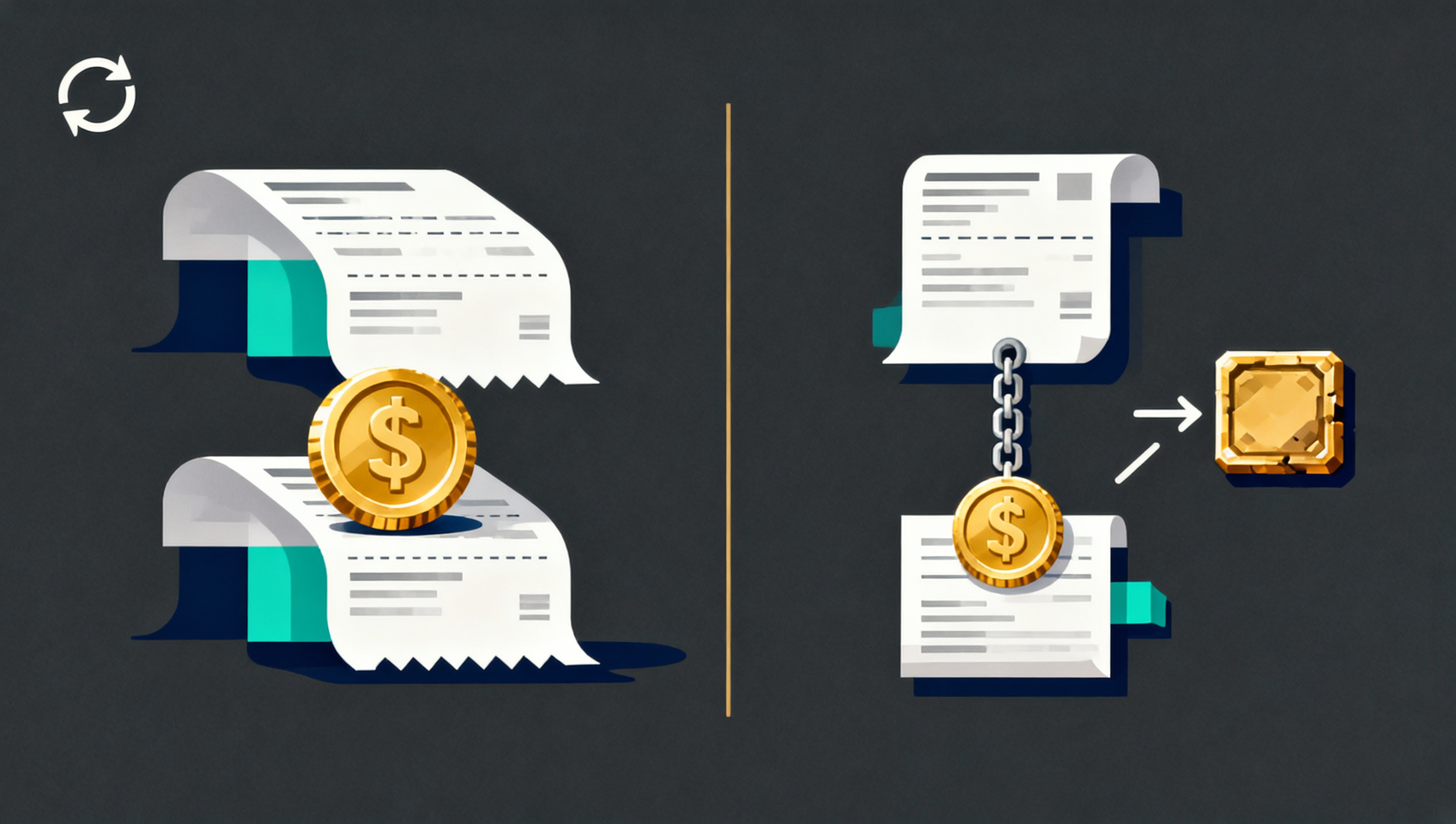
CPFP (Child-Pays-For-Parent) takes a different route: do not replace the parent — spend one of its outputs in a child transaction with a very high fee. To collect the child's fee, miners include the parent too.
Who can use it.
- Sender: if the transaction has a change output, you can spend that change and attach a high-fee child.
- Recipient: if you control the receiving address, you can spend the unconfirmed output and pull it into a block.
- Exchange withdrawal user: no. The exchange built the transaction and controls the outputs; you do not have the keys.
The math. Miners evaluate the combined rate:
Package rate = (parent fee + child fee) ÷ (parent vsize + child vsize)
Example: a parent of 140 vB at 2 sat/vB pays 280 sat; the child is about 110 vB. To reach a package rate of 20 sat/vB:
- Total size = 140 + 110 = 250 vB
- Target total fee = 250 × 20 = 5,000 sat
- Child fee = 5,000 − 280 = 4,720 sat
At BTC = $100,000 that is about $4.72. The number changes with the target rate and transaction size, but the logic does not.
How to do it. In a wallet that supports CPFP, find the output of the unconfirmed transaction, choose "spend", and set a high child fee. Electrum, Sparrow and similar wallets offer "Child pays for parent"; some wallets show an "accelerate this deposit" option.
The advantage is that the recipient can also use it. The downside is that the child also takes block space, so it is not always cheaper than RBF.
Fix 3: mining-pool accelerators
If neither RBF nor CPFP is available, consider an accelerator. It submits your txid to a mining pool's queue so the pool prioritises it when building a block.
Two common options:
- ViaBTC Accelerator. Launched in 2016, it offers free and paid acceleration; free slots are limited and require the transaction to meet certain conditions.
- mempool.space Accelerator. A paid service that accelerates through partner pools; a September 2026 partnership with ViaBTC expanded access.
The usual flow: open the accelerator page, enter the txid, confirm the transaction details, pay if required, then wait. None of them can guarantee inclusion — a pool can only raise the probability, not override consensus rules.
Points to note:
- An accelerator only needs the txid, never your private keys, seed phrase or account password. Anyone asking for those is a scammer.
- Read the refund policy before paying: if the transaction is not accelerated, is the fee refunded and how?
- Free acceleration usually has daily quotas and minimum fee requirements; do not treat it as a universal key.
- If the transaction has already been evicted, rebroadcast it before submitting to an accelerator.
Fix 4: waiting and rebroadcasting
If the amount is small and there is no deadline, waiting is often the cheapest option.
The 14-day rule. Bitcoin Core's default mempool expiry is 336 hours, or 14 days1. A transaction that sits too long is cleaned out; when the mempool fills, low-fee transactions are evicted first.
Eviction is not loss. If the transaction never confirms, the UTXO is still yours. The wallet usually shows it as "unconfirmed" or "pending", and you can:
- use the wallet's "rebroadcast" function;
- paste the raw transaction into mempool.space's broadcast tool;
- or simply spend the same UTXOs again with a sensible fee.
One caveat: do not leave two conflicting transactions in play without knowing it. If you spend the same UTXOs again, only one transaction can confirm. Most wallets handle this, but keep both txids so your records do not show two payments.
Can you cancel a transaction? Strictly speaking, no. You can use RBF to send a transaction back to yourself, spending the outputs to your own address — effectively a cancellation — but that requires wallet support and still costs a fee. For most users, waiting or rebroadcasting is simpler.
Stuck exchange withdrawal: why only support can help
This is the most common and most frustrating case: you withdraw from an exchange, you have a txid, and it sits unconfirmed for hours.
The transaction was built and signed by the exchange. You do not have the keys or control of the outputs, so:
- RBF is unavailable: a replacement needs a new signature.
- CPFP is unavailable: the child would spend an output controlled by the exchange.
- An accelerator may work: it only needs the txid, though inclusion is still not guaranteed.
The right move is to contact exchange support and provide:
- your UID
- the txid
- the amount and asset
- the withdrawal time
- the destination address and network
Then ask directly: "The fee on this transaction is low — can you rebroadcast it or bump it with RBF/CPFP?" Some exchanges periodically rebroadcast unconfirmed transactions, some support fee bumps, and some can only wait. If support says "it is on-chain, please wait", ask them to confirm whether it is still in the mempool.
Do not send a second withdrawal to the same address as a "replacement" before confirming the first one's state. If the original later confirms, you have paid twice.
Five things you must not do
1. Send another payment to the same address. The original may only be slow, not failed. Check the txid before doing anything.
2. Give your seed phrase or private keys to an "acceleration support agent". Real acceleration needs only a txid. Anyone asking for keys is stealing your funds.
3. Use an unknown "accelerator" and pay in crypto upfront. Services that take the fee first and then "accelerate" usually vanish. Use well-known tools with published rules.
4. Treat an unconfirmed transaction as settled. A zero-confirmation transaction can be replaced or never confirm. Wait for at least 1–2 confirmations before shipping goods, swapping, or sending the funds onward; more for large amounts.
5. Set 0.1–0.5 sat/vB and still expect same-day confirmation. Ultra-low fees suit "a few days is fine" use cases. For same-day, check the live recommended rate — usually at least 1–2 sat/vB.
Why 2026 makes low fees stickier
Two protocol-level changes are worth knowing:
1. Full-RBF became the default. Bitcoin Core 28.0 (October 2024) changed the full-RBF default to on, so transactions no longer need to signal replaceability in advance2. This makes fee bumping easier; it also weakens the "zero-confirmation is safe" assumption, because an unconfirmed transaction can be replaced by its sender at any time.
2. The minimum relay fee dropped to 0.1 sat/vB. Bitcoin Core 29.1 (September 2025) and 30.0 (October 2025) lowered the default minimum relay fee from 1 sat/vB to 0.1 sat/vB3. As a result, many "sub-satoshi" transactions can propagate and linger, but they are neither guaranteed to relay nor guaranteed to confirm. The developers' warning is explicit: until the network upgrades broadly, 0.1 sat/vB is not a safe floor.
Practical guidance for 2026:
- No rush: around 1 sat/vB, and expect to wait days.
- Same-day: check mempool.space's live bands; usually 1–2 sat/vB minimum, higher during congestion.
- Large or time-sensitive: choose the wallet's "priority / fast" option rather than gambling to save cents.
How to avoid it next time
- Check mempool.space before sending. The High / Medium / Low bands are the current market price; 30 seconds can save hours.
- Use the wallet's recommended fee unless you are sure you can wait.
- Enable RBF. Most modern wallets support it; it costs nothing to have the option.
- Test small before large. Especially with a new address, network or wallet.
- Keep the txid. Screenshot it or save it in a note.
- Consolidate UTXOs when fees are low. Merging small outputs during quiet periods lowers future costs.
- Choose the right network and fee tier on exchange withdrawals. The fee options on the withdrawal page are not decoration; do not pick the slowest one if you need speed.
💰 Binance rebate: invite code BINANBT
New users who enter invite code BINANBT at registration get a 20% trading fee rebate, which adds up over time. This article contains a referral link; we may receive a reward if you register through it, but it costs you nothing extra.
- Rebate: 20% of trading fees, ongoing — the more you trade, the more you save.
- Welcome package: up to $19,800, unlocked through tasks, not cash on signup.
- How to claim: enter BINANBT in the invite-code field during registration; this is the most reliable route.
- Important: registering directly inside the app gets you none of the new-user rewards. In-app registration does not create a referral relationship, so the $19,800 welcome package and the 20% fee rebate will not apply — you must use the registration link or enter invite code BINANBT.
👉 Sign up on Binance and claim a 20% trading fee rebate
FAQ
Will my money be lost if a Bitcoin transaction stays unconfirmed?
Usually not. If it never confirms, the funds remain in your UTXOs; eviction from a mempool does not destroy them, and you can rebroadcast or spend the same UTXOs again. The real risks are duplicate payments, treating zero-confirmation as settled, and handing your keys to an "accelerator".
How long until it is returned?
Bitcoin has no automatic refund. A transaction either confirms or stays unconfirmed until nodes evict it (about 14 days by default). After eviction, the wallet shows the balance as available again and you can send a new transaction.
What is the difference between RBF and CPFP?
RBF replaces the parent: you sign a new transaction with the same inputs and a higher fee, voiding the old one. CPFP attaches a high-fee child to the parent so miners include both to collect the child's fee. RBF needs the ability to re-sign; CPFP needs control of an output.
Can I accelerate an exchange withdrawal myself?
Not with RBF or CPFP — the exchange holds the keys and the outputs. You can submit the txid to an accelerator, but the safer route is to ask support to rebroadcast or bump it. Provide your UID, txid, amount, time and destination address.
Are accelerators paid, and are they reliable?
Both free and paid options exist. ViaBTC offers free and paid acceleration; mempool.space offers a paid service. They raise the probability of inclusion through mining pools but do not guarantee it. Use tools with published rules, and never provide private keys or a seed phrase.
What happens if the fee is too low?
The transaction queues in the mempool, may stay unconfirmed for hours or days, and may be evicted. The funds do not vanish, but the time cost can far exceed the fee you saved.
After my transaction is replaced, is the old txid still valid?
The old transaction is void; explorers usually mark it as replaced. Use the new txid. Do not count both as payments in your records.
Can I cancel a Bitcoin transaction?
Strictly, no. You can use RBF to send the funds back to yourself, which is close to a cancellation, but it requires wallet support and still costs a fee. Otherwise, wait for confirmation or eviction.
Why does 1 sat/vB get stuck now?
Because the minimum relay fee dropped to 0.1 sat/vB, many low-fee transactions can enter and remain in the mempool, while miners still prioritise higher rates. Whether 1 sat/vB confirms quickly depends on how many people are paying more at that moment.
Further reading
- What is Bitcoin? A 2026 beginner's guide
- How to make money with Bitcoin in 2026: six methods compared
- Cold wallets and hardware wallets: a 2026 guide
- Binance withdrawal guide 2026: networks, addresses and memos
- How to use MetaMask: a 2026 beginner's guide
- More Bitcoin guides
Disclaimer: this article is for educational purposes only and is not investment advice. Fee rates, mempool rules, RBF/CPFP mechanics and Bitcoin Core defaults are reference information as of 2 November 2026 and may change with network conditions and software versions; rely on the live data shown by your wallet, block explorer and mining-pool page. On-chain transactions are irreversible — verify the address, network and amount before sending, and never share your private keys, seed phrase or 2FA code. Crypto services are restricted in some countries and regions; confirm the law where you live first.
Footnotes
-
Source: Bitcoin Core source and functional tests,
DEFAULT_MEMPOOL_EXPIRY_HOURS = 336(14 days); when the mempool is full, transactions are evicted from the lowest fee rate upward. ↩ -
Source: Bitcoin Core 28.0 release notes (October 2024), full-RBF enabled by default; from 30.0,
bumpfee/psbtbumpfeeno longer require a BIP-125 signal. ↩ -
Source: Bitcoin Core 29.1 (September 2025) and 30.0 (October 2025) release notes; the defaults for
-minrelaytxfeeand-incrementalrelayfeewere lowered to 0.1 sat/vB. Low-fee transactions are not guaranteed to relay or confirm. ↩