

⚠️ Read this first: if you don't have an account yet, register through the registration link (e.g. "Sign Up") or enter invite code BINANBT — signing up directly inside the app gets you no signup reward at all. The $19,800 welcome package and the 20% fee rebate won't apply. Withdrawals require a KYC-verified account, and your withdrawal limit is tied to your verification level.
Key takeaways (TL;DR):
- Only two fields on the withdrawal page require a real decision: the network and the address (plus Memo). Everything else is mechanical. Across the whole journey from downloading the app to trading, those two are also the only actions that cannot be undone once you get them wrong.
- Identical-looking addresses do not mean matching networks. Ethereum, BNB Chain, Polygon and Arbitrum share one address format, so the same address is "valid" on all of them — the field accepts it, the page raises no error, and the coins still land on the wrong chain.
- The withdrawal fee is not a platform toll — it's on-chain cost passed through. For the same USDT: about 1 USDT on TRC-20 versus 5–15 USDT on ERC-20, a tenfold gap. On small amounts, which chain you pick matters far more than when you withdraw.
- On-chain transfers have no undo button. Binance cannot pull your coins back — it is no longer the sender. Only two situations are recoverable: the recipient is an exchange (their support can help), or the address is still yours (switch wallets and you'll find it).
- "The coins aren't in my wallet" is usually a display problem. "The coins aren't on-chain" is a real loss. Check the txid on a block explorer before you panic.
Contents
- The short answer: only two fields can go wrong
- What actually happens behind a withdrawal
- Which network: the three main USDT chains
- The six-step withdrawal
- Network, address, Memo: three things to check character by character
- After a wrong network or wrong address: what can and cannot be saved
- Fees and minimums: why the gap reaches tenfold
- Coins sent to your own wallet but nowhere to be seen
- Address poisoning and clipboard hijacking
- Six places beginners lose money
- 💰 Binance fee rebate: invite code BINANBT
- FAQ
- Further reading
The short answer: only two fields can go wrong
The withdrawal screen looks complicated: coin, network, address, tag, amount, fee, verification code. But only "network" and "address (including Memo)" are judgment calls. Everything else is data entry.
| What went wrong | Real consequence | Recoverable? |
|---|---|---|
| Wrong network, address itself valid | Coins land on another chain | Conditionally: exchange recipients may recover them; your own address means you can recover them yourself |
| One character wrong in the address | Sent to a nonexistent or someone else's address | Effectively no |
| Memo / Tag missing or wrong | Coins reach the exchange, but can't be credited to you | Conditionally: support ticket plus manual reconciliation, usually with a fee |
| Amount below the minimum | The submit button stays disabled | Not an error — the page states the minimum |
| Verification code wrong | Submission fails | Just retry |
The counterintuitive part: the most dangerous withdrawal mistakes are the ones that don't throw an error. Format validation only proves "this is a syntactically valid address" — not "this is the right chain" and not "this address is mine".
So the right posture isn't speed. It's: take 30 seconds and read the network and the address out loud.
What actually happens behind a withdrawal
Understand the mechanics and you'll know exactly what can be saved.
When you tap submit, four things happen:
- Binance sends an on-chain transaction from one of its own wallet addresses to your target address;
- The transaction is broadcast to that network and waits to be included in a block;
- It accumulates the confirmations the recipient requires — anywhere from 1 to dozens, depending on the chain and the platform;
- The recipient's system recognises the deposit and credits your account.
Three consequences:
- Once broadcast, there is no "cancel". Blockchains have no undo, only "whoever holds the private key of the destination address sends a reverse transaction".
- "Completed" on the Binance page means "Binance has broadcast it" — not "the recipient has credited you." They may still be waiting on confirmations, or the deposit may be stuck because the Memo was missing.
- A slow arrival is almost always network congestion or a recipient's high confirmation requirement, not Binance withholding your coins.
Which network: the three main USDT chains
USDT isn't one coin — it's the same issuer's token issued on more than a dozen chains. Choosing a network means choosing which chain the coins travel on.
| Network | Withdrawal fee (approx.) | Arrival time | Typical use | Recipient support |
|---|---|---|---|---|
| TRC-20 (Tron) | about 1 USDT | under a minute | The default for exchange-to-exchange transfers | Nearly every exchange |
| BEP-20 (BNB Chain) | about 0.2–1 USDT | under a minute | To wallets and exchanges that support BSC | Lower than TRC-20 |
| ERC-20 (Ethereum) | about 5–15 USDT | a few minutes | When you need to interact with Ethereum DeFi or contracts | The most universal, and the most expensive |
Figures are range estimates checked in October 2026. Binance adjusts them with on-chain costs — the live withdrawal page is the source of truth.
The rule is one sentence: follow the recipient, not the price.
In practice:
- Check which chains the recipient supports. If it's an exchange, open its deposit page for that coin and read the listed networks. If it's someone's wallet, ask them which chain they use.
- Among the supported ones, pick the cheapest. Usually TRC-20 or BEP-20.
- Rule of thumb: recipient is Binance → TRC-20 or BEP-20; recipient is a self-custody wallet like MetaMask → decide which chain you want to receive on first, then pick that same chain on Binance.
The classic mistake is choosing a chain the recipient doesn't support in order to save a few USDT. You save 4 USDT and risk everything.
The six-step withdrawal
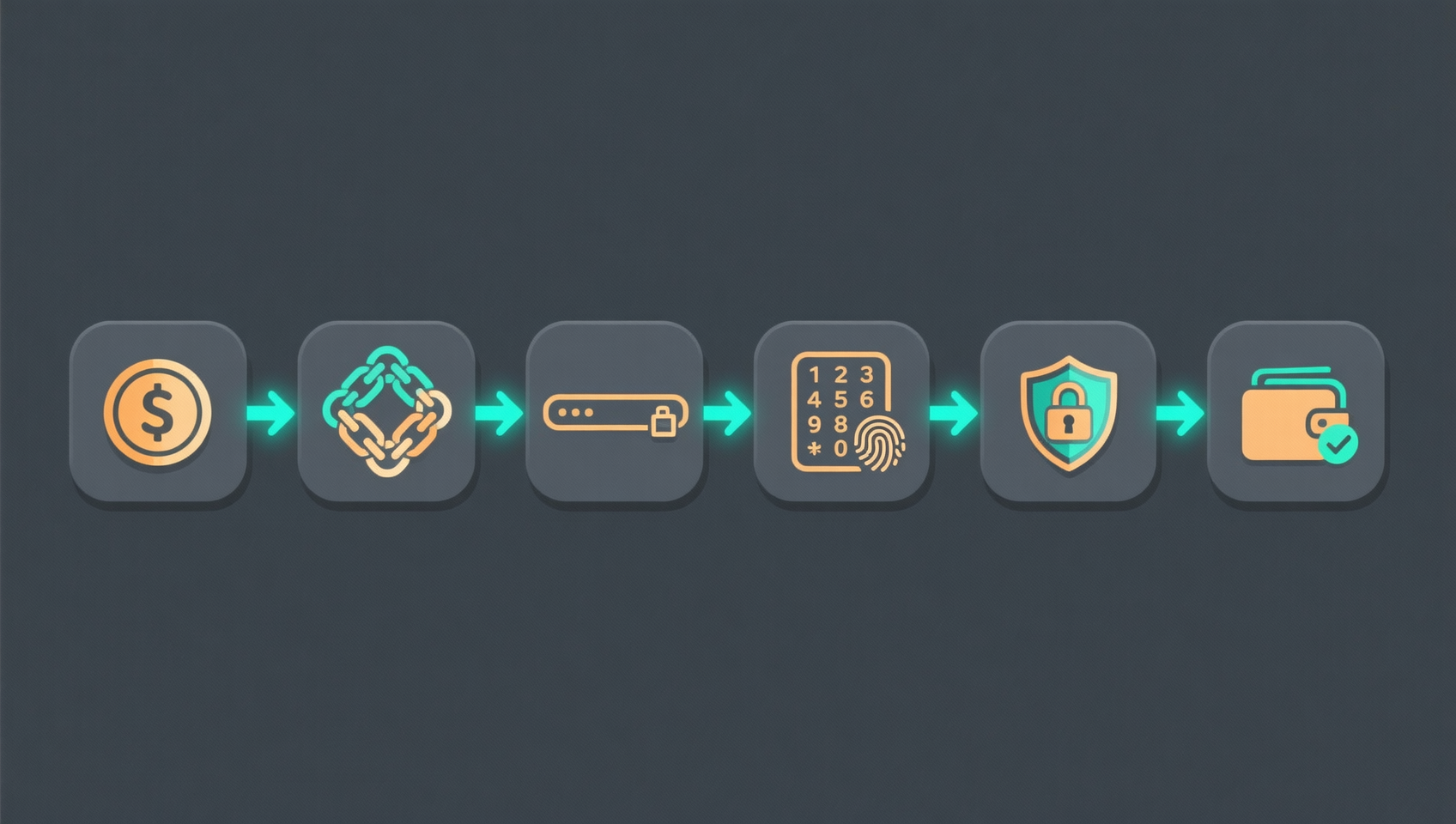
- Open the withdrawal page: Assets → Withdraw → choose the coin (e.g. USDT).
- Choose the network. The page will often pre-select a cheap one — don't just tap next; confirm the recipient supports that chain.
- Paste the address. If the chain needs a Memo / Tag, a second field appears automatically (see the next section).
- Enter the amount. The page shows the minimum withdrawal for that network and the fee; some coins also show "amount received = amount withdrawn − fee".
- Complete security verification. Typically email code + SMS + authenticator 2FA, sometimes several at once.
- Submit and wait. The status moves from processing to completed; then take the txid to a block explorer or the receiving platform.
For a first withdrawal to a new address, send the minimum amount first. That tiny test costs a disproportionate share in fees, but it buys confirmation that the address and network actually work — far cheaper than losing everything.
Network, address, Memo: three things to check character by character
Network (chain)
It must match the recipient's choice literally. TRC-20 and ERC-20 are not "roughly the same" — they're entirely separate chains, and coins sent across are not recognised.
The withdrawal page lists several networks per coin, usually named something like TRC20, ERC20, BEP20 (BSC), Solana, Polygon, Arbitrum One. Go by the name, not by position in the list.
Address
- Compare the first 6 and last 4 characters, and eyeball the middle for large amounts;
- Never copy an address out of your transaction history (see "address poisoning" below);
- For addresses you use repeatedly, save them in Binance's address book / whitelist so you don't retype them.
Memo / Tag
Some coins share one deposit address across all users, and the Memo/Tag is what identifies whose deposit it is. These fields are not notes — they are your account number.
| Coin | Required field |
|---|---|
| XRP | Destination Tag |
| XLM (Stellar) | Memo |
| ATOM (Cosmos) | Memo |
| EOS | Memo |
What happens if it's missing or wrong: the coins do arrive at the exchange's address, but the system can't tell whose deposit it is. The only fix is a support ticket and a manual reconciliation against the chain — usually with a processing fee, and not guaranteed to succeed.
One line to remember: a Memo is not a password and not a note. Getting it wrong is like paying the wrong person inside the exchange.
After a wrong network or wrong address: what can and cannot be saved
Start with the painful part: Binance cannot pull the transaction back. There is no reversal on-chain — only the holder of the destination address's private key can send a reverse transaction, and Binance is no longer that holder. Support can contact the other party; it cannot retrieve the coins.
Four cases:
| Situation | Recoverable? | What to do |
|---|---|---|
| Sent to an exchange on the wrong chain (e.g. it only accepts ERC-20 and you sent TRC-20) | Possibly | Open a ticket with that exchange immediately with the txid, coin, amount and timestamp. Their team can often recover it on the relevant chain, usually for a recovery fee and after a wait |
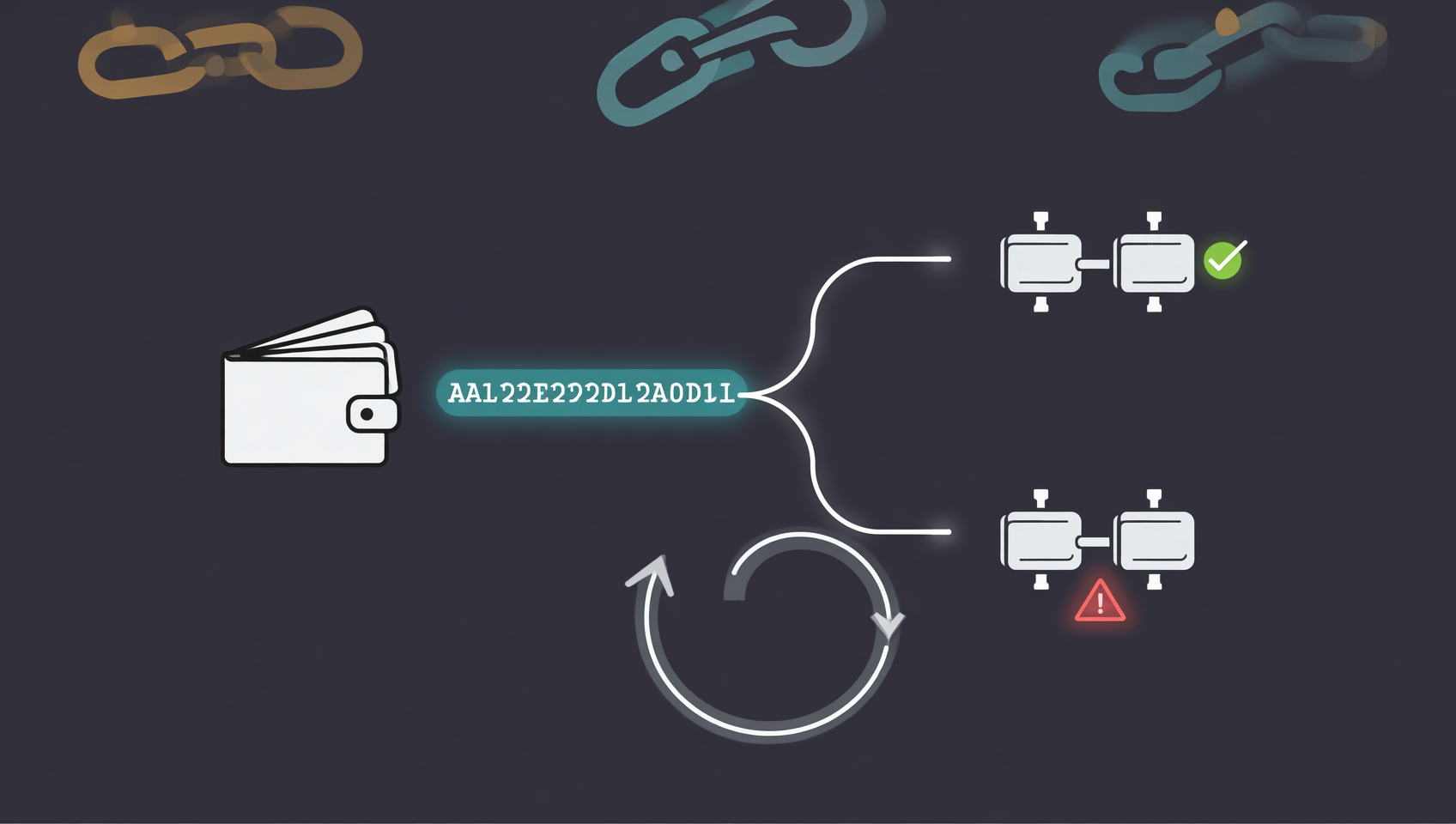
| Sent to your own self-custody wallet on a chain you weren't using | Usually yes, yourself | EVM wallets (Ethereum, BNB Chain, Polygon, Arbitrum…) share the same address format, so the same private key controls an address on every one of those chains. Switch the wallet to that chain, or import the same seed phrase into a wallet that supports it — the coins are there |
| Sent to someone else's self-custody address on the wrong chain | No | Only the holder of that key can move them |
| The address itself was mistyped | No | Unless the mistyped address happens to be another address of yours |
Note the second row — it explains most "I lost my coins" cases that turn out fine. An EVM address is the same string on a dozen chains. You think you sent to the wrong chain; the coins were on your own address all along, and the wallet was simply displaying a different chain.
So the first move isn't panic. It's: take the txid to the block explorer of that network and read the status, then match yourself against this table.
Fees and minimums: why the gap reaches tenfold
A withdrawal fee is on-chain cost plus a platform processing margin — not an arbitrary number. Ethereum gas is inherently expensive; Tron and BNB Chain are inherently cheap. That's why the same USDT can cost ten times more to move.
Run the numbers on 100 USDT:
- TRC-20, fee about 1 USDT → about 1%
- ERC-20, fee about 5–15 USDT → about 5%–15%
The smaller the amount, the uglier that ratio gets. Withdrawing 20 USDT on ERC-20 can burn more than half of it in fees.
Minimum withdrawal is a separate thing: it depends on the coin and network, and below it the submit button simply isn't available — the fee doesn't eat your amount, the route just doesn't exist. The page states the minimum explicitly.
One cheaper path that beginners forget: if the recipient is also a Binance user, an internal transfer (Binance Pay) is usually free and instant — no network choice at all. Just confirm they're really on the same platform and that you've entered their ID/email correctly.
Coins sent to your own wallet but nowhere to be seen
This is the most alarming and, most of the time, the most harmless scenario.
Three usual causes:
- The wallet isn't on that chain. Most wallets default to Ethereum; send BEP-20 USDT and you'll only see it after switching to BNB Chain.
- The token hasn't been added. ERC-20 / BEP-20 tokens need their contract address imported before the balance shows; until then the screen looks empty.
- It really did go to another chain. See the second row of the table above — the address is yours, switching chains finds it.
There is exactly one way to tell: look up the txid on a block explorer. If the transaction shows as successful, with the right amount and your address as recipient, the coins are on-chain and the problem is the wallet's display.
"No coins in the wallet" is a display problem. "No coins on-chain" is a loss.
Address poisoning and clipboard hijacking
Both attacks happen in the few seconds while you copy and paste an address, and both are built to look convincing.
Clipboard hijacking: malware watches the clipboard and swaps your copied address for the attacker's before you paste. To avoid suspicion, the replacement deliberately matches the first and last few characters.
Address poisoning: the attacker sends you a zero-value or dust transaction from an address that looks like one you use — purely so it shows up in your transaction history. The next time you "copy the address from the history", you copy theirs. Its first 4 and last 4 characters match; the middle doesn't.
Four defences:
- Never copy addresses from transaction history. Always take them from the source that gave them to you, or from your own address book;
- After pasting, check the full address, or at least 6–8 characters in the middle, not just the ends;
- Save recurring addresses to the address book / whitelist to cut down on copying;
- Split large transfers in two: a minimum-amount test first, then the main amount.
Six places beginners lose money
- Picking the network by fee without checking whether the recipient supports it. Saving 4 USDT can cost everything.
- A missing or wrong Memo / Tag. The coins arrive but can't be credited to you.
- Copying the address from transaction history. Address poisoning is waiting for exactly that.
- Withdrawing the full balance the first time, with no test transfer.
- Treating "completed" as "the recipient has it." They may be stuck on confirmations or deposit review.
- Sending to a contract address, or to an address that doesn't support that coin. Coins sent to a contract address are usually locked for good.
💰 Binance fee rebate: invite code BINANBT
You can't do much about withdrawal fees, but trading fees are a long-term cost — and you can lock in 20% off at signup.
- Rebate: 20% of every trading fee refunded; the rebate cap for a referred user is uniformly 20%.
- How to claim: enter BINANBT in the invite-code field at registration. If you missed it, you can bind it within 30 days of signup as long as the account hasn't traded.
- Stack it: enabling "pay fees with BNB" saves roughly another 25%, and combined with the rebate the effective spot rate drops noticeably.
- Important: registering directly inside the app gets you no signup reward at all. In-app signups bind no referral relationship, so the $19,800 welcome package and the 20% fee rebate simply won't apply — you need the registration link or the code BINANBT.
👉 Sign up for Binance and claim the 20% fee rebate
FAQ
What are Binance's withdrawal fees?
They're set per coin and per network, and the spread across networks is large: USDT costs about 1 USDT on TRC-20, 5–15 USDT on ERC-20, and less on BEP-20. The exact figure appears on the withdrawal page once you enter an amount.
It says "completed" but the recipient says nothing arrived. What now?
Look up the txid on the matching block explorer first. If the transaction succeeded and the destination address is correct, the coins are on-chain and the issue is on the receiving side (wrong network selected, token not added, confirmations pending, or a missing Memo blocking the credit). If the transaction doesn't exist or failed, check the order status in Binance.
Can I recover coins sent on the wrong network?
It depends on the recipient. If it was an exchange, a support ticket can often get their team to recover it, usually for a fee and after a wait. If it was your own self-custody wallet, switching to that chain or importing the seed phrase into a compatible wallet usually lets you recover it yourself. If it was someone else's self-custody address, it's effectively gone. Binance cannot reverse a broadcast on-chain transaction.
What happens if I leave the Memo / Tag blank?
The coins reach the exchange's shared deposit address, but the system can't tell which user they belong to. You'll need to open a ticket and have support reconcile it manually; most platforms charge a processing fee and don't guarantee success.
I withdrew to MetaMask and see nothing.
Nine times out of ten it's a display issue: the wallet isn't on the right network, or the token contract hasn't been added. Confirm the transaction on a block explorer first, then check those two things.
Are there withdrawal limits?
Yes. Limits depend on your KYC level and security settings (2FA enabled, withdrawal whitelist enabled), and the current figure is shown under your withdrawal limits. Some accounts also have a security hold on newly added withdrawal addresses — follow the on-page notice.
Further reading
- Binance Deposit Guide 2026: Buying USDT via C2C
- Binance Download & Registration Guide 2026: KYC and Invite Code BINANBT
- How to Trade Spot on Binance 2026: Limit, Market and Stop-Loss Orders
- What Is USDT and How to Buy It: Choosing Between Chains
- Cold Wallets and Hardware Wallets: How to Choose and Use One
- MetaMask Wallet Guide 2026
- More Binance content: the complete guide
Disclaimer: this article is for educational purposes only and is not investment advice. On-chain transfers are irreversible — verify the network, address and Memo before withdrawing. Fee figures are range estimates; the live Binance withdrawal page and the receiving platform's rules take precedence. Check the laws and regulations that apply where you live before proceeding1.
Footnotes
-
Sources: Binance Help Center (withdrawal flow, network selection, fees and minimums, Memo/Tag requirements, address management), checked October 2026. Network fees and arrival times are range estimates and change with on-chain costs. ↩