


Table of Contents
- TL;DR: three deposit routes, one sentence each
- Two things to finish before any deposit
- The three deposit routes at a glance
- Route one: C2C/P2P buying — the fiat user's default
- Route two: Express buying — fastest with an international card
- Route three: on-chain deposit — for people who already hold crypto
- After the deposit: which wallet holds your money?
- Deposit not arrived? Troubleshoot by route
- Decision table: which route fits your case
- The 5 mistakes beginners make most
- FAQ
- Bottom line
TL;DR: three deposit routes, one sentence each
The answer first: holding local currency? Use C2C/P2P buying — zero fees for buyers, direct bank transfer, escrow protection. Holding a Visa/Mastercard? Use Express buying — instant, but the fee hides inside the quote and it's usually pricier than C2C. Already hold crypto on another exchange or wallet? Use an on-chain deposit — free, but you must pick the right network. All three routes require completed KYC. The C2C core loop is four steps: pick a merchant (check 30-day completed orders) → place the order → pay within the window and tap "Transferred" → merchant releases; the escrow mechanism means you can appeal if you've paid and the merchant won't release12. On-chain deposits fail through wrong networks and below-minimum amounts; an empty payment reference is the single most common C2C mistake. If money seems missing after a deposit, think "Funding vs Spot wallet transfer" before you think "lost."
Two things to finish before any deposit
No account and no KYC means none of the three routes work. Both steps take minutes and last a lifetime:
Step one: register. Sign up with an email or phone number and set a password. The registration page has a referral-code field — filling it earns trading-fee rebates, and if you forgot, you can bind one within 30 days using the Binance rebind referral guide.
No Binance account yet? Register on Binance (referral code: BINANBT). OKX (referral code: 60895497) works identically for deposits — every step below applies.
Step two: complete KYC. Deposits, buying, and trading all require verification. Basic KYC collects your name and ID number; advanced verification adds document photos and facial recognition, usually reviewed within minutes to 24 hours. Shoot in good light with all four corners visible and no glare, and resubmit if rejected. The full walkthrough is in the Binance registration & KYC guide.
The three deposit routes at a glance
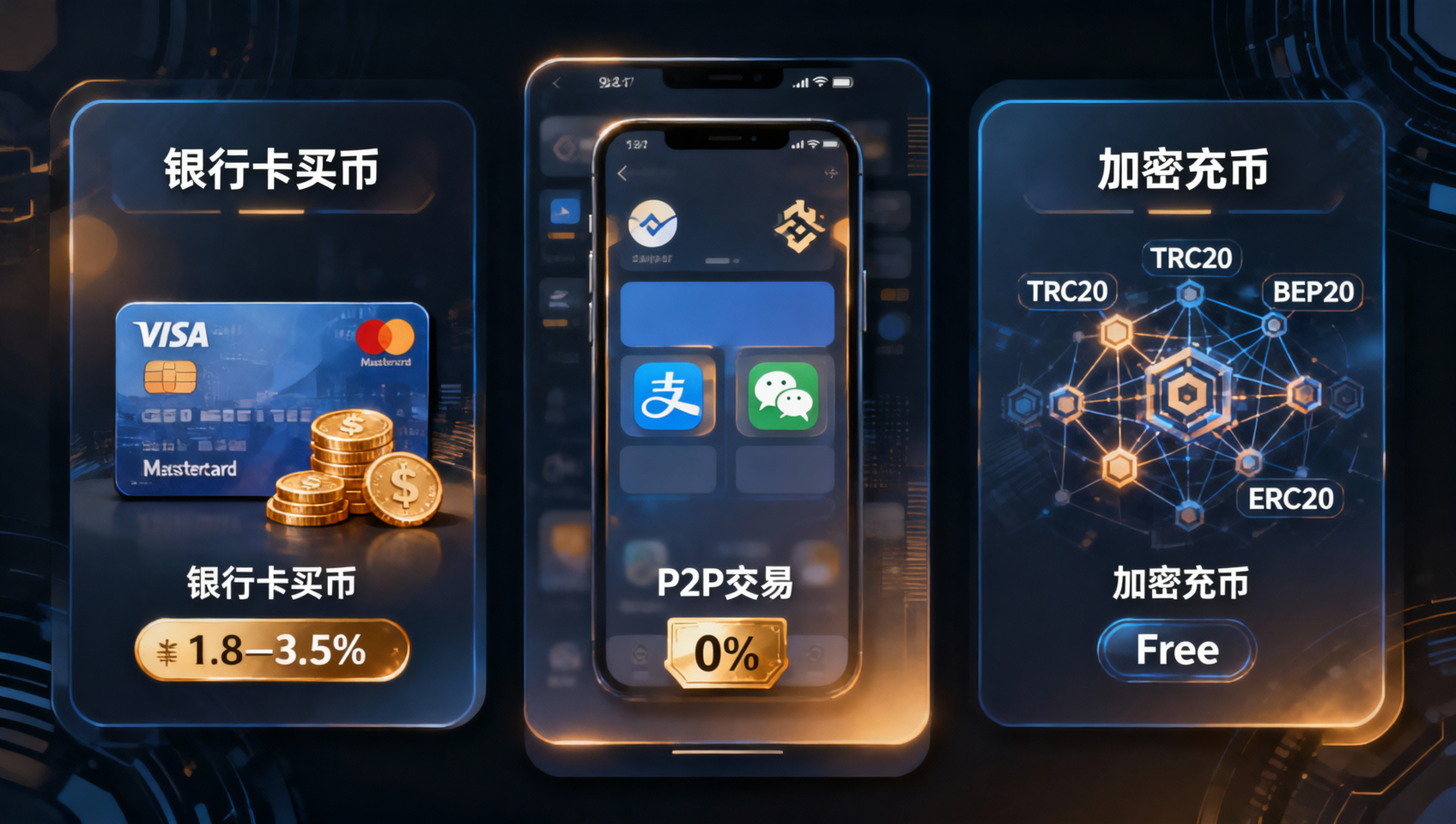
What separates the routes is what you already hold: local currency → C2C; an international card → Express; existing crypto → on-chain. Figures below are magnitudes verified in August 2026 — the live page is authoritative:
| Comparison | 🤝 C2C/P2P buying | 💳 Express buying (card) | 🔗 On-chain deposit |
|---|---|---|---|
| Best for | Users holding local currency | Users with international Visa/Mastercard | Users already holding crypto |
| Platform fee | 0 fee for buyers1 | Embedded in the quote, usually pricier than C2C | Free on Binance's side; sender pays network fee |
| Payment method | Local bank/wallet transfers | Visa/Mastercard card payment | No fiat involved |
| Arrival | Minutes or so after payment, on merchant release2 | Instant to minutes | Chain-dependent, minutes to tens of minutes |
| Minimum | Set per merchant listing | Generally from ~10 USD equivalent | Per coin; the deposit page shows the floor |
| Main risks | Wrong merchant, sloppy payment hygiene | Quote premium, some banks block crypto | Wrong network/address, missing memo |
| Difficulty | Moderate (many small steps) | Easy | Easy but details are unforgiving |
One line of priority: cheapest → C2C; fastest → Express; already holding crypto → on-chain.
Route one: C2C/P2P buying — the fiat user's default
📺 Want to follow along step by step? Watch the Binance C2C buying video tutorial.
C2C is buying from platform-vetted merchants: you pay local currency, the merchant pays crypto, and Binance runs escrow and arbitration. The moment you place an order, the merchant's crypto is locked in Binance's escrow account — if you pay and the merchant won't release, the platform awards the escrowed funds to you1. With that mechanism in mind, none of the steps below are scary:
Step 1: open C2C trading. From the app home, tap "Buy Crypto" or "Trade" → "C2C" (some versions call it P2P), select USDT, and filter by your payment method.
Step 2: pick the merchant — the single most important C2C decision. Every listing shows three numbers that matter:
- 30-day completed orders: the higher the better; four digits means a professional operation;
- Completion rate: 98%+ is the comfort zone;
- Payment window: prefer merchants giving you a full 15 minutes to pay3.
Step 3: place the order. Enter the amount (for a first run, keep it small), and check the merchant's unit price — buyers pay no platform fee, but merchants price differently, and lower premiums are simply better deals1. Tap "Buy USDT" to create the order.
Step 4: pay within the window. The countdown starts (typically 15 minutes). Transfer exactly as the merchant's page instructs, and hold three red lines:
- Leave the payment reference empty. Any crypto-related wording can trip bank risk controls or make the merchant refuse to confirm2;
- Pay from your own account. Third-party payments give the merchant grounds to refuse release;
- Match the order amount exactly. A mismatched amount is the hardest thing to explain in an appeal.
Step 5: tap "Transferred." Only after the money has actually left your account — this is the anchor of any arbitration.
Step 6: wait for release. Usually minutes; the crypto lands in your Funding wallet2. If the merchant stalls past the deadline, tap "Appeal" on the order page and support steps in — the escrowed funds aren't going anywhere.
For advanced C2C practice and large-amount habits, see the Binance C2C buying guide; if this is your very first purchase ever, the Binance first deposit guide walks it at a slower pace.
Route two: Express buying — fastest with an international card
Express buying swaps card for crypto directly: enter an amount, accept the quote, done — all within minutes. It fits users holding Visa/Mastercard-class cards who don't want to study merchant lists:
- Home → "Buy Crypto" → "Express" or "Card";
- Pick your fiat (USD, EUR, …) and the coin (USDT, BTC, …), enter the amount;
- Read the quote — the service cost is already baked into that price, usually a bit above C2C. Think of it as paying for convenience;
- Bind your card and complete your bank's 3D Secure step;
- The crypto lands, generally in your Spot wallet.
Three cautions: first, read the confirmation screen line by line — fiat amount, crypto amount, rate; if you don't like it, cancel, there's no sunk cost. Second, some banks restrict crypto purchases — if the card declines, ask your bank instead of hammering retries. Third, Express doesn't scale well: the premium grows proportionally, so larger amounts suit C2C better, or start small with Express and add via cheaper routes.
Route three: on-chain deposit — for people who already hold crypto
An on-chain deposit moves crypto from another exchange or your own wallet into Binance. The platform charges nothing; your only cost is the sending network's fee. It's also the only route where a wrong choice means real loss, so every field gets checked:
Step 1: generate the deposit details on Binance. Wallet → Deposit → pick the coin (say USDT) → pick the network. The page shows the deposit address, the network's minimum deposit, and the confirmations needed for credit.
Step 2: choose the network by "what does the sending side support," not by "which is cheapest." Single-transfer network-fee magnitudes (verified August 2026; the live page rules): TRC20 and BEP20 both sit around the 1-USDT mark or below, ERC20 runs several dollars and climbs with congestion. But the order matters — the intersection of what the sender supports and what Binance lists for that coin is your actual option set. For the full network-selection logic and wrong-network recovery, see the companion piece BEP20 vs ERC20: choosing the right withdrawal network — the principles are identical.
Step 3: verify the address; XRP, XLM, ATOM and friends also need a memo/tag. Copy the address from Binance into the sending platform and check the first and last six characters; coins marked "memo required" will likely need manual recovery if the memo is missing. Address and memo are two independent fields — either one alone can strand funds.
Step 4: send a small test first. Transfer just above the minimum, wait for arrival, then send the rest. A test costs minutes and one small network fee; skipping it can cost the whole transfer.
Step 5: wait for confirmations. Most networks credit after around one confirmation; Ethereum-family chains take longer under congestion. Save the TxID (transaction hash) immediately — it's the only evidence for any inquiry.
Step 6 (hopefully never): wrong network or overdue arrival. Use Binance's self-service deposit-recovery tool and submit the TxID — note it covers funds coming into Binance, recovery may carry a fee, and success isn't guaranteed4. If the wrong-network send was a withdrawal from Binance to your own wallet, the playbook is different — see the three-scenario triage in the withdrawal network guide.
After the deposit: which wallet holds your money?
Binance spreads balances across sub-accounts; when funds seem missing, "transfer" should come to mind before "lost." The two you'll meet:
- Funding wallet: C2C purchases land here by default;
- Spot wallet: Express buys usually land directly here, and spot trading only draws from here.
So a zero balance on the trading screen usually just means the funds are napping in Funding. Fix: Wallet → Transfer → Funding → Spot → pick the coin and amount → confirm, free and instant. The reverse works the same way. Once done, you're ready for your first order in the Binance spot trading guide.
Deposit not arrived? Troubleshoot by route
First identify the route — the three "not arrived" cases are three different problems:
C2C paid, merchant hasn't released. Check the order countdown: still running → give it a few more minutes, merchants aren't always watching; expired → tap "Appeal" immediately and attach your payment proof (transfer screenshot, order number). If you paid yourself, on time, and tapped "Transferred," the escrow guarantees the outcome1. Never argue with the merchant on outside chat apps — keep everything in the order thread, because that's the only evidence arbitration counts.
On-chain deposit overdue. Check three layers in order: ① look up the TxID on a block explorer — success/confirmed means the chain is fine and Binance's credit is lagging, wait a bit longer; failed means the sending side never broadcast, go back to the sender; ② confirm the amount wasn't below the network minimum and the memo wasn't blank; ③ all clear and still nothing after 2–3 hours → open the self-service deposit-recovery tool with the TxID4. Stop condition: if you discover a wrong-network send to an address you don't control, contact support immediately instead of retrying.
Express buy charged but nothing arrived. One door only: Binance support, with the order number and the charge receipt. Progress is visible in the order status; card-network settlement delays can stretch to a few hours.
Decision table: which route fits your case
| Your situation | Route | Why |
|---|---|---|
| Holding local currency, cost matters | C2C/P2P | Zero buyer fees; the rate is the only cost |
| Holding local currency, want it simple | C2C + high-volume merchant | Fixed flow; professional merchants are calmer |
| International credit/debit card | Express buying | Minutes to arrive; pay a premium for convenience |
| Crypto sits on another exchange | On-chain deposit (TRC20/BEP20 first) | Free, low network fee |
| Crypto sits in your own wallet | On-chain deposit (per your wallet's networks) | Confirm which chains your wallet supports first |
| Large amount | C2C in batches + small test order | Premium and limits both stay controllable |
| Need to trade right now | Express buying, or existing crypto via a cheap network | Instant arrival first |
One sentence: look at what you hold, then take the shortest road — local currency C2C, international card Express, existing crypto on-chain.
The 5 mistakes beginners make most
- Writing crypto words in the payment reference. "USDT," "BTC," or "crypto" in a transfer note can make the merchant refuse to confirm or trip bank risk controls. Empty reference, exact amount — that's the whole requirement.
- Tapping "Transferred" before the money actually moved. It's the anchor of every C2C arbitration; tap-and-pray hands the merchant a winning appeal. Check the bank app shows "successful" first.
- Ignoring the minimum deposit on-chain. Each network's floor differs; below it the funds may never credit and the fee won't come back. Read the fine print on the deposit page before sending.
- Missing the memo on XRP-type coins. Right address, blank memo — the funds arrive at Binance but outside your reach pending manual recovery. Treat "memo required" as a second password.
- Panicking over a zero Spot balance after a deposit. Transfer first, troubleshoot second — C2C funds sitting in the Funding wallet is the default, not a malfunction.
FAQ
What is the minimum amount to deposit on Binance?
It depends on the route. C2C/P2P buying starts at the equivalent of a few dozen units of your local currency (each merchant's listing shows the floor); Express/card buying generally starts around 10 USD equivalent; on-chain deposits depend on the coin — the minimum is shown on the deposit page, and transfers below it may never arrive with no fee refund. For a first deposit, practice with a small amount, then scale up once the whole flow works.
How do I deposit fiat currency into Binance?
Use C2C (P2P) buying: pay a platform-vetted merchant in your local currency and the merchant releases crypto to you. Pick a merchant → place an order → pay within the time window using the listed payment method → tap "Transferred" → merchant releases. Escrow protection covers the whole trade and the platform charges buyers no fee. Never write anything crypto-related in your payment reference.
Does depositing on Binance cost anything?
C2C/P2P buying is zero-fee for buyers (the merchant's quote already carries a premium); Express/card buying embeds its cost in the quote and is usually pricier than C2C; on-chain deposits are free from Binance's side — you pay the sending network's fee. The real cost difference hides in the exchange rate: the same amount of local currency can yield noticeably different crypto depending on the route.
What should I write in the payment reference when paying a C2C merchant?
Nothing — leave it empty. Words like USDT, Bitcoin, or crypto in a bank transfer reference can trigger bank risk controls or make the merchant refuse to confirm your payment. The amount and the receiving account must match the order exactly, and tap "Transferred" only after the money has actually left your account.
Which network should I choose to deposit USDT?
TRC20 and BEP20 are both cheap; ERC20 is the expensive one. Where the sender supports them, a single TRC20 or BEP20 transfer typically costs on the order of under 1 USDT, while ERC20 runs several dollars and climbs with congestion. The principle cuts both ways: if the receiving platform only supports one network, you must use it, whatever the fee. 0x addresses work across EVM chains, so most mistakes are recoverable by switching networks — but T-addresses (TRON) and 0x are not compatible.
My Binance deposit hasn't arrived — what do I do?
Diagnose by route. C2C order paid but not released: tap "Appeal" on the order page and support arbitrates — the escrowed crypto can't run away. On-chain deposit: look up the TxID on a block explorer to check confirmations; if nothing after roughly 30 minutes, submit the TxID through Binance's self-service deposit recovery — recovery may carry a fee and isn't guaranteed.
Where is my money after I deposit on Binance?
C2C purchases land in your Funding wallet; Express buys usually land directly in Spot. If your Spot balance reads zero, the funds are probably sitting in Funding. Go to Wallet → Transfer, move from Funding to Spot — free and instant. When funds seem missing, transfer first and investigate second.
Can I deposit without completing KYC?
No. C2C buying, Express buying, and on-chain deposits all require at least basic KYC, and some functions need advanced verification (document photos plus facial recognition). Results usually arrive within minutes to 24 hours; shoot in good light with all four corners visible, and resubmit if rejected.
Bottom line
Your deposit route is decided by the shape of your money: local currency → C2C (zero fees, escrow, empty payment reference), international card → Express (fast, premium priced), existing crypto → on-chain (free, but check network, address, memo, and minimum one by one); when funds go missing after a deposit — transfer first, troubleshoot second, appeal last.
Fill in the rest of the pipeline: registration and KYC in the Binance registration guide, a slower first-purchase walkthrough in the Binance first deposit guide, advanced C2C practice in the C2C buying guide, your first order in the spot trading guide; and when money flows out again, network choice and wrong-network recovery live in the withdrawal network guide.
Recommended exchanges: Binance (referral code: BINANBT) | OKX (referral code: 60895497) — both offer the full C2C + Express + multi-network deposit stack.
📚 Further reading: On-Chain Guide — a free tutorial site for learning blockchains and on-chain data from zero.
Disclaimer: This article is for educational purposes only and does not constitute investment advice. Crypto trading and transfers carry risk — always use your own account for C2C and follow platform rules; comply with your local laws and make decisions based on your own circumstances.
Footnotes
-
Binance P2P official page and "P2P Trading Glossary" (https://p2p.binance.com/en , https://www.binance.com/en/support/faq/detail/360041632232): Binance P2P provides escrow — the seller's crypto is locked once an order is placed; buyers (takers) pay no fee in most markets, with cost carried in merchant quotes. Verified 2026-08-29. ↩ ↩2 ↩3 ↩4 ↩5
-
Binance official P2P buying guide (https://www.binance.com/en/square/post/305893052060258): flow = place order → pay within the window → tap "Transferred" → merchant releases (typically 5–15 minutes); never include crypto-related wording in the payment reference. Verified 2026-08-29. ↩ ↩2 ↩3 ↩4
-
Binance official merchant-selection guidance (https://www.binance.com/en/square/post/297511578245922): prefer counterparties with a comfortable payment window (~15 minutes), a high 30-day completion rate, and a large number of completed orders. Verified 2026-08-29. ↩
-
Binance, "Retrieve a Deposit That Hasn't Arrived with Self-Service Recovery" (https://www.binance.com/en/support/faq/detail/4d1347b4d6d44564ba44ea785703a4fd): the tool covers transfers into Binance, requires the TxID, and recovery may carry a fee with success depending on the case. Verified 2026-08-29. ↩ ↩2