


Table of Contents
- TL;DR: The Verdict First
- Cold Storage Is Not "Buying a Hardware Wallet"
- 5 Cold Storage Options Compared
- Option 1: Hardware Wallets — The Mainstream Default
- Option 2: Metal Seed Backup — Physical Insurance for Your Wallet
- Option 3: Multisig Cold Storage — For Large Amounts and Inheritance
- Option 4: Paper Wallets — Outdated, Stop Using Them
- Option 5: Brain Wallets — Proven Unsafe
- How Much Bitcoin Justifies Cold Storage? (Decision Table)
- How to Set Up Cold Storage in 6 Steps
- Cold Storage Security Checklist (Including the Coldcard Lesson)
- FAQ
- About the Author
TL;DR: The Verdict First
Cold-storing Bitcoin correctly in 2026 isn't about buying the most expensive hardware wallet — it's about building a system where the key never touches the internet, the backup survives physical damage, and no single point of failure exists. Combine three options by your holdings: buy a hardware wallet once you hold more than ~$1,000 (Trezor Safe 3 / Ledger Nano S Plus, from $59–79), add a metal seed backup for larger amounts (Cryptosteel/Billfodl, from ~$99), and consider a multisig vault above ~$100,000 (self-custody $300–600, or Casa/Unchained at ~$250/year). Remember two counterintuitive truths: paper wallets and brain wallets are obsolete or actively dangerous — stop using them; and "cold wallets are absolutely safe" is a myth — in July 2026, Coldcard, long considered the most secure wallet, lost ~$144 million to a firmware randomness flaw.1 Cold storage security is not bought — it's maintained through updated firmware, offline seeds and split backups.
Cold Storage Is Not "Buying a Hardware Wallet"
Cold storage means "the private key never touches an internet-connected device" — a hardware wallet is just the most popular way to do it, not the whole thing. Many people equate cold storage with a hardware wallet, so they only compare which brand is "safer" and miss the more important parts: backup and multisig.
There is exactly one core test: was your private key (or seed phrase) ever exposed to a connected device, at any moment? If the answer is no, the setup qualifies as cold storage whether it's a hardware wallet, a paper wallet or a multisig combination. If the answer is yes, no device is truly cold no matter how expensive. For the hot-vs-cold basics, read Crypto Wallet Complete Guide: Hot vs Cold.
Under that test, there are five mainstream cold storage options in 2026, each with different safety, cost and learning curve.
5 Cold Storage Options Compared
This table is the core of the article — scan it first, then read only the sections that apply to you. Prices reference official channels as of September 2026.
| Option | What it is | Safety | Cost | Best for | Status |
|---|---|---|---|---|---|
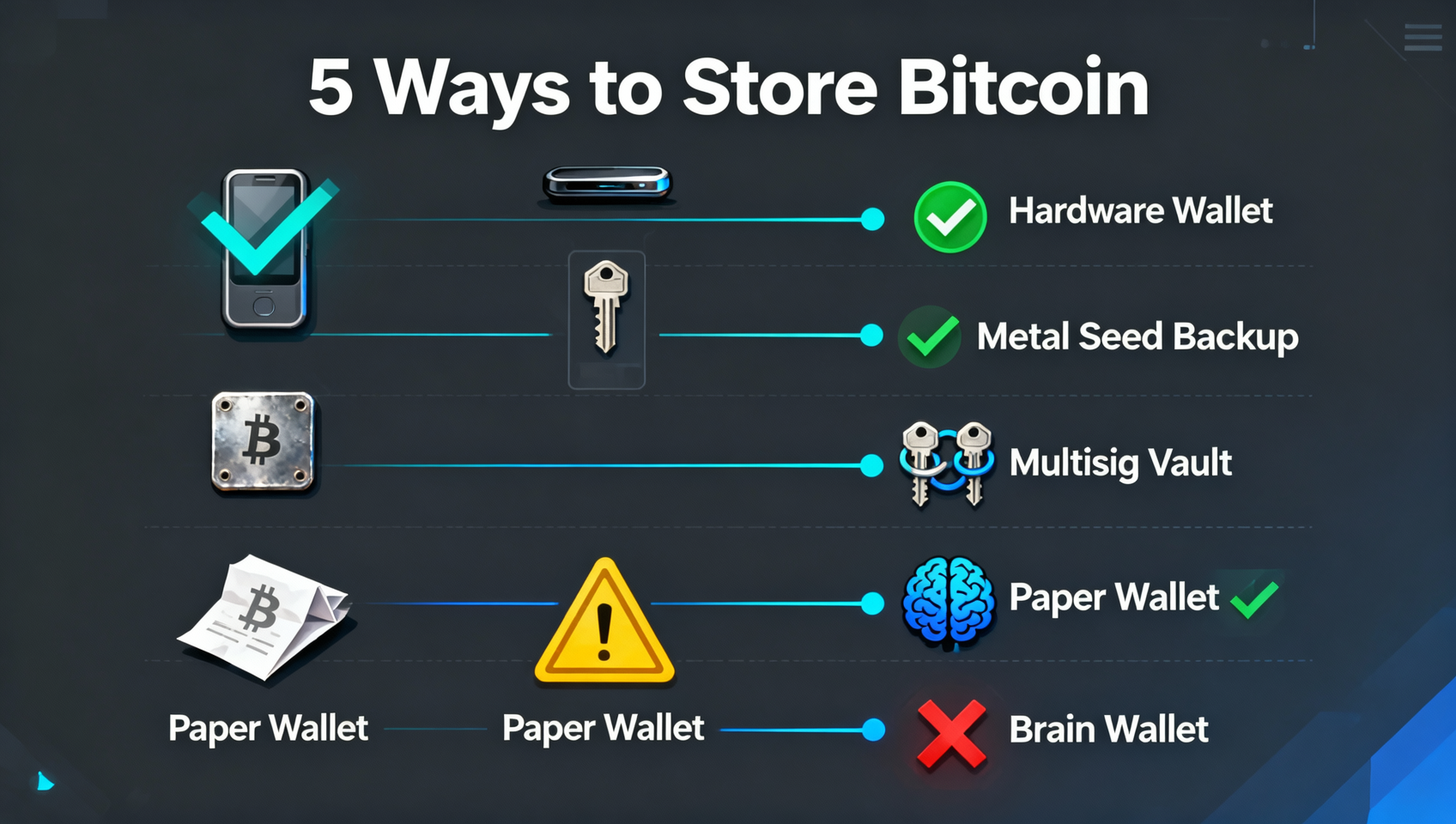
| Hardware wallet | Keys generated and signed offline | High | $59–399 | Most people | ✅ Mainstream default |
| Metal seed backup | Seed stamped into stainless steel | Medium (with hardware) | $99–149 | Larger holders | ✅ Backup upgrade |
| Multisig vault | 2-of-3 or 3-of-5 keys | Very high | $300–600 or $250/yr | $100K+ / inheritance | ✅ Advanced |
| Paper wallet | Printed/handwritten key | Low (leaks easily) | Free | Almost no one | ⚠️ Obsolete |
| Brain wallet | Seed memorized | Very low (crackable) | Zero | Never | ❌ Dead |
In one sentence: most people should use "hardware wallet + metal backup," large holders add "multisig," and paper and brain wallets should be skipped entirely.
Option 1: Hardware Wallets — The Mainstream Default
A hardware wallet generates and signs keys offline on a dedicated device that never touches your connected computer or phone — the most direct execution of "not your keys, not your coins." It removes the hot wallet's biggest weakness: even if your computer or phone is infected with malware, the key never leaves the device when signing.
Mainstream brands and positioning (for a full brand comparison see Best Bitcoin Wallets 2026: Comparison):
- Trezor Safe 3 ($59–79): fully open source, EAL6+ secure element — the budget pick for beginners and open-source fans;
- Ledger Nano S Plus ($79): 15,000+ assets and Clear Signing, the most mature ecosystem;
- Blockstream Jade (~$65): fully open source with QR air-gap signing — the cheapest air-gapped option;
- Coldcard Mk4 (~$149): the Bitcoin-native flagship with microSD air-gapping, but fresh off a vulnerability incident.2
A hardware wallet is not "safe once you buy it": in July 2026, Coldcard's firmware quietly regressed its random-number generator, collapsing effective randomness on older Mk3 units to ~40 bits. Attackers needed no physical access — they brute-forced seeds offline and stole roughly $144 million (1,596 BTC across ~7,300 wallets).1 The lesson: keep firmware updated, and after updating, regenerate your seed with the patched firmware — an old seed does not become safe just because you upgraded.
Option 2: Metal Seed Backup — Physical Insurance for Your Wallet
A metal seed backup doesn't defend against hackers — it defends against fire and water, stamping your 12/24-word seed into stainless steel. Burned, soaked or corroded paper backups are among the most common and most overlooked causes of self-custody loss; a metal plate is insurance against exactly that.
It's not a standalone solution but a backup upgrade for your hardware wallet: the hardware wallet still generates the seed, you just store the backup on metal instead of paper. Leading products are Cryptosteel Cassette Solo (letter tiles snapped into a steel case) and Billfodl (letters punched into a steel plate), priced around $99–149.3
Usage points:
- The metal plate stores only the seed phrase, never the PIN (the PIN is a device unlock code you memorize);
- Make at least two backups, stored in separate locations (e.g. home safe + bank safe deposit box) to survive a single fire or theft;
- A metal plate is itself sensitive material — treat its location as secret as the seed itself.
Option 3: Multisig Cold Storage — For Large Amounts and Inheritance
Multisig upgrades "one key" to "2-of-3 or 3-of-5 keys" — moving funds requires multiple keys to sign, so losing or having a single key stolen doesn't lose your coins. It's the ceiling of Bitcoin self-custody today and the legitimate way to plan an inheritance.
Two setup paths:
- Self-custodied multisig: use three hardware wallets (e.g. Coldcard with Sparrow as the coordinator) in a 2-of-3 setup, keeping all keys yourself across two or three locations, for about $300–600 (three devices) — but it requires real PSBT/multisig knowledge;
- Collaborative multisig: a third party holds one recovery key, reducing the risk of losing your own keys. Casa's standard plan is $250/year (2-of-3, you hold two keys and Casa holds one recovery key); Unchained is also about $250/year (2-of-3 or 3-of-5, often free the first year, collaborative cosignatures $20 each).4
Multisig's core value is removing single points of failure: a single hardware wallet's single point is that one seed — lose or destroy it and everything is gone; multisig spreads risk across keys and locations, so any one failure can be recovered with the remaining keys. The trade-off is complexity — every transaction requires signing on multiple devices, less convenient than a single wallet, so it suits large, rarely-moved holdings.
Option 4: Paper Wallets — Outdated, Stop Using Them
A paper wallet prints or hand-writes the private key on paper. It was mainstream around 2013 and is now fully superseded by hardware wallets. The problem isn't the paper — it's how it's generated and used:
- Print leakage: generating and printing on a connected computer means the key can be captured by print cache, printer memory or screenshot tools;
- Single-use: paper wallets have no change mechanism — once you spend part of the balance, the remainder must be manually moved to a new paper wallet, and beginners routinely misroute change;
- No signing ability: to spend, you must import the key into a hot wallet, turning "cold" back into "hot" and defeating the purpose.
If you still hold assets in an old paper wallet, the right move is to migrate to a hardware wallet, not to keep using it.
Option 5: Brain Wallets — Proven Unsafe
A brain wallet memorizes the seed, which looks "zero-cost and impossible to steal" but is actually the easiest to lose — humans pick predictable phrases, and brute force cracked them long ago. This is the most counterintuitive section, and the one most worth remembering.
Back at DEF CON 23 in 2015, researcher Ryan Castellucci released Brainflayer, a brain-wallet cracker doing about 16,250 passwords/sec per thread, which cracked over 18,000 brain-wallet addresses;5 the follow-up study The Bitcoin Brain Drain tested roughly 300 billion passwords and found fewer than 1,000 brain wallets in use holding about $100K — all but 21 were drained, usually within minutes to hours of being funded, by a small group of "drainers" competing to sweep funds.6 Commonly cracked passwords were human-memorable phrases like "to be or not to be" and "party like it's 1999."
The conclusion is hard: brain wallets are unsafe in practice, no matter how clever you think your password is. If you're using a memorized-seed approach, switch to a hardware wallet with physical backup immediately.
How Much Bitcoin Justifies Cold Storage? (Decision Table)
Your cold-storage spend should scale with your holdings — this table gives a direct answer per amount, which is more useful than a product spec sheet. Thresholds are experience-based guidance, not hard rules; the logic is simply to match security spend to potential loss.
| Your holdings | Recommended setup | One-time cost | Why |
|---|---|---|---|
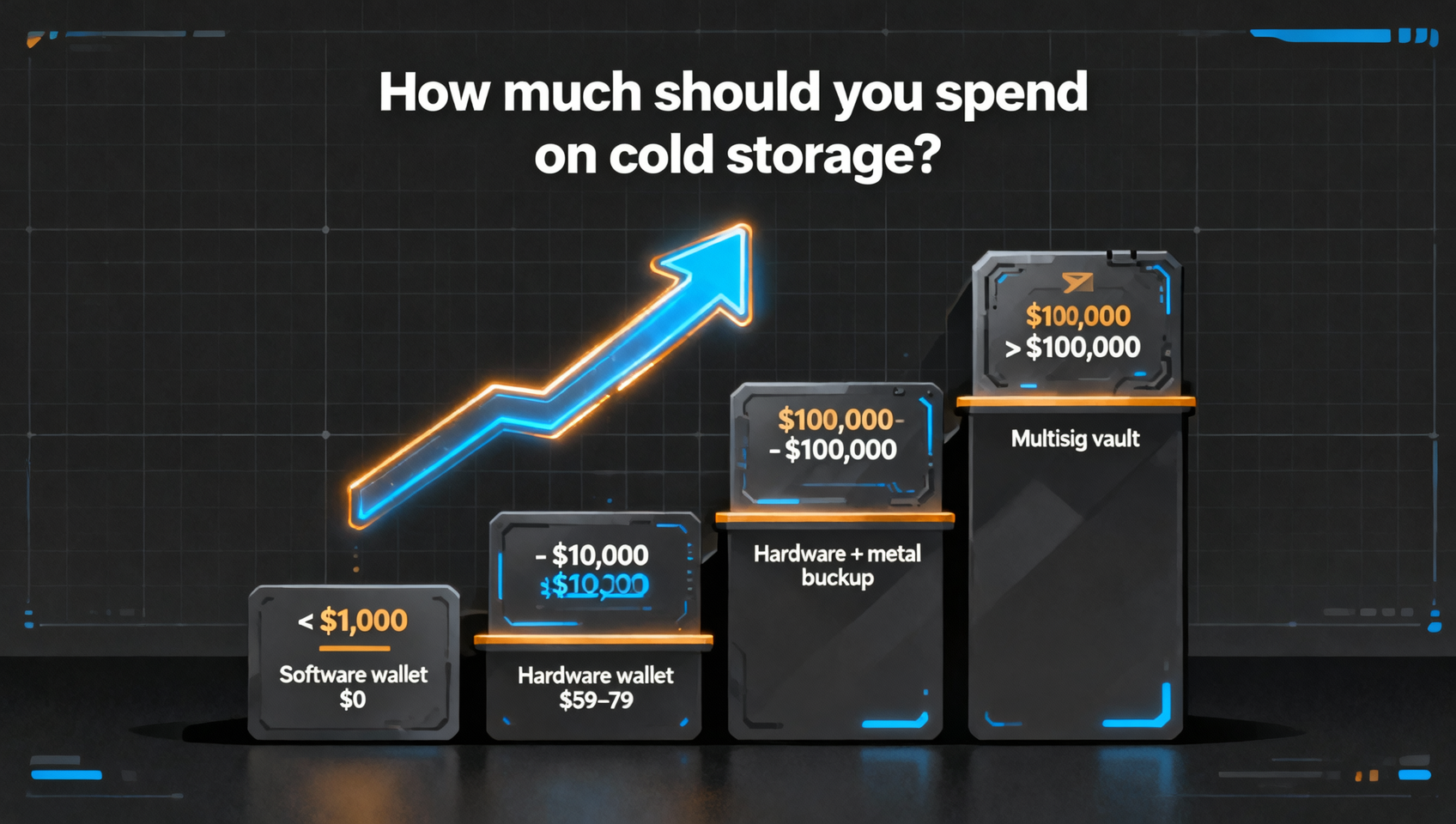
| < $1,000 | Free software wallet (Sparrow/Electrum/BlueWallet) | $0 | Learn first; loss is limited |
| $1,000 – $10,000 | Hardware wallet (Trezor Safe 3 / Ledger Nano S Plus) | $59–79 | A few dozen dollars protects the whole position |
| $10,000 – $100,000 | Hardware wallet + metal seed backup | $160–230 | Add physical insurance |
| > $100,000 | Multisig vault (self-custody or Casa/Unchained) | $300–600 or $250/yr | Remove single points of failure |
In one sentence: once you hold more than $1,000, spend $59 on a hardware wallet — it's the highest-return purchase in Bitcoin investing.
How to Set Up Cold Storage in 6 Steps
From zero to a working cold-storage setup, follow these six steps without skipping any. This is the complete route for a first-timer:
- Buy a hardware wallet: only from the official site (Trezor→trezor.io, Ledger→ledger.com, Coldcard→coldcard.com) — avoid second-hand and third-party channels to prevent tampered firmware;
- Initialize and generate the seed: generate the 12/24-word phrase on the device itself — no screenshots, no internet, no camera — writing it down only on paper;
- Test with a small amount first: send the equivalent of $10–20 in BTC to the new address, confirm you can receive and send, then move the large amount;
- Make a metal backup (larger amounts): stamp the seed onto a metal plate, two copies in separate locations (home safe + bank safe deposit box);
- Update to the latest firmware: watch official security advisories and upgrade immediately when a vulnerability appears; if your seed was generated on vulnerable firmware, regenerate it with patched firmware before migrating (the Coldcard lesson);1
- Re-verify periodically: every six months, confirm the seed still restores your wallet correctly, and that the metal plate is legible and stored securely.
Cold Storage Security Checklist (Including the Coldcard Lesson)
This checklist is the make-or-break line for cold storage, regardless of which option you choose. The Coldcard incident taught us security isn't bought — it's maintained through habit.
- Keys never touch the internet: no screenshots, no cloud upload, never type the seed into any webpage or app — only offline physical backup; details in Seed Phrase & Private Key Security Guide;
- Keep firmware updated: Coldcard's flaw lurked for years before being discovered — track official firmware updates for any hardware wallet;1
- Regenerate the seed after upgrading: a seed created on vulnerable firmware is not fixed by upgrading — regenerate with patched firmware;1
- Two backups, separate locations: paper burns and floods; metal survives physical damage;
- PIN and seed separate: PIN in your head, seed on physical media — never the two together;
- Download only from official sources: wallets, firmware and apps from official sites only — any "update popup" is phishing;
- Skip brain and paper wallets: proven unsafe or obsolete — use a hardware wallet instead;
- Don't leave coins on exchanges: the exchange holds the keys; for long-term holding, withdraw to your own cold storage — see Crypto Deposit & Withdraw Tutorial.
FAQ
Organized by how people actually search, to help you find your answer fast.
What is the difference between cold storage and a hot wallet?
It comes down to whether the private key ever touches an internet-connected device. In cold storage the key is generated and signed offline, so remote attackers can't reach it; hot wallets keep keys on connected devices — convenient but a bigger attack surface. Cold storage is for long-term holding, hot wallets for small daily amounts.
Do I need a hardware wallet to store Bitcoin?
Once you hold more than roughly $1,000, yes — a $59–79 device is the highest-return security spend in crypto. Below that, free software wallets like Sparrow, Electrum or BlueWallet are fine for learning. Avoid exchange-only custody: the exchange holds the keys, and if it's hacked or shuts down, your coins are gone.
Are paper wallets and brain wallets still usable?
No. Brain wallets were proven unsafe as early as 2015 by tools like Brainflayer — funds are swept within minutes to hours of being funded. Paper wallets are obsolete too: printout leaks, no change mechanism, and you must import the key into a hot wallet to spend.
What is a metal seed backup, and do I need one?
A metal plate (e.g. Cryptosteel, Billfodl) stamps your seed onto stainless steel, surviving fire and water — the most common causes of self-custody loss. It upgrades a hardware wallet's backup, not a standalone solution. Recommended for larger holdings, from about $99.
What is Bitcoin multisig, and when do I need it?
Multisig uses a rule like "2-of-3": three keys spread across locations, and moving funds requires any two — losing one key won't lose your coins. Worth considering above roughly $100,000 or for inheritance. Self-custody costs about $300–600; managed services like Casa or Unchained run about $250/year.
How much does Bitcoin cold storage cost in 2026?
Entry level is about $59–79 (Trezor Safe 3 / Ledger Nano S Plus); add a metal backup for another $99–149; large-amount multisig runs about $300–600 self-custodied or about $250/year managed. The "paper wallet" is free but obsolete; the "brain wallet" costs nothing but gets stolen — neither is the right way to save money.
About the Author
CoinVado Research is CoinVado's content research team, focused on blockchain education, on-chain data analysis and crypto investment literacy. We keep every claim verifiable and never fabricate data, helping beginners build correct crypto understanding.
⚠️ Risk warning: This article is educational only and not investment advice. Wallet products, prices and security change with versions and market conditions — always follow official channels and authoritative security firms (Coinkite, Galaxy Research, Chainalysis, etc.). Crypto and on-chain activity carry asset-loss risk; manage risk carefully.
Recommended exchanges:
📖 Related reading:
- Crypto Wallet Complete Guide: Hot vs Cold 2026
- Best Bitcoin Wallets 2026: Comparison
- Seed Phrase & Private Key Security Guide
- Crypto Deposit & Withdraw Tutorial: Exchange to Wallet
- Bitcoin Complete Guide: Mining & Layer 2
- On-chain guide (CoinVado)
Footnotes
-
Coinkite official security advisory + ThaiCERT report "Coldcard Hardware Wallet Vulnerability Linked to Bitcoin Theft Worth More Than USD 70 Million," August 3, 2026; Galaxy Research Coldcard attack timeline, August 4, 2026. ↩ ↩2 ↩3 ↩4 ↩5
-
CoinMarketCap "Best Bitcoin Hardware Wallets in 2026" + official vendor pricing, August 2026. ↩
-
Cryptosteel official product page "Cryptosteel Cassette Solo" + Billfodl official product page, September 2026. ↩
-
Casa official pricing page + Unchained official pricing page and "Bitcoin multisig vaults," September 2026. ↩
-
Ryan Castellucci, "Cracking Cryptocurrency Brainwallets," DEF CON 23 (2015). ↩
-
Vasek, Bonneau, Castellucci et al., "The Bitcoin Brain Drain: Examining the Use and Abuse of Bitcoin Brain Wallets," UCL, 2016. ↩