


⚠️ The most important thing first: don't tap Sign Up directly in the app — you'll miss all the new-user rewards. They only apply when you register via an invite link or enter the invite code BINANBT.
How to download the Binance Windows installer? In one sentence: Only trust the download page on the official Binance website binance.com. The Windows desktop version has an official .exe installer. Install it in three steps and verify the digital signature. Other than that, do not click on any "Binance PC version" from third-party sites, cloud drives, or download sites. This article explains where the official entry is, how to install, how to verify after installation that it hasn't been tampered with, and how to handle common crashes and SmartScreen blocks.
Does Binance have a Windows PC version? Where to download the official installer?
Yes. Binance has offered a Windows version of its PC client since November 2017, and the official download page still provides the Windows download for "Binance Desktop". 1
The only official entry is the download page on the Binance website:
Binance official download page: binance.com/en/download
Once there, you'll see a "Binance Desktop" section. Select Windows to download the .exe installer. The Android and iOS mobile apps and Binance Authenticator are also on the same page.
One truth you must remember: Binance has no "third-party official partner download sites." Those "Binance PC official download guides" you see in search engines—if the domain isn't binance.com, such as ja-binance, bibinance, app-biance, jb51.net, etc.—are all third-party sites riding on Binance's traffic, and some even directly host fake installers or trick you into registering for referral commissions. The real installer is only available on the official website.
Special reminder: Do not "casually" register for Binance on these third-party sites. Registering directly in the app downloaded from the official website/official store won't get you any newbie rewards—only registration through an invitation link or invitation code gives you newbie referral commissions and fee discounts.
Before downloading: Check if your computer can install it
Windows 10 (version 1903 or later) or Windows 11 64-bit system is sufficient; 8GB+ RAM is recommended. 2
Here's a detailed comparison:
| Item | Requirement |
|---|---|
| System | Windows 10 1903+ or Windows 11 (64-bit) |
| RAM | 8GB or more recommended |
| Graphics driver | Keep up to date to reduce candlestick chart lag |
| Disk space | Installer is about 150–200MB; post-install footprint is small |
| Network | Stable access to the Binance website required |
Installing on old systems like Windows 7 that no longer receive security updates is not recommended—not because it won't install, but because the system itself has many vulnerabilities, and installing trading software is like exposing your account to risk.
Three-step installation: Download → Allow → Verify signature
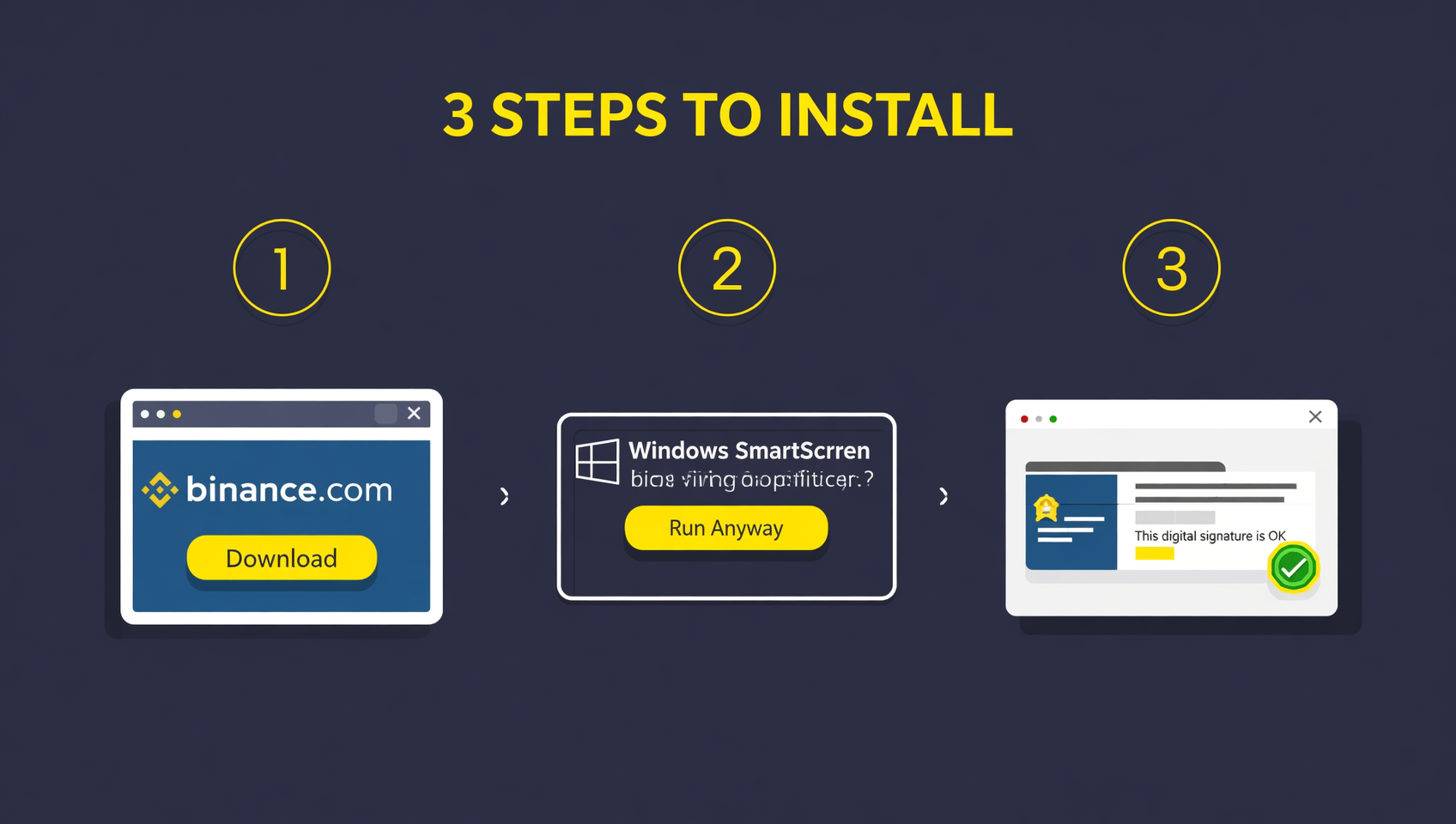
The official .exe installer can be installed by double-clicking; the whole process is three steps: download, handle system blocking prompts, verify digital signature.
Step 1: Download the .exe installer from the official website
Open binance.com/en/download, select Windows under "Binance Desktop", and your browser will download an .exe installation file (filename similar to binance-setup.exe).
Step 2: Handle Windows SmartScreen blocking
When you double-click the installer, Windows may pop up "Windows protected your PC" or a SmartScreen prompt. This is a routine system security reminder and does not mean the file is malicious. As long as the installer is indeed from the official website, click "More info" → "Run anyway" to continue.
Step 3: Verify the digital signature after installation
After installation, right-click the Binance icon on your desktop → "Properties" → "Digital Signatures" tab, and confirm:
- The signer name is the official Binance entity (e.g., Binance Capital Management Co., Ltd., etc.);
- The signature status is "This digital signature is OK."
A valid digital signature means the program is indeed officially signed and has not been tampered with by third parties. This is the most reliable way to determine the authenticity of the installer.
Which "Binance PC versions" must never be downloaded?
Any "cracked version," "accelerated version," "localized version," "no-KYC version," or "portable version" of Binance PC is phishing or malware.
Scammers love to use these phrases to trick you into downloading fake clients:
| Dangerous version | Real purpose |
|---|---|
| "Binance cracked/no-fee version" | Trojan, steals your account password and 2FA |
| "Binance accelerated/returning-to-China version" | Tricks you into downloading a tampered client to capture login credentials |
| "Binance no-KYC version" | Pure scam—Binance requires KYC; there is no no-KYC version |
| "Binance installer shared via cloud drive" | May contain backdoors; source cannot be verified |
| Third-party download sites (jb51.net, etc.) | High-risk locations for tampered installers |
Remember one thing: Binance installers are free, there is no cracked version, no accelerated version, and KYC is mandatory. Any "special version" is aimed at your assets.
After installation: Enable these three security settings immediately
Installing the client doesn't mean you're secure. Enabling 2FA, anti-phishing code, and withdrawal whitelist is what truly locks the door.
After logging into Binance PC, go to "Security" settings and enable these three:
- 2FA two-factor authentication: Use Google Authenticator or Passkey; don't rely solely on SMS (SMS can be hijacked via SIM swap).
- Anti-Phishing Code: Set a phrase only you know. Every official Binance email will include it; any email without the anti-phishing code is fake.
- Withdrawal Whitelist: Only allow withdrawals to pre-added addresses. Even if your account is compromised, scammers can't move your funds.
PC vs Web vs Mobile App: Which is better?
PC is for professional trading, web is for occasional checking, mobile app is for on-the-go orders; all three share the same account.
| Comparison | Windows PC | Web | Mobile App |
|---|---|---|---|
| Installation required | Yes (.exe) | No | Yes (from app store) |
| Multi-window split-screen charting | ✅ Best | Limited | ❌ |
| TradingView indicators | ✅ Full | ✅ Full | Partial |
| Local API management | ✅ Supported | Partial | ❌ |
| Connection stability/latency | ✅ More stable | Average | Depends on network |
| Suitable for | Heavy trading, multi-coin monitoring | Occasional market checking | On-the-go orders, notifications |
Beginners are advised to start with the web version (binance.com) to get familiar with the features. Once your trading frequency increases and you need multi-window monitoring, then install the Windows PC version.
FAQ
Does Binance have a Windows PC version? Where to download the installer?
Yes. Binance launched its PC client Windows version in November 2017. The official download page binance.com/en/download provides the Windows download for "Binance Desktop". Only the official website; there are no third-party partner channels.
Is the Binance PC download free? What are the computer requirements?
Free. System requirements: Windows 10 1903+ or Windows 11 64-bit, 8GB+ RAM recommended.
What to do if SmartScreen blocks during installation?
First confirm the installer is indeed from the official binance.com website, then click "More info" → "Run anyway". Having the correct source is more important than dismissing the prompt.
How to confirm the Binance Windows installer hasn't been tampered with?
After installation, right-click the icon → "Properties" → "Digital Signatures", and confirm the signer is the official Binance entity and the signature is valid.
Which is better: Binance PC, web, or mobile app?
PC is for professional multi-window trading, web is ready to use, mobile app is for on-the-go orders; all three share the same account.
Can Binance PC be used in mainland China?
Technically it can be installed, but legally, mainland China has clear regulatory stance on virtual currency trading since February 2026. Individuals bear their own risks. Please understand local regulations first.
Conclusion
The core of how to download the Binance Windows installer is one sentence: Only trust the official download page at binance.com, select Windows under "Binance Desktop", install in three steps, and verify the digital signature. The desktop version has no cracked version, no accelerated version, and requires KYC. Any installer from third-party sites is a risk.
After installation, don't forget to turn on the three switches: 2FA, anti-phishing code, and withdrawal whitelist—these are the key to protecting your assets.
If you don't have a Binance account yet, register using the invitation link below to get newbie referral commissions and fee discounts:
Recommended registration:
📚 Further reading:
- Binance download 2026: Official download entry, Android APK and iOS three-step installation
- Binance Android download and installation tutorial
- Binance official website entry 2026: binance.com the only official address
- Binance registration and KYC verification complete tutorial
- Is Binance safe? 2026 item-by-item review
⚠️ Disclaimer: This article is only an explanation of how to download and install the Binance Windows PC version. It does not constitute investment advice, nor does it constitute an endorsement of compliance for any action. Cryptocurrency trading is extremely risky, and regulatory policies vary greatly across jurisdictions (such as mainland China's regulatory stance). Please make cautious decisions based on the laws of your region and your own risk tolerance. Data in this article is as of October 22, 2026; platform features and download methods may be adjusted at any time.