
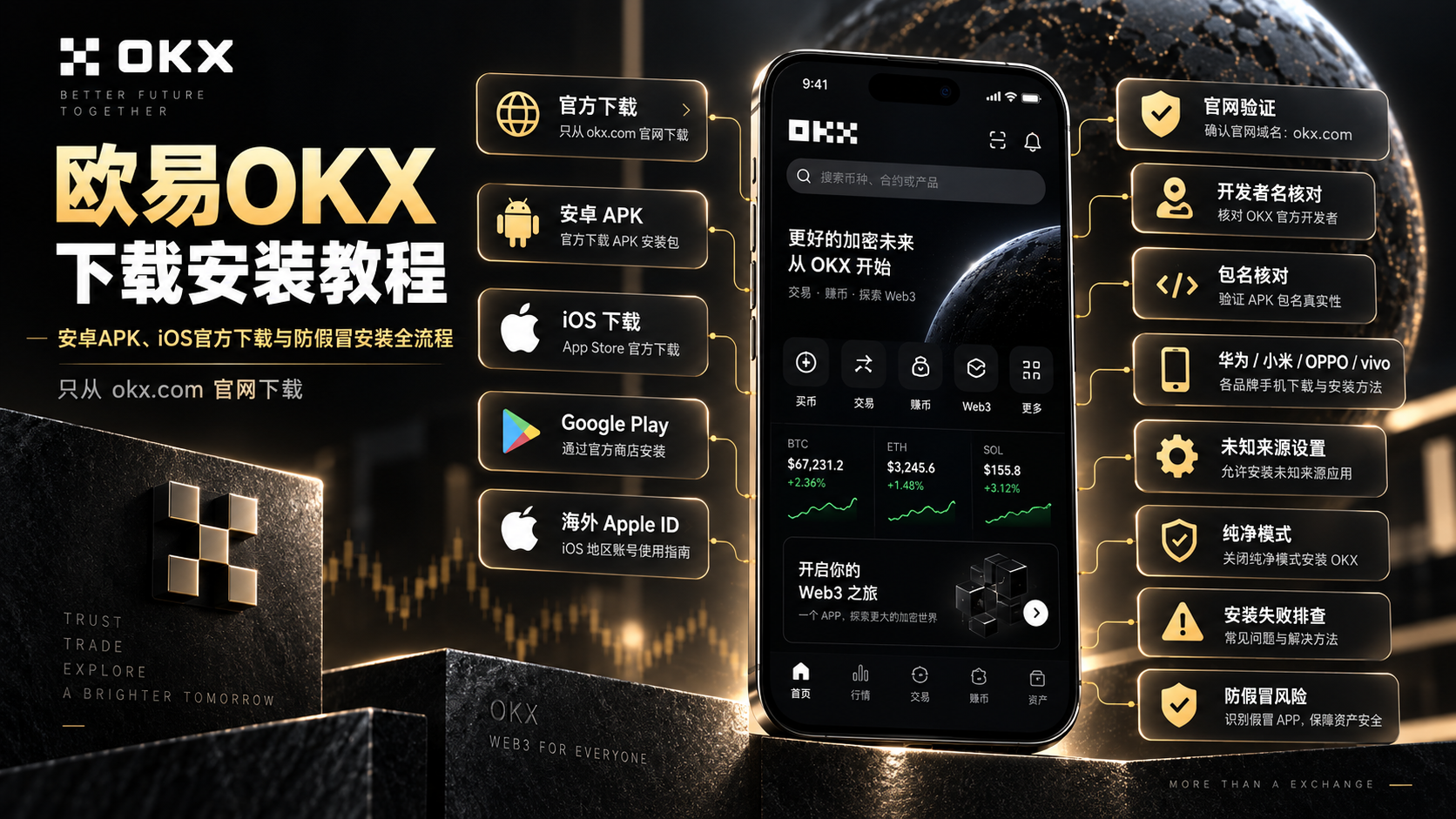
How to Download & Install the OKX App (2026): Android APK, iOS & Anti-Scam Setup
The complete 2026 guide to installing the OKX app: Google Play vs official APK for Android, how to get OKX on iOS when it's not in your regional App Store, unknown-sources setup for Huawei, Xiaomi, OPPO and vivo, the OKX Inc. developer name and com.okinc.okex.gp package to verify, plus a symptom-by-symptom troubleshooting table. One rule: download only from okx.com.
Table of Contents
- TL;DR: the one-sentence summary
- Pick your route first
- The three official download routes compared
- Android route 1: Google Play
- Android route 2: official APK (the main route for most)
- iOS route: App Store + a supported-region Apple ID
- Verify it's genuine: three anchors
- Won't install or can't find it? Troubleshooting table
- The four most common beginner mistakes
- FAQ
- Further reading
TL;DR: the one-sentence summary
Bottom line: there is only one security rule for downloading OKX — get the installer from okx.com or an official app store (Google Play / App Store), nothing else. Download sites ranking high in search results and files shared in group chats are where fake OKX apps come from. On Android there are two routes: Google Play if your phone has Google services, or the official APK from okx.com if it doesn't (Huawei and most phones without Google services). On iOS, note one official fact: OKX confirms the iOS app is not listed in the mainland China App Store, so users there need a supported-region Apple ID. When installation fails, it's one of three things most of the time: the unknown-source permission was granted to the wrong app, Huawei/Honor's Pure Mode is blocking the install, or the package didn't finish downloading. This article gives per-brand setup paths and a symptom → cause → fix table12.
Pick your route first
Before hunting for a download link, figure out which of these fits your phone — picking the wrong route is the most common time-waster:
| Your phone | Take this route |
|---|---|
| Android · Samsung, Pixel or other global brands, or a phone with Google services | Google Play |
| Android · Xiaomi / OPPO / vivo etc. without Google services | Official APK |
| Android · Huawei / Honor | Official APK + disable Pure Mode (see table) |
| iPhone / iPad | App Store (supported-region Apple ID) |
The simplest way to check for Google services: look for the "Google Play Store" app in your app list. If it's there, use Google Play; if not, use the official APK.
The three official download routes compared
| Factor | Google Play | Official APK | iOS App Store |
|---|---|---|---|
| Prerequisite | Google services framework | None | Supported-region Apple ID |
| Updates | Automatic | Manual | Automatic |
| Download speed | Depends on Google connectivity | Direct to official site, usually faster | Depends on App Store network |
| Security | Store review + official signature | Official signature, you verify the source | Store review + official signature |
| Best for | Users with Google services | Android users without Google services | iPhone users |
The trade-off is simple: Google Play and the App Store trade "availability" (often missing in some regions) for automatic updates, while the official APK trades automatic updates for "works on any Android phone." Functionally all three channels are identical — there is no such thing as a "crippled APK version."
Android route 1: Google Play
Steps:
- Open Google Play Store
- Search OKX
- Verify the official app before installing — check the developer name and the package com.okinc.okex.gp (shown at the bottom of the app details page)3
- Tap Install and wait
⚠️ Note: Searching "OKX" in Google Play surfaces lookalike apps with similar names and icons. The official app sits in the Finance category, while fakes are often miscategorized under "Tools," "Productivity" or "Lifestyle" — the category itself is a red flag.
Three reasons you can't find OKX:
- Region restriction: your Google account's region isn't in OKX's distribution area, so the store hides it
- No Google services: the Play Store won't open at all — go straight to the official APK route
- You found it but can't tell if it's real: cross-check the developer name and package from step 3
The first two cases aren't worth working around — just use the official APK route.
Android route 2: official APK (the main route for most)
Four steps: download → allow the browser prompt → grant unknown sources → install and verify. Interfaces vary slightly across Android versions, but the logic is identical.
Step 1: download from the official site
- Open your phone browser (Chrome, Edge, or the built-in browser)
- Go to the official OKX download page: www.okx.com/download
- The page auto-detects your device — tap the Android download button. The version number shown is the current one
- Wait for the download to finish (usually visible in the notification bar)
🔑 Verify the domain: official installers are distributed from okx.com domains. If the download link on any other site isn't on an okx.com domain, don't download it — no matter how convincing the page looks1.
Step 2: allow the browser's download prompt
The browser will likely warn that "this type of file may harm your device" and ask whether to continue.
This is Android's standard prompt for downloading APK files — it fires even for the official package from okx.com. Tap "Keep" or "Download anyway." What actually determines safety is where you downloaded from (step 1's domain), not the prompt itself.
Step 3: grant the "unknown sources" permission
Opening the downloaded package triggers "install unknown apps is blocked" or "for your protection, this install has been blocked."
This is where beginners get stuck most often. First, one key concept:
Since Android 8.0, "unknown sources" is not a global toggle — it's granted per-app (the app that opened the installer). If you downloaded via the browser and opened via the file manager, grant the permission to the browser or file manager. The prompt usually includes a "Settings" button — tap it, enable "allow from this source," and return.
Per-brand paths:
| Brand | Settings path |
|---|---|
| Stock Android (10+) | Settings → Apps → Special app access → Install unknown apps → find the browser/file manager → Allow |
| Xiaomi MIUI/HyperOS | "Settings" in the top-right of the install prompt → Allow; or Settings → Privacy → Special permissions → Install unknown apps |
| Huawei / Honor | See the "Pure Mode" row in the table — Huawei adds an extra lock |
| OPPO ColorOS | Follow the install prompt; or Settings → Security → Install unknown apps |
| vivo OriginOS | Tick "I am aware of the risk" → tap Install |
| Samsung One UI | Settings → Apps → Special app access → Install unknown apps → enable for the app |
Step 4: finish and verify
Once granted, return to the install screen, tap Install, and it completes in a few seconds. Before logging in, jump to the verify it's genuine section.
iOS route: App Store + a supported-region Apple ID
First, an official fact: OKX confirms the iOS app is not listed in the mainland China App Store2. So a mainland China Apple ID not finding OKX is normal — it's not your phone or network.
Steps:
- Have a supported-region Apple ID (Hong Kong, US, etc.)
- On your iPhone: Settings → Apple ID → Media & Purchases → sign out, then sign in with the supported-region Apple ID
- Open the App Store and search OKX
- Verify the developer is OKX Inc. before downloading — OKX states any other developer is counterfeit2
- You can switch back to your original Apple ID anytime; the downloaded app keeps working
⚠️ Note: Creating and funding a foreign Apple ID involves the App Store account system and payment methods, which we don't cover here. The one rule that matters: whichever region you use, the app you download must be the official one with developer "OKX Inc." — nothing else.
Verify it's genuine: three anchors
Every step above protects against installing the wrong package. After installing, do one final check on three anchors:
- Source: the installer came only from okx.com, or the Google Play / App Store
- Developer / package: on iOS the developer is OKX Inc.; on Android the package is com.okinc.okex.gp (as shown on the store page)23
- Category and UI: the official app is in the Finance category, with a full-featured home of markets, trading and assets. A rough UI, missing features, or a forced invite code = fake app
Once verified, move on to the account:
- New users: finish registration and KYC with the OKX registration guide. You can use CoinVado's referral code 60895497 (disclosure at the end)
- Existing users: log in and enable face/fingerprint unlock
- Must-do security step: set up Google Authenticator (2FA). It matters more than any other setting
Transparency note: the registration links in this article are CoinVado's referral links. Signing up through them costs you nothing extra; we may earn a platform commission that keeps the site running.
💰 No OKX account yet? Sign up for OKX (referral code: 60895497). After registration and KYC, continue with the OKX spot & futures trading guide.
Won't install or can't find it? Troubleshooting table
Installation failures almost always fit one of the symptoms below. Match the symptom instead of retrying the same action:
| Symptom | Most likely cause | Fix |
|---|---|---|
| "This type of file may harm your device" | Normal prompt, not a fault | After confirming the official source, tap "Keep" / "Download anyway" |
| "Install unknown apps is blocked" | Permission granted to the wrong app | Grant it to the app that opened the installer (browser/file manager) |
| Huawei/Honor "blocked for your protection" | Pure Mode blocking the install | Settings → System & updates → Pure Mode → disable enhanced protection; then Settings → Security → More security settings → disable external-source check |
| "Problem parsing the package" | Incomplete download, or tampered file | Delete and re-download; if it persists, switch browsers and re-check the domain |
| "App not installed" (installed a previous version) | Version conflict (upgrades only) | Uninstall the old version, then install the latest package |
| Can't find OKX in the mainland App Store | Not listed in that store | Use a supported-region Apple ID (see iOS route) |
| Insufficient storage | APK needs extra space to unpack | Free up 2GB+ before installing |
| Installed but crashes on open | OS too old, or incomplete package | Restart the phone; if it persists, re-download the latest version |
The general order: first confirm the package is complete and official, then handle permissions and mode locks, and only then consider the device itself. Reversing the order wastes time.
The four most common beginner mistakes
Mistake 1: searching "OKX download" and clicking a paid high-ranking fake site. This is the costliest mistake on the whole path — fake sites clone the official page but serve a modified installer that steals your credentials and 2FA codes. The rule is one sentence: type okx.com manually, or open it from bookmarks — never click a "OKX official site" result in search.
Mistake 2: taking an APK from a group chat or cloud drive. Even if the sender means well, you can't verify the file wasn't altered. Always download the official package yourself from okx.com.
Mistake 3: leaving "unknown sources" on globally. Many people forget to revoke it, and then any popup can install things for months. Grant it only to the browser/file manager, and revoke it after installing OKX.
Mistake 4: retrying the same action when something fails. Re-tapping "install" after a block solves nothing — the cause is still there. Go back to the troubleshooting table and fix the actual reason.
FAQ
Q1: What if I can't open the OKX website? Access depends on your region's policies; comply with local laws first. No matter where you are, never download the APK from a third-party site you reached through a search engine.
Q2: Why can't I find OKX in my App Store? OKX confirms the iOS app isn't listed in the mainland China App Store; use a supported-region Apple ID and verify the developer is OKX Inc.
Q3: Is the APK version different from Google Play? No — same feature set; the only difference is updates (Play = automatic, APK = manual).
Q4: Are the "virus" warnings real? For an official package, they're generic warnings about sideloading; for an unknown package, treat them as a genuine red flag and delete it.
Q5: How do I confirm the app is genuine? Three anchors: source (okx.com / official store), developer name (OKX Inc. on iOS), and category (Finance).
Q6: My Huawei phone blocks the install. What do I do? Huawei adds a Pure Mode lock — disable enhanced protection and the external-source check (see the table).
(These are summary answers; the full answers are in the structured FAQ data at the top of the page.)
Further reading
- OKX Registration Guide: Account, KYC & Deposit — the next step after installing
- OKX 2026 Review: Features, Fees & Security — decide whether OKX fits you
- OKX Spot & Futures Trading Guide — your first trade
- Binance vs OKX: Which Should Beginners Choose — the two majors compared
- How to Download & Install the Binance App — if you want Binance too
Data verification note: the official domain, App Store developer name, and regional store availability were checked on 2026-09-10 against the OKX official download page and the OKX official anti-fraud help page. Version numbers and package names may change over time — follow what the official site and store pages show when you open them.
Disclaimer: this content is for educational purposes only and is not investment, legal, or tax advice. Crypto trading is restricted or regulated in some regions — understand and comply with your local laws. Crypto assets are highly volatile and you may lose your principal; decide carefully.
Footnotes
-
OKX official download page (https://www.okx.com/download): official app download entry, Android/iOS download methods. Checked 2026-09-10. ↩ ↩2
-
OKX official anti-fraud help page "Avoid being scammed by fake software" (https://www.okx.com/help/avoid-being-scammed-by-fake-software): official App Store developer name is OKX Inc., iOS app not listed in mainland China App Store, download only from the official site or official app stores, official app is in the finance category. Checked 2026-09-10. ↩ ↩2 ↩3 ↩4
-
OKX app package name on Google Play: com.okinc.okex.gp (shown on the APKPure listing; third-party source — confirm against the actual Google Play details page). Checked 2026-09-10. ↩ ↩2