


Table of Contents
- TL;DR
- First, get three terms straight: deposit, buy, withdraw
- Three deposit methods compared
- Before you deposit: two things to check
- Method 1: C2C/P2P (fiat to USDT, recommended)
- Method 2: Card purchase (easiest, highest fee)
- Method 3: Deposit from another wallet or exchange
- After depositing: confirm and what's next
- The 5 most common beginner mistakes
- FAQ
- Summary
TL;DR
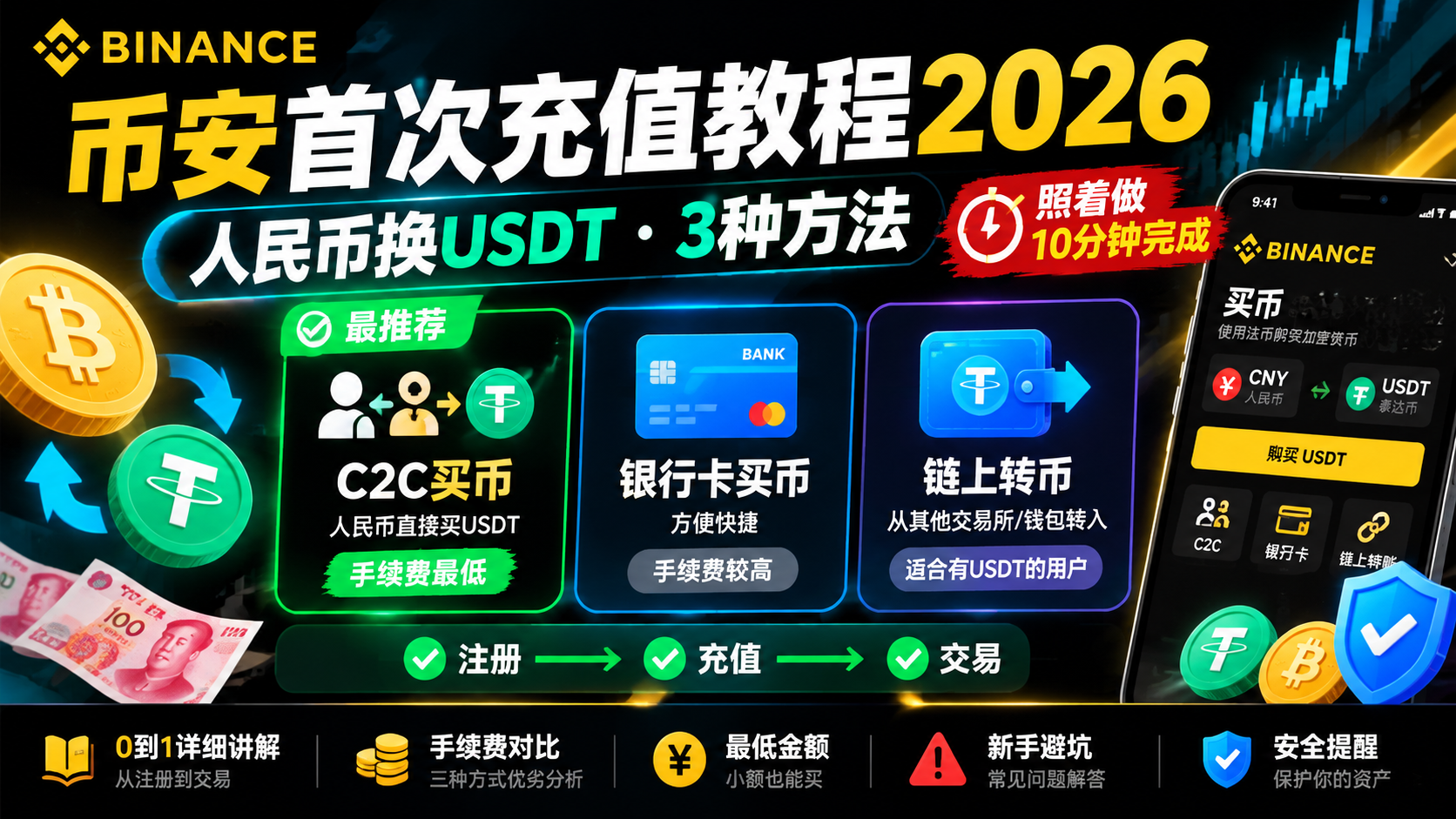
The easiest first deposit on Binance is C2C/P2P: buy USDT directly from a merchant with fiat, with 0 platform fee and settlement in minutes. The three methods break down like this: C2C starts around $10–15 with no platform fee; card purchases cost 1.8%–3.5%; crypto deposits are free on Binance's side but incur network gas (pick TRC20 for USDT, ~1 USDT). If you already hold crypto elsewhere, a crypto deposit is cheapest. If you have an international card, buying by card is simplest. For your first time, deposit a small test amount, confirm the whole flow works, then scale up.12
First, get three terms straight: deposit, buy, withdraw
Most beginners get stuck not because the steps are hard, but because they confuse "deposit," "buy," and "withdraw." Spend one minute on this and everything after will click:
- Deposit (funding): putting outside money into your Binance account — either buying USDT with fiat, or transferring in crypto you already hold. This is step one, before you buy anything.
- Buy (trade): once you have USDT, using it on the spot market to buy BTC, ETH, or whatever coin you want. Depositing is "moving money in"; buying is "swapping within your account."
- Withdraw: converting your coins back to fiat or sending them to another wallet — the final, reverse step.
So the full beginner path is: deposit first (buy USDT via C2C), then buy (swap USDT for BTC on spot). Many people think "deposit" means "buy Bitcoin," then waste time hunting for Bitcoin on the deposit page. Remember: at the deposit step you're buying USDT (a stablecoin pegged to $1), not Bitcoin. For a deeper look at the difference between "buying USDT" and "buying crypto," see this guide on the minimum amount to buy crypto.
Three deposit methods compared
| Factor | 🤝 C2C/P2P | 💳 Card purchase | 🔗 Crypto deposit |
|---|---|---|---|
| What you pay with | Fiat (bank transfer, card, payment apps) | International credit/debit card | Crypto you already hold |
| Platform fee | 0 | 1.8%–3.5% | 0 |
| Extra cost | Merchant rate includes a small premium | Some banks may block it | Network gas (TRC20 ~1 USDT) |
| Minimum | ~$10–15 | ~$10 | ~1 USDT (TRC20) |
| Settlement | 5–15 min | Instant | 1–30 min |
| Best for | Fiat holders wanting low fees | Card holders wanting speed | People who already hold crypto |
Bottom line up front: if you're starting from fiat, choose C2C/P2P — it's the most cost-effective and least error-prone path. Below I walk through all three methods in detail, so you can jump to the section you need.
Before you deposit: two things to check
Two quick checks will eliminate 90% of the friction:
First, your KYC is complete. Binance requires identity verification before any deposit. If you haven't done it yet, follow this Binance registration & KYC guide first — it only takes a few minutes. Unverified accounts can't access C2C or deposit crypto.
Second, prepare a payment account in your own name. C2C requires your payment account to match your Binance identity, so use your own bank card or payment app — don't have someone else pay on your behalf, or the merchant will refuse to release the coins.
💡 Suggested first deposit: roughly $30–70 equivalent. That amount matches merchants easily while keeping your test cost low. Very small amounts (a few dollars) often can't find a merchant or take a long time.
Method 1: C2C/P2P (fiat to USDT, recommended)
📺 Want to follow along step by step? Watch the Binance C2C buying video tutorial.
C2C is Binance's peer-to-peer marketplace — you buy USDT from a real merchant, and Binance acts as the escrow in between. During the trade, the merchant's USDT is locked by the platform and only released after you pay and the merchant confirms, so you don't have to worry about them running off with your money. Here's each step.
Step-by-step
- Open the Binance app (or website) and tap "Buy Crypto."
- Choose "P2P Trading" (or "Buy Crypto → P2P").
- Pick the coin to buy: choose USDT (stablecoin, pegged to $1).
- Choose your fiat currency (e.g. USD, EUR, or CNY).
- Select your payment method: check "Bank transfer," "Card," or your local payment app.
- Pick a reliable merchant: look for a completion rate of 95%+, a high order count, and a "Verified Merchant" badge.
- Enter the amount you want to buy (e.g. $50), then tap "Buy USDT."
- On the order page, you'll see the merchant's payment details.
- Open your own bank/payment app and send the exact amount shown on the order.
- Return to Binance and tap "I have paid."
- Wait for the merchant to confirm (usually a few minutes), and the system will release the USDT to your account.
- Check your balance under "Wallet" → "Spot."
Three non-negotiables for C2C
- Don't write "Bitcoin," "Binance," or "crypto" in the transfer note — keep it generic or blank, or it may trigger your bank's risk control.
- Never tap "I have paid" before the money has actually left your account — that button signals the seller to release the coins.
- Only trade inside the Binance platform — anyone asking you to move to a chat app, or any "support agent" messaging you first, is a scammer. Block them.
📖 For a fuller C2C walkthrough (merchant vetting, avoiding frozen accounts), see this Binance C2C buying guide.
Method 2: Card purchase (easiest, highest fee)
If you have a Visa/Mastercard, buying by card is the fastest method — instant settlement and no dealing with strangers. The downside is the high fee (roughly 1.8%–3.5%) and the fact that some card issuers block crypto transactions.
Steps:
- Tap "Buy Crypto" → "Card."
- Select the coin (e.g. USDT) and your fiat currency.
- Enter the amount — the page shows how much coin you'll receive and the fee.
- Confirm and complete the card payment.
- Funds settle instantly; check your "Spot" wallet balance.
⚠️ Note: Some cards issued in regions with crypto restrictions may be declined by the bank. If that happens, fall back to Method 1 (C2C).
Method 3: Deposit from another wallet or exchange
If you already hold crypto on another platform (OKX, Coinbase) or in a wallet (MetaMask), transferring it into Binance is the cheapest route — Binance charges nothing for deposits. But this is also the most error-prone method, and the main risk is network selection.
Step-by-step
- In Binance, go to "Wallet" → "Spot" → "Deposit."
- Search for and select the coin, e.g. USDT.
- Choose the deposit network — this is the most critical step. The page lists the supported networks (TRC20, BEP20, ERC20, etc.).
- Copy the deposit address or scan the QR code.
- On the sending side (another exchange or wallet), start a withdrawal/transfer and paste the Binance address.
- Select the same network on the sending side (if Binance says TRC20, the sender must also use TRC20).
- Confirm the transfer and wait for on-chain confirmations.
How to choose a USDT network
| Network | Fee | Settlement | Verdict |
|---|---|---|---|
| TRC20 (Tron) | ~1 USDT | 1–5 min | ⭐⭐⭐ Recommended |
| BEP20 (BNB Chain) | ~$0.10–0.50 | 1–3 min | ⭐⭐⭐ Cheaper |
| ERC20 (Ethereum) | a few to tens of dollars | 10–30 min | ⭐ Avoid (too expensive) |
🚨 Network selection is the most dangerous part of depositing: sender and receiver must use the same network. If you pick TRC20 on Binance but the sender withdraws via ERC20, the funds can be permanently lost and unrecoverable. Before sending, double-check the network on both sides, then verify the first and last few characters of the address.
After depositing: confirm and what's next
Once you've deposited, confirm the balance under "Wallet" → "Spot." Settlement speed varies: card is instant, C2C takes a few minutes, and crypto deposits depend on the network (TRC20/BEP20 about 1–5 minutes).
With USDT in hand, you can go to the spot market to buy BTC, ETH, or any coin you want. For your first trade, read this Binance spot trading guide to learn limit and market orders before placing one.
The 5 most common beginner mistakes
- Confusing "deposit" with "buy" — hunting for Bitcoin on the deposit page. Remember: at the deposit step you're buying USDT; Bitcoin comes after.
- Choosing the wrong network on a crypto deposit — Binance on TRC20, sender on ERC20, funds lost. This is the most expensive mistake.
- Writing "Bitcoin" or "Binance" in the C2C transfer note — triggering bank risk control and freezing your money. Leave it blank or generic.
- Forgetting to tap "I have paid" after paying — the system doesn't know you paid, so the seller won't release the coins. Return and tap it immediately.
- Depositing a large amount on your first try — before you've confirmed the flow works. Start small, confirm deposit and withdrawal both work, then scale up.
FAQ
What is the minimum deposit on Binance?
There is no single platform-wide minimum — it depends on the method and token: most C2C merchants require $10–15 equivalent (some beginner zones go lower); card purchases typically start around $10 equivalent; a USDT deposit over TRC20 requires at least 1 USDT. For your first deposit, start with a small test amount rather than a large sum.
Does Binance charge deposit fees?
It depends: crypto deposits are free on Binance — you only pay the blockchain network fee (TRC20 ~1 USDT, BEP20 ~$0.10–0.50, ERC20 anywhere from a few to tens of dollars); C2C is usually 0 platform fee, though the merchant's rate may include a small premium; card purchases carry the highest fee, roughly 1.8%–3.5%.1
What is the cheapest way to deposit on Binance?
If you already hold crypto elsewhere, a crypto deposit is cheapest (Binance charges nothing, only network gas — pick TRC20 for USDT). If you're starting from fiat, C2C/P2P is the most cost-effective: buy USDT directly from a merchant with 0 platform fee, though the rate may include a small premium.
Which network should I use to deposit USDT on Binance?
TRC20 (Tron) is the best overall choice: low fee (1 USDT) and fast (1–5 minutes). BEP20 (BNB Chain) is even cheaper ($0.10–0.50). Avoid ERC20 — it can cost tens of dollars when congested. The one rule that matters most: the sender and receiver must use the same network, or the funds can be permanently lost.2
How long does a Binance deposit take?
Card purchases are instant. C2C arrives within a few minutes of the seller confirming payment (typically 5–15 minutes). Crypto deposits depend on the network: TRC20/BEP20 take about 1–5 minutes, ERC20 about 10–30 minutes. Check your balance under "Wallet" → "Spot".
Is Binance C2C safe?
Yes, as long as you stay inside the platform. C2C uses an escrow system — the seller's crypto is locked by Binance until you pay, and released only after the seller confirms. Three non-negotiables: never tap "I have paid" before actually paying, never trade outside the platform, and pay only from your own verified account.3
Summary
First: at the deposit step, you're buying USDT, not Bitcoin. Use fiat (C2C) or a card to buy USDT, then head to the spot market to buy whatever coin you want.
Second: start small and, for crypto deposits, always verify the network. A small first deposit that walks the full flow matters more than the size; when transferring from elsewhere, the sender and receiver networks must match.
Once you've deposited, the next step is learning to trade. Further reading: Binance deposit guide (all three methods), Binance spot trading guide, and the on-chain guide — a free starting point for crypto beginners.
Disclaimer: This content is for educational purposes only and does not constitute investment advice. Cryptocurrency investing involves risk; please make decisions based on your own circumstances.
Footnotes
-
Binance Support (https://www.binance.com/en/support): crypto deposits carry no platform fee, only blockchain network fees; card purchase fees vary by region and currency, roughly 1.8%–3.5%. Verified 2026-08-15. ↩ ↩2
-
Tether (https://tether.to/) and the Binance deposit page: USDT is a multi-chain stablecoin supporting TRON (TRC20), BNB Chain (BEP20), and Ethereum (ERC20); the deposit network must match the sender. Verified 2026-08-15. ↩ ↩2
-
Binance C2C (https://c2c.binance.com/): peer-to-peer fiat trading uses escrow; the seller's assets are locked by the platform during the trade and released once the buyer confirms payment. Verified 2026-08-15. ↩