
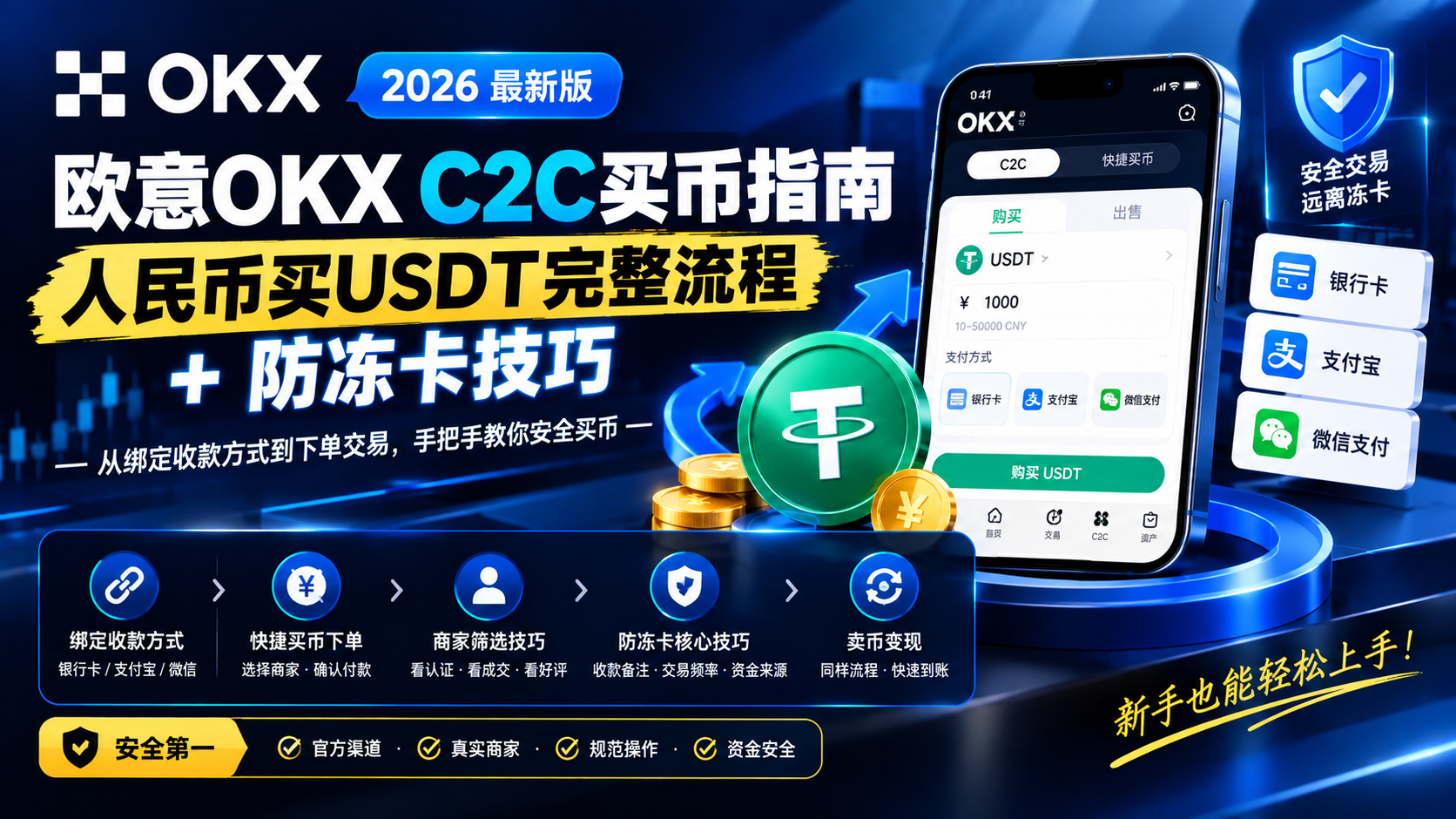
OKX C2C Buying Guide 2026: Complete Process to Buy USDT with RMB + Card Freeze Prevention Tips
Complete OKX C2C buying tutorial: step-by-step guide to buying USDT with RMB. From binding bank card/Alipay/WeChat payment methods, quick buy order process, merchant selection criteria, to core card freeze prevention tips and selling USDT for cash, helping you complete C2C transactions safely and quickly.
Table of Contents
- TL;DR One-Sentence Summary
- What is OKX C2C Trading?
- Why Use C2C to Buy Crypto?
- Step 1: Preparation
- Step 2: Select Merchant
- Step 3: Place Buy Order
- Step 4: Confirm Receipt
- C2C Sell Crypto: Convert USDT Back to RMB
- Core Card Freeze Prevention Tips (Important)
- FAQ
- Summary and Recommendations
💡 Not registered on OKX yet? First spend 5 minutes completing the account opening and identity verification in the 2026 OKX Complete Registration Guide, then come back. Remember to enter invite code
60895497during registration to get fee discounts.
TL;DR One-Sentence Summary
To buy crypto with RMB, just use C2C: complete KYC identity verification, bind Alipay/WeChat/bank card payment methods, choose a merchant with 'high completed orders + high positive feedback rate', place an order and transfer, click 'I have paid' and wait for the crypto release; never write sensitive words like 'buy crypto/USDT' in the transfer note—this is the most critical step for card freeze prevention.
What is OKX C2C Trading?
C2C (Customer-to-Customer) is direct buying and selling of cryptocurrency between users. You use RMB to buy USDT from other OKX users, and after the other party confirms receiving your transfer, they release USDT to your OKX account.
OKX acts as the escrow party in the middle—the seller's USDT is first held by the platform, and the platform only releases the crypto after you pay, so neither party can be scammed. The entire process is completed within OKX, without touching on-chain transfers or paying on-chain fees.
You use RMB → transfer to merchant → merchant confirms receipt → platform releases crypto → you receive USDT
Difference from the 'Quick Buy' Entry
Many beginners can't distinguish between 'C2C Buy Crypto' and 'Quick Buy/One-Click Buy' on OKX:
| Comparison | C2C Trading | Quick Buy Entry |
|---|---|---|
| Counterparty | Other users (merchants) | Platform-matched market makers |
| Price | Determined by market supply and demand, usually better rates | Fixed quotes, average rates |
| Difficulty | Need to select merchants | One-click order |
| Arrival Speed | 10-30 minutes | A few minutes |
| Suitable For | Those seeking good prices, long-term investors | Convenience, emergency small amounts |
Conclusion: Choose C2C if you care about price, or Quick Buy for convenience. As a long-term investor, C2C can save you considerable costs—for the same 10,000 RMB, C2C usually gets you 1%-3% more crypto than the Quick Buy entry.
Why Use C2C to Buy Crypto?
1. Obvious Exchange Rate Advantage
The C2C market is priced by supply and demand with sufficient competition. For the same amount of RMB, buying USDT through C2C usually gets you 1%-3% more than the Quick Buy entry.
2. Flexible Payment Methods
Supports bank cards, Alipay, and WeChat Pay, using payment tools you're already familiar with, without dealing with overseas cards.
3. No On-Chain Operations Needed
The USDT you buy lands directly in your OKX account, so you don't need to worry about on-chain miner fees, network congestion, or wrong addresses.
4. Negotiable for Large Amounts
Large buyers (above 100,000 RMB) can directly contact merchants to negotiate better prices, which the Quick Buy entry cannot do.
Step 1: Preparation
Before starting C2C trading, you need to complete three things:
1. Complete Identity Verification (KYC)
C2C trading requires completed KYC identity verification; unverified accounts cannot use C2C features.
- Open OKX App → 'Account' → 'Identity Verification'
- Upload ID card/passport → facial recognition
- Usually reviewed within minutes to hours
The higher the verification level, the higher the limits for deposits, withdrawals, and C2C. For detailed process, see OKX Complete Registration Guide; for pitfalls, see OKX Registration Pitfalls Guide.
2. Bind Payment Methods
C2C payment methods must be bound in advance within the OKX platform; do not send card numbers in the chat box (risky).
Binding Path: OKX App → 'Buy Crypto' → 'C2C Buy Crypto' → bottom right 'My' → 'Payment Account Management' → '+' to add.
| Payment Method | Features | Recommended Amount |
|---|---|---|
| Bank Card | High per-transaction limit, first choice for large amounts | From 5,000 RMB |
| Alipay | Fast, low risk control probability | 500-5,000 RMB |
| WeChat Pay | Daily use, fast arrival | 500-5,000 RMB |
⚠️ All bound information must match your KYC identity information (name must match), otherwise the merchant has the right not to release the crypto.
3. Security Settings
- Enable Google Authenticator or SMS two-factor authentication
- Set a fund password
- Set an anti-phishing code
⚠️ Never disclose your login password, SMS verification code, fund password, or private key in the C2C chat box. Legitimate merchants do not need this information.
Step 2: Select Merchant
Enter OKX App → 'Buy Crypto' → 'C2C Buy Crypto' → select 'Buy' → select cryptocurrency (usually USDT), and you will see a list of merchant quotes. Selecting a merchant is the most critical step in C2C.
What Metrics to Look At?
| Metric | What to Look For | Qualified Standard |
|---|---|---|
| Price | RMB price per USDT | Closer to market average is better |
| Completed Orders | Cumulative completed transactions | Higher is better; senior merchants have tens of thousands |
| Positive Feedback Rate | Proportion of positive buyer feedback | Higher is better |
| 30-Day Completion Rate | Proportion of orders completed in last 30 days | Higher is better |
| Payment Method | Which payment methods supported | Choose one you have bound |
| Limits | Minimum/maximum per transaction | Must cover your purchase amount |
Prioritize These Merchants
- 🥇 Verified Merchant / Gold Merchant — Strictly reviewed by OKX, most reliable, rates may be slightly higher
- 🥈 High-Volume Merchant — Senior merchants with many completed orders, high positive feedback, and long registration time
- 🥉 Medium-Volume Merchant — Merchants with high completion rates and clean history
Merchants to Avoid
- ❌ Newly registered with very low completed orders
- ❌ Obviously low positive feedback rate
- ❌ Quotes significantly deviating from market average (too high or too low)
- ❌ Many uncompleted/cancelled orders
Tips
- Compare quotes and metrics of 3-5 merchants for the same transaction
- Prioritize merchants supporting your bound payment method (if using Alipay, choose those marked 'Alipay')
- Trade off between price and reputation: if the quote difference is within 0.1%, choose the one with higher volume
Step 3: Place Buy Order
After selecting a merchant, follow these steps:
1. Enter Purchase Amount
Enter how much USDT you want to buy, or directly enter how much RMB you want to spend, and the system will automatically convert.
2. Confirm Order Information
Before placing the order, verify:
- ✅ Merchant information matches your selection
- ✅ Unit price and total amount are correct
- ✅ Payment method is one you have bound
- ✅ Merchant's receiving account information
3. Get Payment Details
After confirming the merchant, you will see the merchant's receiving information (bank card number / Alipay / WeChat Pay QR code).
4. Transfer Payment
- Transfer using your bound payment method, not an unbound one
- What to write in the transfer note? This is the most critical step—see the 'Card Freeze Prevention' section below
- After completing the transfer, return to OKX App and click 'I have paid'
⚠️ Absolutely do not send your transfer screenshot, bank card photo, or any sensitive information in the C2C chat box.
5. Wait for Merchant to Release Crypto
After clicking 'I have paid', the order enters a waiting state, and the merchant will release the crypto after confirming receipt.
🚨 Common Trap: After clicking 'I have paid', do not click 'Cancel Order', otherwise the transaction is cancelled but your money may have already been transferred. If the merchant delays releasing the crypto, click 'Request Customer Service Intervention' or 'Appeal' instead of cancelling yourself.
Step 4: Confirm Receipt
1. Check USDT Arrival
After the merchant releases the crypto, USDT will enter your OKX Funding Account.
2. Transfer to Trading Account
USDT in the funding account cannot be directly used for spot/futures trading; you need to transfer first:
- Go to 'Assets' → 'Fund Transfer'
- Transfer from 'Funding Account' to 'Trading Account'
- Enter amount → confirm
3. Now You Can Trade
After USDT is in the trading account, you can:
- Use USDT to buy BTC, ETH in Spot Trading (see OKX Spot and Futures Trading Tutorial)
- Deposit into OKX Earn to earn interest (see OKX Earn Complete Guide)
- Withdraw to an on-chain wallet
C2C Sell Crypto: Convert USDT Back to RMB
The reverse operation of buying crypto, selling USDT back to RMB:
- Enter Sell Crypto: OKX App → 'Buy Crypto' → 'C2C Buy Crypto' → 'Quick Trade' → 'Sell'
- Select Cryptocurrency: Choose the USDT you want to sell
- Enter Amount: Enter the quantity to sell or the RMB amount you want to receive
- Select Payment Method: Choose your bound receiving method
- Confirm: The system matches a buyer, wait for the buyer to pay
Selling Safety Reminders
- Must confirm receipt in your bank App / Alipay / WeChat bill, do not just look at SMS or the other party's screenshot
- Verify the other party pays with real-name account, the payment account name must match the platform
- Do not write sensitive words like 'buy crypto/USDT' in the transfer note, ask the other party to use neutral words
- After confirming receipt, click 'Release Crypto'; releasing before receiving payment = giving away for free
Core Card Freeze Prevention Tips (Important)
⚠️ This is the most important section in C2C trading. Many beginners ignore card freeze prevention operations, resulting in frozen bank cards that are very troublesome to handle.
Why do cards get frozen? Some C2C merchants may receive criminal funds (telecom fraud, money laundering, etc.), and when these funds pass through your account, your bank card may be frozen by police or bank risk control. The following 6 tips can greatly reduce the risk of card freeze:
1️⃣ Diversify Receiving Accounts, Don't Concentrate
- ❌ Using the same bank card to receive large funds every time
- ✅ Use Alipay/WeChat for small amounts, bank cards for large amounts, but don't use only one card
- ✅ Prepare 2-3 cards from different banks and rotate them
2️⃣ Use Small to Medium-Sized Banks
- ✅ Recommended: city commercial banks, rural commercial banks, joint-stock banks like China Merchants Bank
- ❌ Try to avoid: large state-owned banks like ICBC, ABC, BOC, CCB have stricter risk control
- Small to medium-sized banks have relatively higher risk control thresholds
3️⃣ How to Write Transfer Notes? (Most Critical)
This is the most easily overlooked and most critical step.
- ✅ Leave blank (no note)
- ✅ Write neutral words like 'payment for goods', 'shopping', 'transfer'
- ❌ Absolutely do not write keywords like 'buy USDT', 'buy Bitcoin', 'buy crypto', 'OKX'
- ❌ Absolutely do not write English keywords like 'USDT', 'BTC', 'Crypto'
Why? Many banks automatically scan transfer notes for sensitive words and trigger risk control when matched.
4️⃣ Keep Complete Records
After each C2C transaction, keep: order screenshot (with order number), successful transfer screenshot, chat logs (if any), bank statements. In case of freeze, these are key materials to prove your legitimate transaction.
5️⃣ Avoid Special Operations
- ❌ Do not make frequent large C2C transactions in the same day
- ❌ Do not 'brush orders' between different merchants
- ❌ Do not receive funds from multiple different people and then transfer out
- ✅ Keep daily transaction amounts within a reasonable range
6️⃣ Prioritize Alipay/WeChat Pay
For transactions under 10,000 RMB, prioritize Alipay or WeChat Pay, compared to bank cards:
- Lower probability of triggering risk control
- Even if risk-controlled, the unblocking process is simpler
- Does not affect normal use of your bank card
If Unfortunately Frozen
- Contact the bank immediately: Ask about the reason and the freezing party
- Police freeze: Prepare all transaction records and cooperate with the investigation
- Contact OKX customer service: Obtain official transaction proof
- Don't panic: For normal C2C transactions, after providing records, it usually takes weeks to months to unfreeze
📌 Remember: Prevention is far better than remedy. Strictly follow these 6 tips to basically avoid over 90% of card freeze issues.
FAQ
What is the difference between OKX C2C buy crypto and the 'Quick Buy' entry?
OKX C2C is direct user-to-user trading, where prices are determined by market supply and demand and usually offer better exchange rates, but you need to select merchants yourself. 'Quick Buy' is a platform-matched market maker quote with one-click ordering and faster arrival, but the exchange rate is average. Choose C2C if you care about price, or Quick Buy for convenience.
Does OKX C2C buy crypto charge fees?
Buyers are usually fee-free, with fees borne by the merchant (who factors it into the quote). This is one reason C2C rates are often better than the Quick Buy entry. Actual fees are subject to the trading page display; before ordering, note the gap between the merchant's quote and the market average.
How long does OKX C2C buy crypto take to arrive?
From order placement to USDT arrival typically takes 10-30 minutes, depending on your transfer speed, the merchant's release speed (quality merchants release within minutes after confirming payment), and the payment method (Alipay/WeChat are usually faster than bank cards). If it times out, contact the merchant or OKX customer service for intervention.
How to choose a reliable OKX C2C merchant?
Look at four metrics: completed orders (more is more stable), positive feedback rate (higher is better), 30-day completion rate (higher is better), and registration duration (longer is more reliable). Prioritize merchants with 'Verified Merchant' or 'Gold Merchant' badges; even if the rate is 0.1% more expensive, safety comes first.
What should I do if my bank card is frozen?
First contact the bank to confirm the reason and the freezing party (police/anti-fraud center or bank risk control). If frozen due to receiving involved funds, keep C2C order screenshots, transfer records, and chat logs, submit proof that this is a normal transaction, and contact OKX customer service for transaction certificates. Prevention is far better than remedy—prioritize Alipay/WeChat for small amounts.
What payment methods does OKX C2C support? Are there limits?
It supports bank cards, Alipay, and WeChat Pay. Limits depend on your KYC level and merchant settings; higher KYC levels allow higher per-transaction and daily limits. For large transactions, it is recommended to split them into batches to reduce the probability of triggering risk control. Specific limits are subject to real-time display on the trading page.
Summary and Recommendations
Key Points Quick Recap
- Preparation: Complete KYC, bind at least 2 payment methods
- Select Merchant: Look at completed orders, positive feedback rate, completion rate, registration duration
- Card Freeze Prevention: Diversify receiving accounts, use small to medium banks, neutral notes, keep records
- After Arrival: Transfer from funding account to trading account before trading
Beginner Operation Tips
- Try a small amount for the first transaction: 500-1,000 RMB to familiarize with the complete process
- Choose the merchant with the highest positive feedback rate: Even if 0.1% more expensive, safety first
- Strictly follow card freeze prevention process: Especially the transfer note part
- Compare more if not in a hurry: C2C is not a flash sale; look at several merchants before ordering
💡 After completing C2C buy crypto, it is recommended to continue reading OKX Spot and Futures Trading Tutorial to learn how to use USDT to buy and sell BTC and ETH. If you haven't registered yet, register on OKX with invite code 60895497 to enjoy fee discounts.
Transparency Statement: The registration links in this article are CoinVado's referral links. Registering through the links does not increase your costs; we may receive platform commissions to maintain website operations.
Recommendations: OKX Registration (Invite Code: 60895497) | Binance Registration (Invite Code: BINANBT)
📚 Further Reading: On-Chain Guide —— A free tutorial site to learn blockchain and on-chain data from scratch.
Disclaimer: This content is for learning reference only and does not constitute investment advice. Cryptocurrency prices are highly volatile, and C2C trading carries risks such as bank card freezing. Please operate through official channels and make decisions cautiously.