


📌 Update note (2026-09-14): This article originally described a "180-day inactive rebinding", but Binance shortened the inactivity period from 180 to 90 days on 2026-03-24, and the "existing-user recall" is only for users who have never bound a referrer (adding), not rebinding. For the complete "rebind vs add" rules (including OKX node recall), see Change Referral Code 2026: Binance vs OKX Rules.
Table of Contents
- Can I Still Bind a Referral Code After Registration?
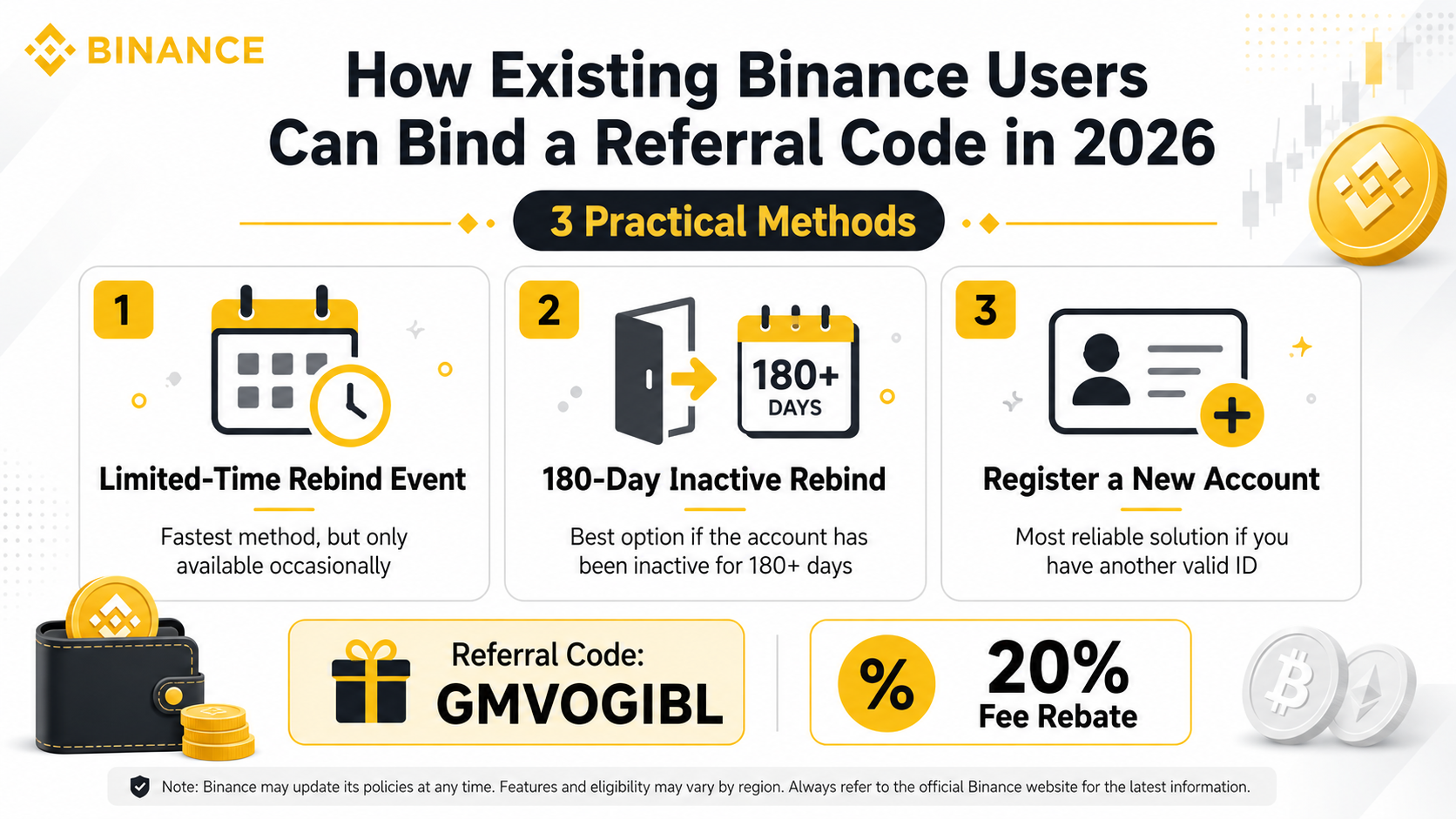
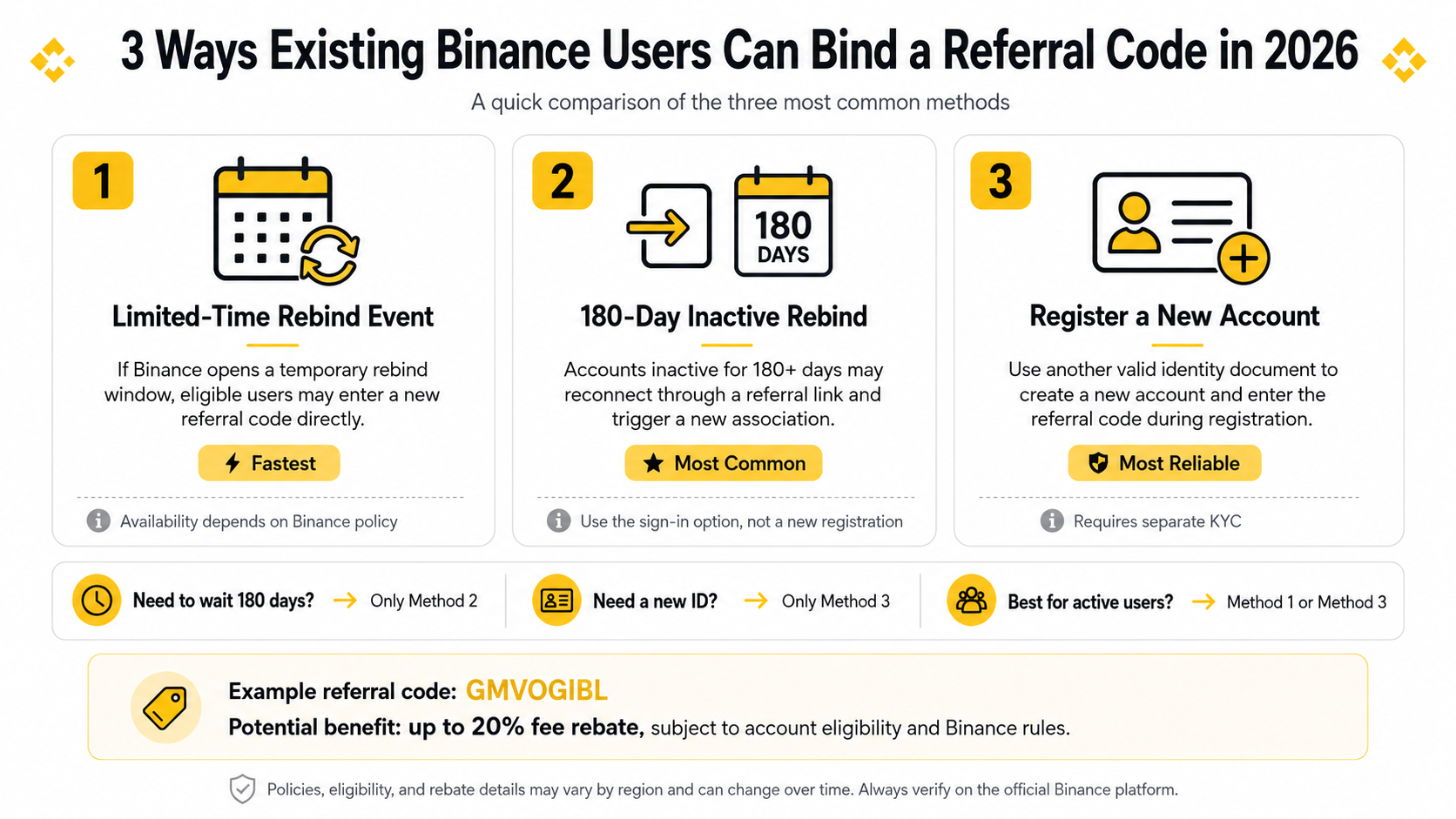
- Method 1: Limited-Time Rebinding Event (Fastest, Time-Sensitive)
- Method 2: 180-Day Inactive Rebinding (Most Common, Most Effective)
- Method 3: Register with a New Identity (Complete Solution)
- Method Comparison
- When Does the Rebate Take Effect?
- How to Check Your Rebate History?
- FAQ
Can I Still Bind a Referral Code After Registration?
Many Binance users either skipped entering a referral code during registration or used a code offering zero or low rebates. It's only after they start trading that they realize — others get a 20% discount on fees while they're paying full price.
If this sounds like you, don't worry. Binance actually allows existing users to bind or rebind a referral code under certain conditions.
💡 Money-Saving Tip: Use referral code BINANBT to get a permanent 20% fee rebate. If you're already a registered user, the three methods below can help you claim this benefit.
Whether you can successfully bind the code depends on your account status and Binance's current policies. At least one of these three methods should work for you.
Method 1: Limited-Time Rebinding Event (Fastest, Time-Sensitive)
What Is This?
Binance occasionally opens a referral code rebinding window, allowing registered users to change their bound referral code within a limited period. These events are announced irregularly by Binance and are never scheduled in advance.
Steps
- Log in to your Binance account
- Go to Account Center → Referral & Rebates or Referral Code Binding
- If a rebinding option is available, enter referral code BINANBT
- Confirm the binding
Pros and Cons
| Pros | Cons |
|---|---|
| Simple operation, takes just minutes | Event timing is unpredictable |
| No new account needed | Some accounts may not qualify even when the event is live |
| Doesn't affect existing trading history | Once missed, you wait for the next window |
💡 Pro Tip
If you see the rebinding option when logged in, do it immediately — these windows often last only a few days or hours. If there's no option, don't worry — move to Method 2.
Method 2: 180-Day Inactive Rebinding (Most Common, Most Effective)
What Is This?
Binance's referral system has a rule: if an account has no login activity for over 180 days (note: login, not trading), logging in through a referral link will automatically reassociate the new referral code with the account.
This is currently the most reliable method, successfully used by many existing users.
Steps
Step 1: Check Your Account Status
If your Binance account hasn't been logged into for more than 6 months, this method has a high success rate. If you've logged in recently, wait 180 days before trying.
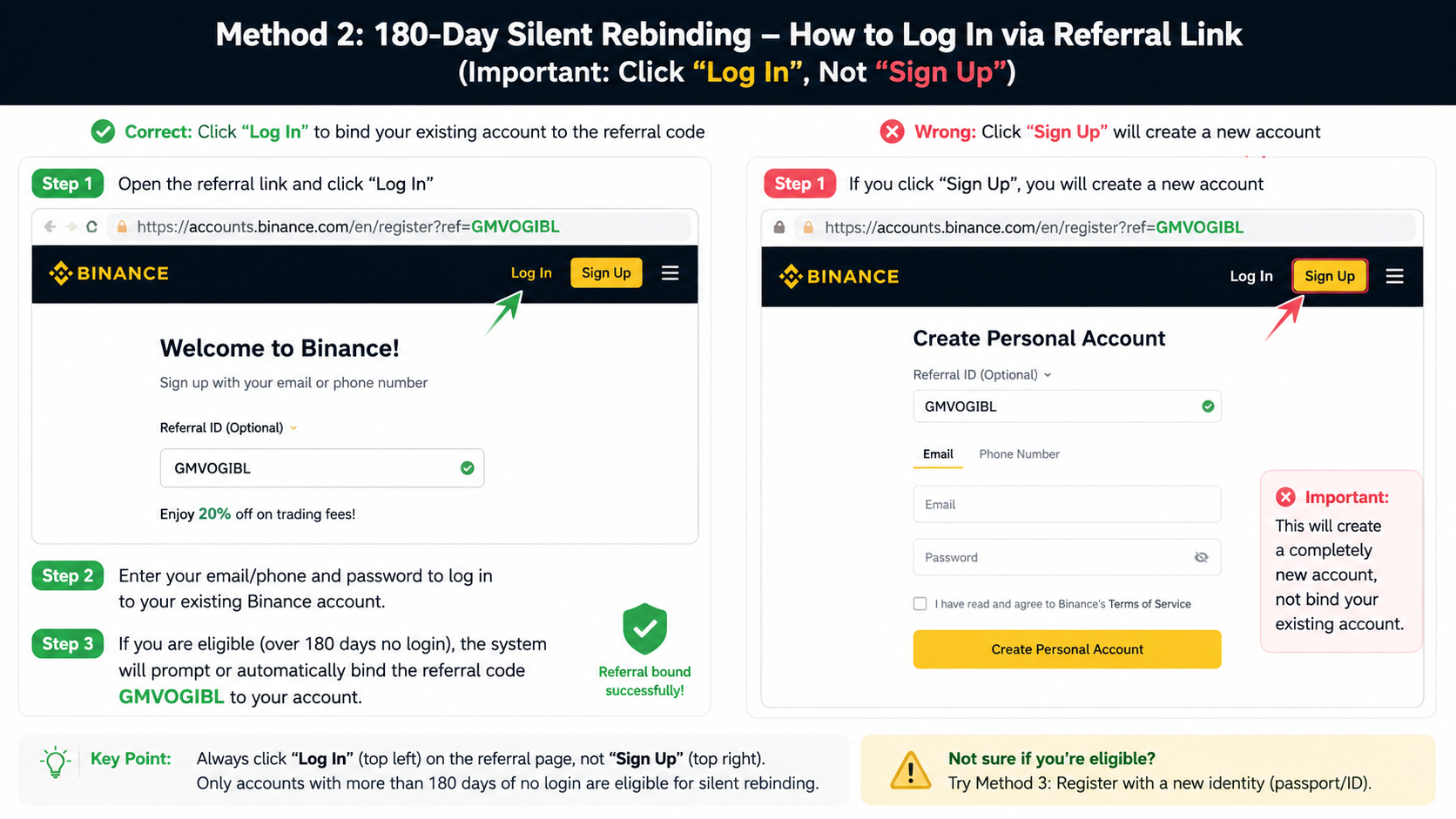
Step 2: Log In Through the Referral Link (Don't Register a New Account)
Open the following link:
Critical: Click "Log In" at the top of the page (not "Register"), then enter your existing email or phone number.
Step 3: Confirm the Referral Code
The system will prompt or auto-confirm referral code BINANBT during the login process. If a confirmation window appears, click confirm.
Important Notes
- ⚠️ Use "Log In", NOT "Register" — clicking Register will create a new account instead of rebinding your existing one
- ⚠️ Account must have no login activity for over 180 days — this is a hard requirement
- ✅ Once done, your rebates will apply on the next trade
How to Check If You've Been Inactive for 180 Days?
If you can't remember your last login:
- Check your email for the last Binance login notification
- On the Binance mobile app — if it asks for your full password (rather than fingerprint/Face ID), your session likely expired long ago
- Not sure? Just try Method 2 directly — if the system doesn't confirm the code, your account is too "active" and you should try Method 3
Method 3: Register with a New Identity (Complete Solution)
What Is This?
If you hold two different forms of identification (e.g., national ID + passport), you can create a new Binance account using the second document and enter referral code BINANBT during registration.
Steps
Step 1: Prepare a Second ID Document
Most common scenarios:
- Already verified with national ID → use passport for the new account
- Already verified with passport → use national ID or driver's license (supported in some regions)
- Only one form of ID → can use a family member's ID (with their consent for KYC)
Step 2: Register a New Account Through the Referral Link
👉 Click here to register a new Binance account
Enter a new email (or phone number) and input referral code BINANBT in the code field.
Step 3: Complete KYC Verification
Complete identity verification with your second document. Binance KYC typically requires:
- Front photo of the ID document
- Facial recognition / live selfie
- Sometimes a photo holding the ID document
Step 4: Transfer Assets (Optional)
To move funds from your old account to the new one:
- Withdraw from the old account to your personal wallet (USDT is recommended — low fees)
- Deposit from your personal wallet to the new account
- Or use Binance internal transfer (supported for some coins)
Pros and Cons
| Pros | Cons |
|---|---|
| 100% feasible, no time constraints | Requires a second form of ID |
| Permanent 20% fee rebate on the new account | Need to complete KYC again |
| Can use both accounts simultaneously | Transferring assets requires extra steps |
Method Comparison
| Aspect | Method 1: Rebinding Event | Method 2: Inactive Rebinding | Method 3: New Identity |
|---|---|---|---|
| Success Rate | ⭐⭐ (luck-based) | ⭐⭐⭐⭐ (high if conditions met) | ⭐⭐⭐⭐⭐ (most reliable) |
| Difficulty | ⭐ (easiest) | ⭐⭐ | ⭐⭐⭐ |
| Need New ID? | ❌ No | ❌ No | ✅ Yes |
| Need 180-Day Wait? | ❌ No | ✅ Yes | ❌ No |
| Effect on Existing Account | None | None | Dual accounts |
| Best For | Users who catch the event | Users with dormant accounts | Users with a second ID |
When Does the Rebate Take Effect?
After binding referral code BINANBT, the rebate typically activates on the next trade.
How it works:
- 20% of each trade's fee is returned to your account in USDT on T+1 basis
- Rebates go to your Funding Wallet (check: Wallet → Funding Wallet)
- Rebates have no usage restrictions — withdraw, trade, or hold them
Note: The rebate is calculated on trading fees, not trade volume. For example, if you trade 1,000 USDT (0.1% fee rate = 1 USDT fee), your 20% rebate = 0.2 USDT.
How to Check Your Rebate History?
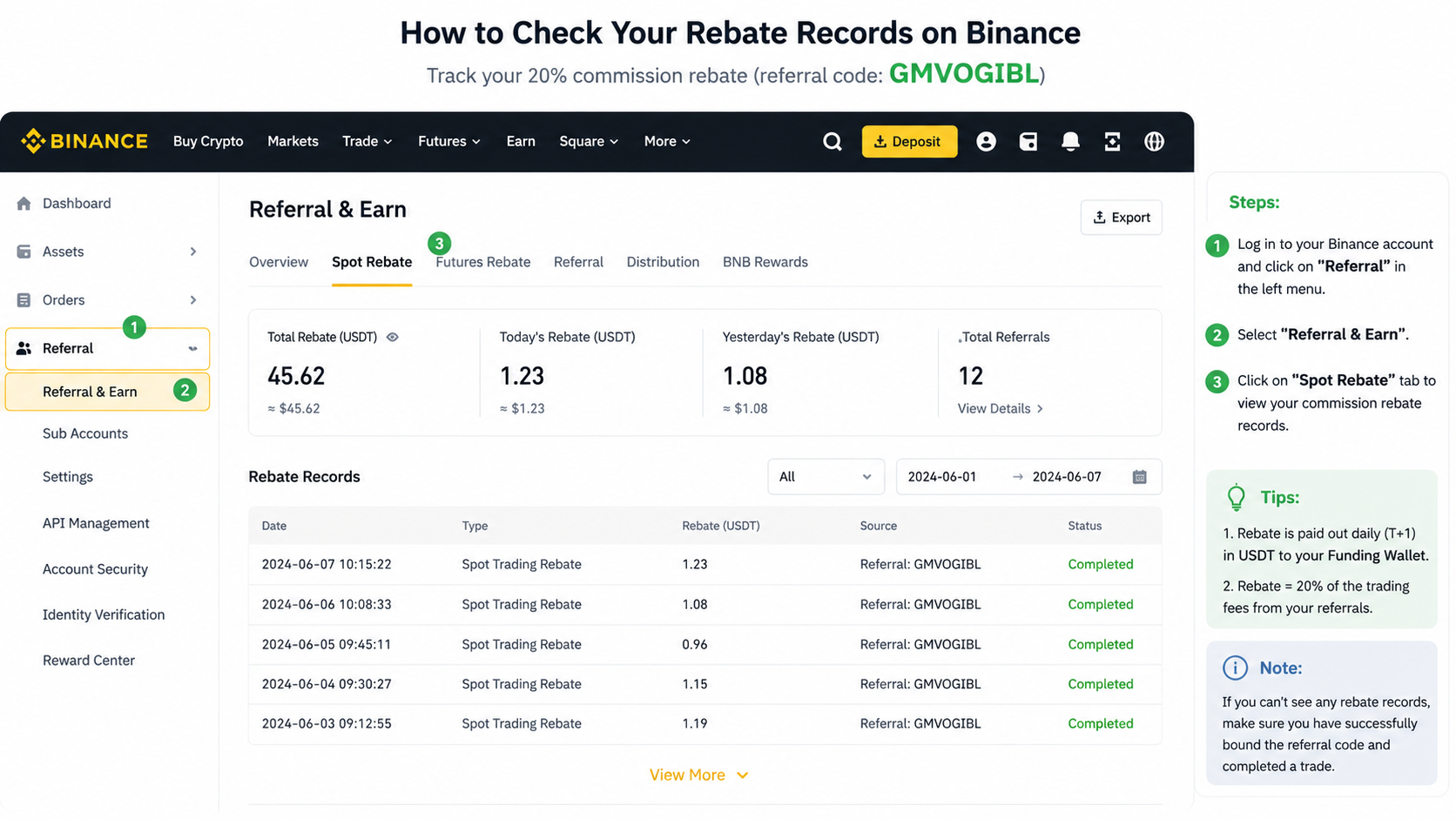
- Log in to your Binance account
- Go to Account Center → Referral & Rebates
- View Rebate History or Commission History
- You can see the rebate amount and status for each trade
If you're a new user who registered through a referral link, you can also find your own referral code here and share it with friends for additional rebates.
FAQ
Q1: I already registered with someone else's code. Can I switch to BINANBT?
Try Method 1 (limited-time rebinding) or Method 2 (180-day inactive rebinding). Method 3 involves creating a completely new account.
Q2: What is the rebate rate for code BINANBT?
20% permanent fee rebate — no time limit, no cap. Every trade's fee is automatically refunded at 20%.
Q3: What if Method 2 doesn't work?
Your account likely had login activity within the last 180 days. Options:
- Wait until 180 days of inactivity have passed, then try again
- Or go straight to Method 3 and register with a new ID
Q4: Will Binance flag my account if I register with a new identity?
As long as you use valid, real identity documents and pass Binance's official KYC, your account is fully compliant and won't face any restrictions.
Q5: How do I transfer assets from my old account to the new one?
The safest method:
- Withdraw from the old account to a personal wallet (e.g., MetaMask, Trust Wallet)
- Deposit from the wallet to your new account
USDT on the TRC-20 network is recommended for the lowest fees and fastest transfers.
Q6: Can I bind referral codes on OKX and Bitget too?
- OKX: Yes — register with a new ID document and enter your referral code. See our OKX Registration Guide for details.
- Bitget: Contact customer support to request a referral code rebind.
Final Thoughts
For existing Binance users, binding a referral code is one of the easiest ways to save on trading fees that most people overlook. A 20% rebate may not seem like much, but if you're a frequent trader or have significant volume, it adds up to a substantial amount over a year.
Whatever your situation, start with Method 2 — no new ID needed, simple steps, and if it works, you're set. If not, Method 3 has you covered.
🚀 Bind referral code BINANBT now for a permanent 20% fee rebate:
Have questions? Join our Telegram Group to discuss with fellow traders.