


TL;DR: The Bottom Line First
Looking up a wallet address isn't opening a wallet — it's reading a public blockchain ledger. An address is your account number, visible to everyone, but the private key is never exposed.
Six facts that matter most:
- Addresses are public. A wallet address is hashed from a public key and written on-chain; anyone who has the address can see its balance, holdings, and full transaction history1.
- Check a balance with the address. Paste it into the right chain's block explorer (Etherscan for Ethereum, BscScan for BNB Chain, Solscan for Solana)1.
- Track a transfer with the transaction hash (tx hash). It's each transfer's unique ID — it shows status, confirmations, time, amount, and fees. Use it to confirm whether a payment arrived1.
- Spot a fake token by its contract address. Same-named tokens are everywhere; compare the contract address character-by-character against the official one.
- An address is not an identity. Blockchain is pseudonymous — you can see every move of an address but not who's behind it (unless they're linked via KYC or self-doxxed)2.
- Lookup never needs your private key. Any page that asks for your seed phrase or private key to "look up" an address is phishing — close it.
Here's everything, from the start.
Table of Contents
- What is a wallet address? An address is not an account
- Checking a balance: how to use a block explorer
- Tracking a transfer: use the transaction hash
- Checking a token/contract address: spotting fake tokens
- Block explorer reference by chain
- 3 counterintuitive truths every beginner should know
- 4 safety rules when looking up an address
- FAQ
- Further reading
What is a wallet address? An address is not an account
Before you look anything up, understand what a wallet address actually is. It looks like a bank account number, but it's fundamentally different.
A wallet address is a string of characters hashed from your public key. It's written on the blockchain's public ledger and acts as a locator for receiving and auditing funds. Your assets aren't "stored inside" the address — they're recorded on-chain, and the address is just an index pointing to those records1.
Address, public key, private key — stop mixing them up
These three are the most commonly confused concepts for beginners. Get them straight:
- Private key — the "key" that actually controls your assets. Never share it, and it never goes on-chain.
- Public key — derived from the private key; used to verify signatures.
- Address — hashed from the public key; the "receiving account" you can safely share to receive funds and look things up.
One line: private key → public key → address, and this chain is one-way. Someone can derive the address from the private key, but cannot reverse an address back into the private key — that's guaranteed by elliptic-curve cryptography's one-way property3.
Addresses look different on different chains
- Ethereum and EVM-compatible chains (ETH, BNB Chain, Polygon, Arbitrum, Base, etc.): addresses are uniformly
0x+ 40 hex characters, e.g.0x742d35Cc6634C0532925a3b844Bc9e519bC.... - Bitcoin: several formats —
1-prefix (Legacy),3-prefix (P2SH), andbc1-prefix (Bech32/SegWit)3. - Solana: a Base58-encoded string, usually 32–44 characters, not
0x-prefixed. - Tron: starts with
T.
So when you look something up, the address must match the chain — an Ethereum address pasted into Solscan will turn up nothing.
Checking a balance: how to use a block explorer
A block explorer is "the search engine of the blockchain." It turns raw on-chain data into a webpage, so you can look up any address or transaction without running a node or opening a wallet1.
Three steps to check an address balance
- Open the right chain's explorer (see the table below).
- Paste the wallet address into the search bar and press enter.
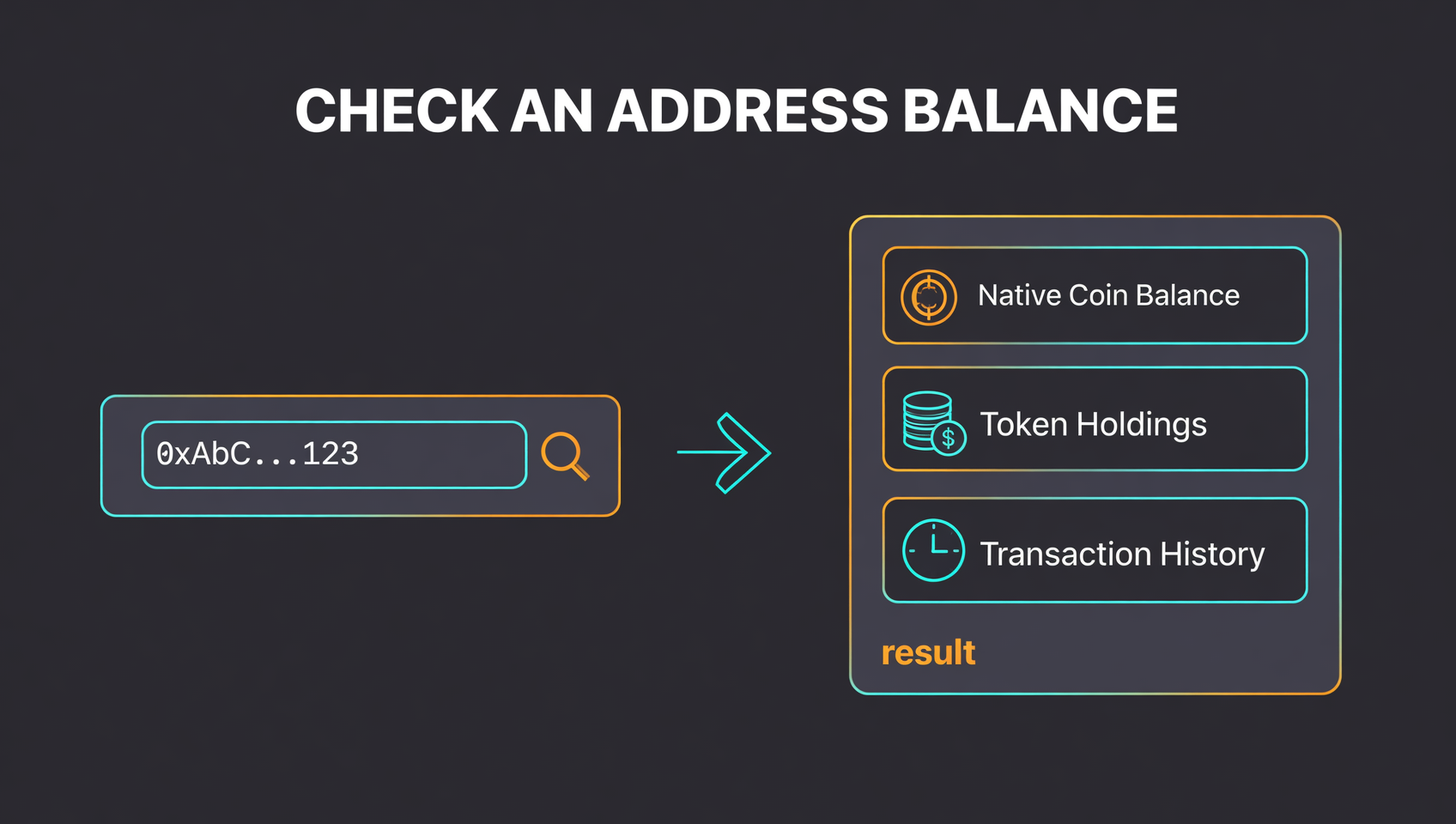
- Read the result page: at the top is the address's native coin balance (ETH/BNB/SOL, etc.), below it the tokens it holds (ERC-20, BEP-20, etc.) and its full transaction history.
Three things to watch when checking a balance
- There are two kinds of "balance." The native coin balance (e.g. ETH for an Ethereum address) and token balances (e.g. USDT, USDC) are shown separately. Don't just glance at the top number.
- Not every token is displayed. Some explorers only show mainstream tokens by default; obscure ones may need to be added manually or looked up by their contract address.
- Some "tokens" are junk airdrops. A strange token that suddenly appears in an address is often a spam or phishing airdrop — see Why did my tokens suddenly disappear? A 3-step guide.
Tracking a transfer: use the transaction hash
"Did my transfer arrive?" is the most common lookup. The answer isn't the address — it's the transaction hash.
A transaction hash (tx hash / txid) is each transfer's unique "ID number" — one per transaction, never reused. After you send a transfer, your wallet or exchange shows this string; use it to look things up accurately1.
What a tx hash tells you
Paste the txid into an explorer to see the transaction's full file:
| Field | What it means |
|---|---|
| Status | Success / Failed / Pending |
| Confirmations | How many blocks have confirmed it — more is more irreversible |
| Time | When it was included in a block |
| Amount | How much was sent, and its current fiat value |
| Fees | How much gas (network fee) it cost |
| From / To | The sending address and the receiving address |
Why a transfer "didn't arrive"
- Still pending: under congestion, a transaction can sit Pending with zero confirmations because no miner has included it.
- Wrong chain: you sent to an incompatible chain (e.g. sent over ERC-20 to a BEP-20 address). The transaction succeeds on chain A, but you see nothing on chain B — one of the most common "my coins disappeared" misunderstandings; see Which network for withdrawing to MetaMask? BEP20 vs ERC20.
- Wrong explorer: using the wrong chain's explorer finds nothing. First confirm which chain the transaction happened on.
Checking a token/contract address: spotting fake tokens
Same-named tokens are everywhere on-chain — anyone can issue a token called "USDT" or a popular coin's name. How do you tell them apart? The contract address.
A contract address is a token's true identity: it's unique across the entire chain and is the single entry point for all its holders and transfers. If the contract address matches the official one, it's the real token1.
How to verify a token is real
- Find the official contract address: check the project's website, official announcements, or its CoinMarketCap / CoinGecko page.
- See the token's contract address: click into the token in the explorer to find it.
- Compare character by character: only an exact match is the real token — one character off means it's a different (fake) one.
A common, high-impact scam
A frequent trick: scammers send you a batch of "same-named" tokens and lure you to a fake DApp to "swap" or "claim an airdrop," which actually gets you to approve a malicious contract that drains your real assets. Any token whose name matches but whose contract address doesn't is a fake — don't touch it, don't approve it, don't interact.
Block explorer reference by chain
| Chain | Block explorer | Native coin | Address example pattern |
|---|---|---|---|
| Ethereum | etherscan.io | ETH | 0x + 40 hex chars |
| BNB Chain (BSC) | bscscan.com | BNB | 0x + 40 hex chars |
| Polygon | polygonscan.com | MATIC/POL | 0x + 40 hex chars |
| Arbitrum | arbiscan.io | ETH | 0x + 40 hex chars |
| Base | basescan.org | ETH | 0x + 40 hex chars |
| Solana | solscan.io | SOL | Base58 (not 0x) |
| Tron | tronscan.org | TRX | T prefix |
| Bitcoin | mempool.space | BTC | 1/3/bc1 prefix |
These are the mainstream public explorers for each chain — free and no login required. Some chains have multiple explorers, but they all read the same on-chain data, since the source is the same chain1.
3 counterintuitive truths every beginner should know
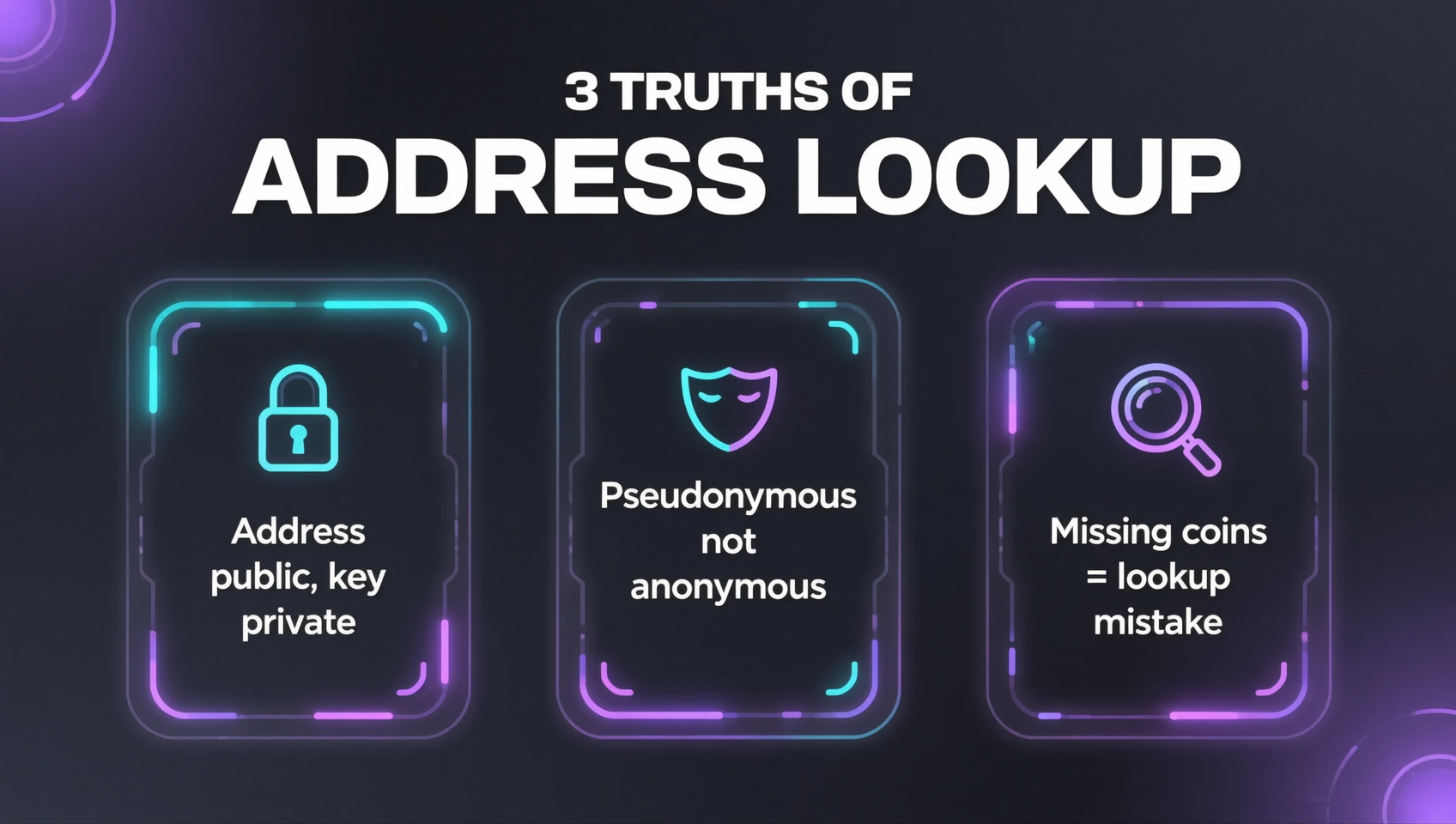
Looking up is not controlling. You can look up any address, but you can't move its funds. Moving funds requires a private-key signature, and the private key never goes on-chain and can't be looked up. So "a public address" and "secure funds" are two different things3.
Addresses are pseudonymous, not anonymous. Every on-chain transaction is permanently viewable — that's both a strength (traceability) and a privacy cost. Once an address is linked to you (say, you withdrew from a KYC exchange to it), your later on-chain activity can be traced. So "look up an address and you find the person" is wrong, and "an address is fully anonymous" is also wrong2.
"My coins disappeared" is usually "I looked it up wrong." The most panic-inducing "my wallet is empty" moment is, eight times out of ten, a wrong chain, a token that isn't displayed, or the wrong explorer — the coins are still on-chain. Check the real on-chain balance before concluding anything; see Why did my tokens suddenly disappear? A 3-step guide.
4 safety rules when looking up an address
Never enter a private key or seed phrase on any "lookup" page. Checking a balance, a transfer, or a contract address only ever needs an address or a txid — never any secret. Anyone asking for your seed phrase or private key is phishing; close the page immediately. A "restore wallet with seed phrase" prompt in a lookup context is a scammer2.
Beware of lookalike block explorers. Scammers build fake sites that look like Etherscan to get you to connect a wallet or enter a private key. Stick to official domains (etherscan.io, bscscan.com, solscan.io, etc.) and never click unsolicited "lookup" links.
Don't "connect your wallet" just to look something up. On-chain lookup requires no wallet connection. Anything that asks you to "connect wallet and sign" to look up an address, claim an airdrop, or swap is very likely asking you to approve a contract that drains your assets. Lookup is lookup — it should involve zero approvals.
Don't trust "this address is yours" messages. Scammers message people saying "we found your wallet address XXX, please verify." Addresses are public, so anyone can invent "your address" — that doesn't mean they hold any of your information, nor that you need to "verify" anything.
FAQ
How do I check a wallet address balance?
Open the block explorer for the right chain (Etherscan for Ethereum, BscScan for BNB Chain, Solscan for Solana), paste the address into the search bar, and press enter. You'll see the native coin balance (ETH, BNB, SOL) plus the token balances the address holds. Make sure you use the correct chain's explorer — each chain has its own address format and explorer.
How do I check if a transaction arrived?
Use the transaction hash (tx hash / txid), not the address. Paste the txid into a block explorer to see the transaction's status (success / failed / pending), confirmations, time, amount, fees, and the sending and receiving addresses. When someone sends you crypto, ask them for the txid and look it up directly.
What's the difference between a wallet address and a transaction hash?
An address is an "account locator" that identifies who is sending or receiving; a transaction hash is a transfer's "ID number" for one specific transaction. Use an address to check "how much does this address hold," and a transaction hash to check "did this transfer arrive." Both live on the public ledger and can be looked up by anyone.
Can I tell who owns an address by looking it up?
Not directly. Blockchain addresses are pseudonymous — you can see the balance and every transaction, but not the person behind them, unless that person is linked through exchange KYC or has revealed their identity. So a public address does not reveal identity, but privacy is not absolute either.
How do I spot a fake token by its contract address?
Tokens with the same name are told apart by their contract address. When checking a balance, click into a token to see its contract address, then compare it character-by-character against the official one published on the project's website, announcements, or its CoinMarketCap / CoinGecko page. Only an exact match is the real token.
Does looking up a wallet address expose my private key?
No. A block explorer only shows public information (balances, transaction history). Your private key and seed phrase stay on your device and never go on-chain. The reverse is the real danger: any site that asks you to "enter your seed phrase or private key" to look up an address is phishing. Legitimate lookup only ever needs an address, never a private key.
Further reading
- Why did my tokens suddenly disappear? A 3-step guide — after checking a balance, if coins "went missing," locate them in three steps
- Which network for withdrawing to MetaMask? BEP20 vs ERC20 — the wrong chain is the #1 cause of "missing coins"
- Complete Crypto Wallet Guide: Hot vs Cold Wallets 2026 — addresses, private keys, and wallet types from the ground up
- MetaMask vs Trust Wallet 2026: Which Wallet Wins — which wallet suits you, with a decision table
- Anti-Phishing Guide 2026: Identify and Defend Against Phishing — fake explorers, fake airdrops, and approval phishing, all covered
- On-chain guide — more blockchain fundamentals and on-chain tutorials
Data verification note: The relationship between wallet address, public key, and private key; that an address is hashed from a public key; block explorers' lookup capabilities (balances, holdings, transaction history, contract addresses); and the mainstream explorers per chain (Etherscan, BscScan, Solscan, Tronscan, mempool.space, etc.) were all verified on 2026-10-16 — see footnotes132. Explorer interfaces and token displays may change with updates; refer to each explorer's live page.
This is not investment advice. This article explains how to look up wallet addresses and related safety practices only, and does not constitute a recommendation of any asset, platform, or transaction. Cryptocurrency involves risk; make decisions based on your own situation and comply with local laws and regulations.
Footnotes
-
Block explorer lookup capabilities and transaction hash: a block explorer is a tool that renders on-chain data as a webpage; anyone can look up any address's balance, token holdings, and transaction history, and use a transaction hash (tx hash) to query a single transaction's status, confirmations, time, amount, and fees. The transaction hash is the unique identifier for each transaction. Source: Etherscan official docs (docs.etherscan.io), BscScan, Solscan official documentation (queried 2026-10). ↩ ↩2 ↩3 ↩4 ↩5 ↩6 ↩7 ↩8 ↩9
-
Pseudonymity and privacy: blockchain addresses are pseudonymous; on-chain transactions are permanently public, but an address is not directly tied to a real-world identity. Once an address is linked to a real identity (e.g. withdrawing from a KYC exchange), its on-chain activity can be traced. Source: Ethereum.org "Privacy", Bitcoin Wiki (queried 2026-10). ↩ ↩2 ↩3 ↩4
-
Address generation and one-way property: a wallet address is produced by hashing the public key; the public key is derived from the private key via elliptic-curve cryptography. The process is one-way — the address can be derived from the private key, but the private key cannot be derived from the address. Bitcoin addresses come in Legacy (
1), P2SH (3), and Bech32/SegWit (bc1) formats. Source: Learn Me A Bitcoin, Bitcoin Wiki (queried 2026-10). ↩ ↩2 ↩3 ↩4